
IMPORTANT
- This mod requires Create and Create Enchantment Industry.
- This mod is compatible with More Armor Trims.
Description
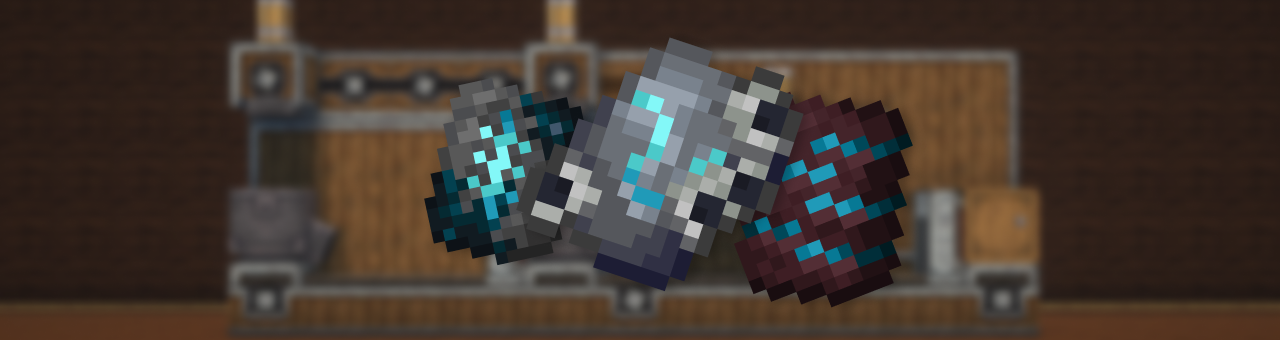
This mod adds a complex, immersive, and fully automated way to craft Armor Trim Smithing Templates using Create machines and experience fluid.
Forget vanilla loot tables — now you build your trims like an engineer.
🔨 Making the Shards
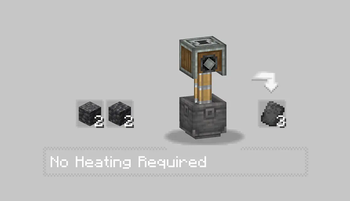
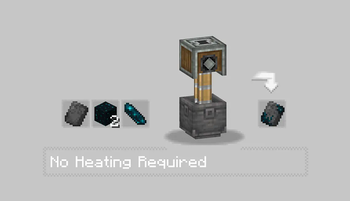
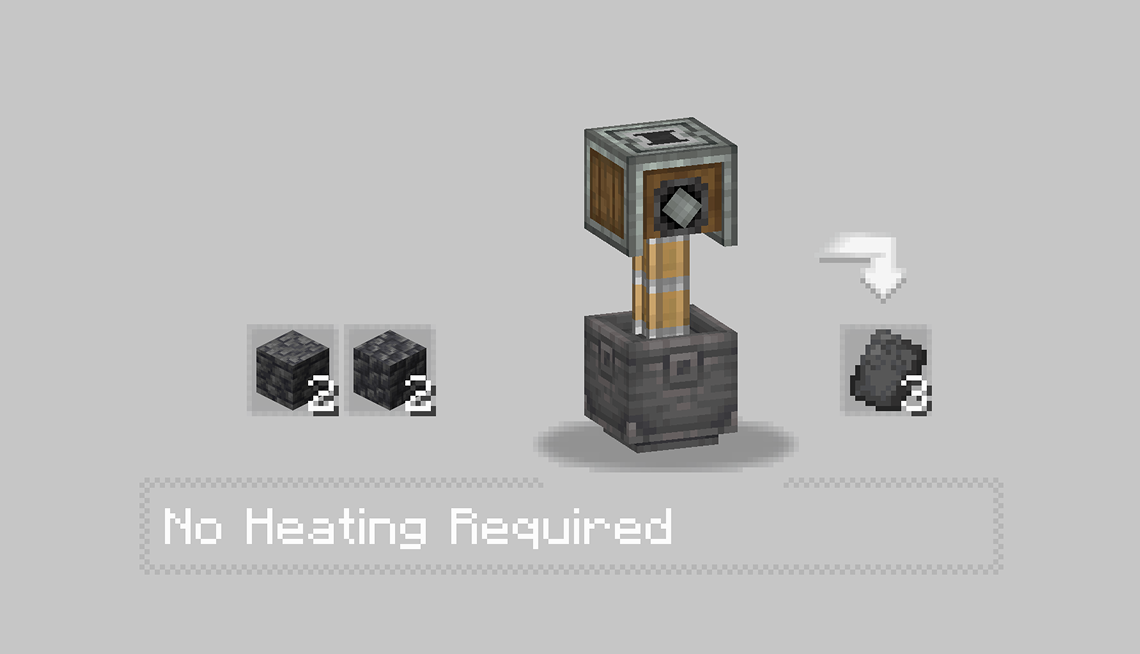
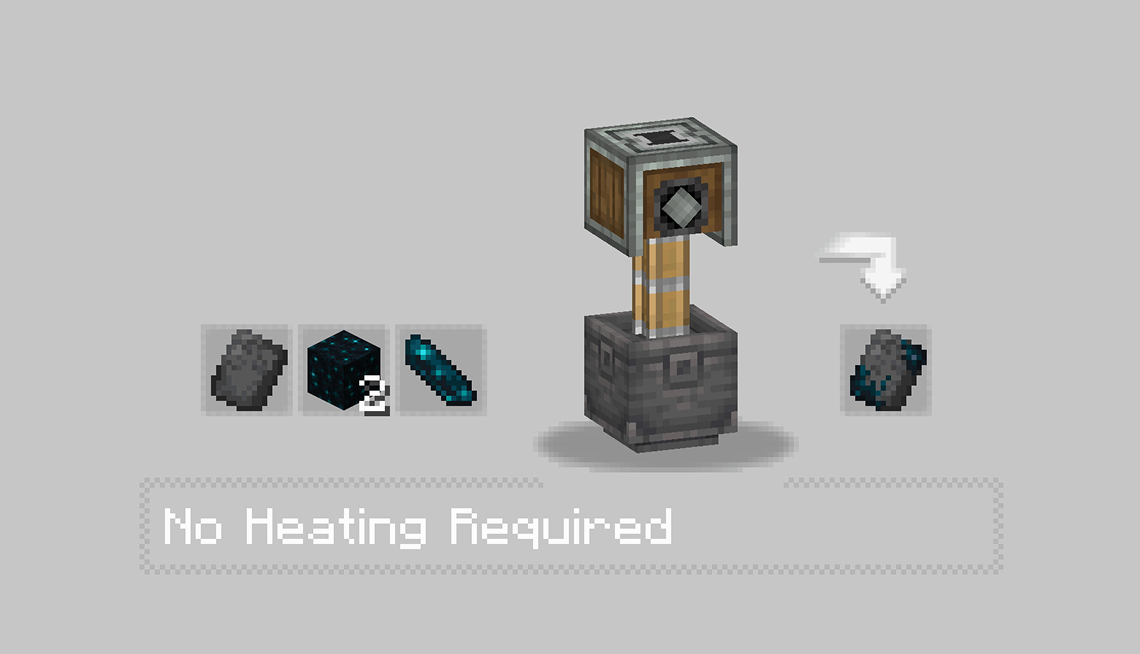
The first step is to craft a base shard using various Create machines like the Press and the Basin. Each trim starts its journey as a raw material processed with care.
 |
 |
- In the first recipe, Some Stones is pressed into a flat sheet, forming the basis of the trim’s structure.
- Then, some item like echo or moss is added inside a basin and pressed, producing a charged and purified core shard.
- Each Trim got there personnal recipe check it with JEI mod.
⚙️ Assembling the Shard
With the base shards ready, the real process begins.
You’ll need to:
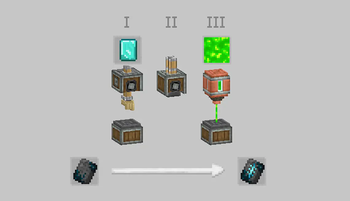
- Use Mechanical Arms to deploy Diamond Shard.
- Run them through Sequenced Assembly, where each action upgrades the item step by step.
- Finally, inject XP fluid into the item using a Spout to awaken its full potential.
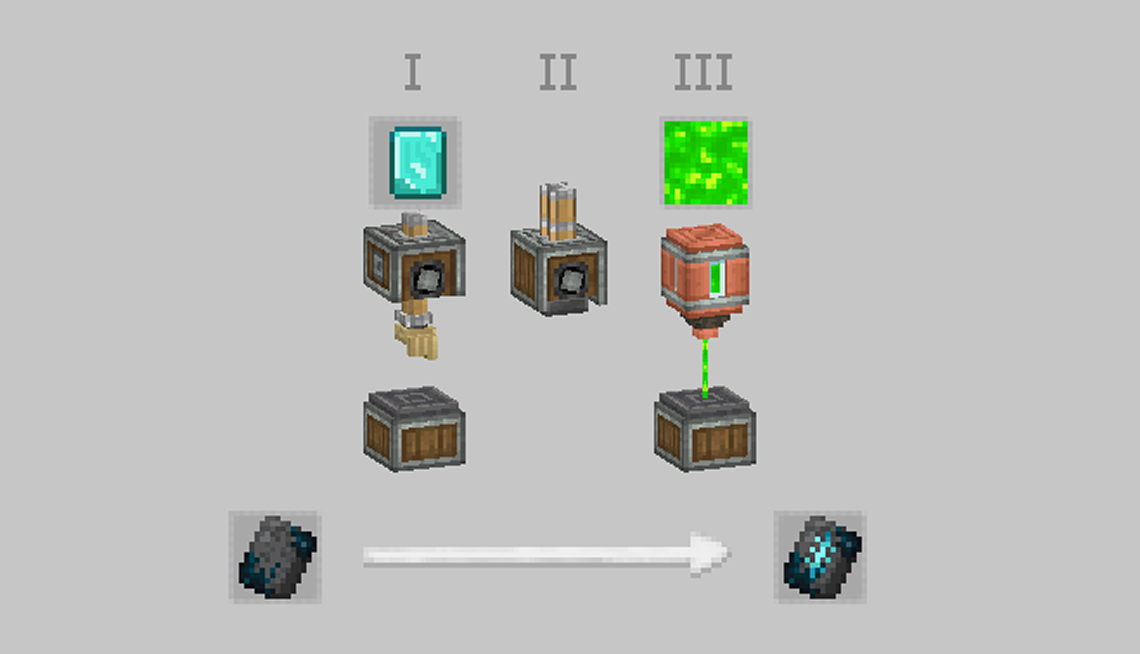
Every trim has a different flavor — some require specific coral types, others need rare materials like diamonds or nether components.
The XP injection is what activates the shard, making it usable as a Smithing Template.
✅ Result
After these steps, you’ll have a fully functional Armor Trim Template — obtained through automation, logic, and style.
Perfect for tech-based survival worlds or modpacks aiming to reduce RNG and promote player-driven progression.
Check out my other mods and texture pack !


- Edition: Minecraft Java
- File type: .jar
- Minecraft version listed: 1.21.1
- How to install: Install the matching mod loader (Forge, Fabric or NeoForge) for your Minecraft version. → Download the .jar. → Put it in the .minecraft/mods folder and launch that loader profile.
- Where to get it: Opens on Modrinth — not every file is mirrored on our own servers.
Install steps are the general flow for this file type — How to install Minecraft Java mods & modpacks walks through it step by step.
- Ships as create_templates_gears-1.2.2.jar — drop this file into the mods folder
- Download size: 374 KB
- Download link checked 30 Aug 2026 — working
These come from our own check of the pack file, not from the source page.