
ModsJava
False Reality • Time Changer
I don't know my version or loader
Open the Minecraft launcher and look at the profile you play on — it names both, like fabric-loader-1.21.4. The version also shows in the bottom-right corner of the game's main menu.
No loader in the profile name? Then it's plain Minecraft, and these mods won't run — you need Fabric or NeoForge installed first.

False Reality


Download
You can download False Reality on Modrinth: Download False Reality



Features
- Customizable Keybindings: Change the keybindings for better control.
- Per World Configuration: Configure the time for each world individually.
- Global Configuration: Set a default time for all worlds.
- Fine-Grained Time Control: Adjust the time with super precision, allowing for very small increments.
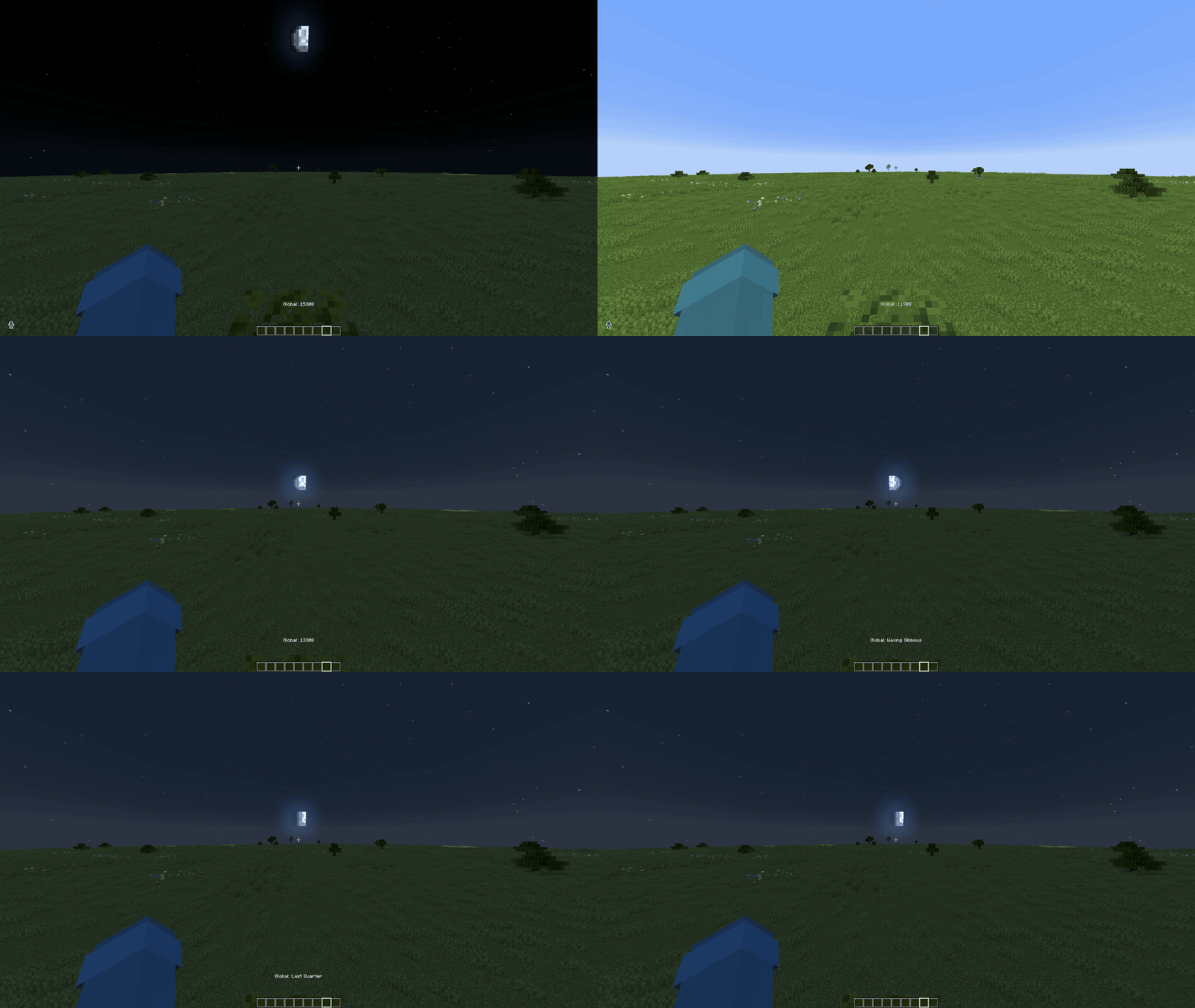
- Moon Phase Control: Change the moon phase to suit your needs.
- Weather Control: Let it rain whenever you want.
- Mouse Wheel Control: Use the mouse wheel to adjust the time in various increments.
Description
False Reality lets you take full control over the Minecraft client-side time, adjust the time of day, tweak the moon phase, and customize your experience for immersion or cinematic effects.
Controls with the mouse wheel:
Scroll= Normal (increments of50)Scroll + Shift= Slow (increments of10)Scroll + Control= Fast (increments of100)Scroll + Shift + Alt= Ultra Slow (increments of1)Scroll + Control + Alt= Ultra Fast (increments of200)
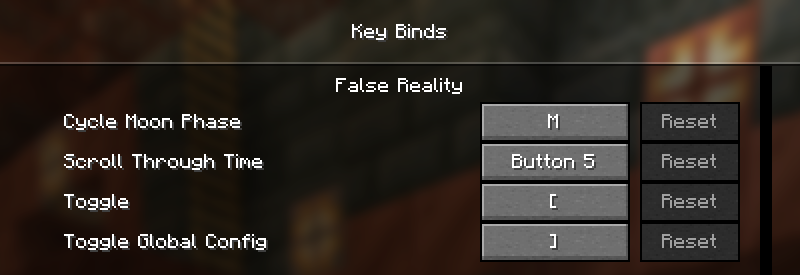
Keybindings can be changed in the Controls menu:
Roadmap
- Add time control
- Add global time settings
- Save time settings per world
- Add moon phase control
- Add weather control
- Add Sky control (color, clouds, stars)
- Add more customization options
- Add GUI for easier configuration
Quick facts
- Edition: Minecraft Java
- File type: .jar
- Minecraft versions listed: 1.21.6, 1.21.7, 1.21.8
- How to install: Install the matching mod loader (Forge, Fabric or NeoForge) for your Minecraft version. → Download the .jar. → Put it in the .minecraft/mods folder and launch that loader profile.
- Where to get it: Opens on Modrinth — not every file is mirrored on our own servers.
Install steps are the general flow for this file type — How to install Minecraft Java mods & modpacks walks through it step by step.
Verified by MCModsHub
- Ships as FalseReality-2.1.0+1.21.6-1.21.8.jar — drop this file into the mods folder
- Download size: 68 KB
- Download link checked 30 Aug 2026 — working
These come from our own check of the pack file, not from the source page.