

MCCI Utils has been discontinued
After having realized that working on MCCI Utils made playing on MCC Island less fun, I've decided that I will be discontinuing the mod. All source code is available if you wish to fork it and continue updating it with new things.
I personally want to be able to enjoy the server without having to constantly think about new things to add to the mod as well as debugging and updating for new versions. Thank you everyone who downloaded the mod and helped with bugs, feature requests and translations. You guys are all amazing.
What is MCCI Utils?
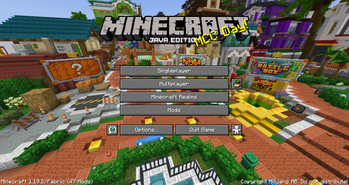
MCCI Utils is a mod that provides players with features to make their time on MCC Island more immersive and enjoyable. It adds multiple different features like chat mentions and Discord status, and many more. I'm constantly taking suggestions for features to add as well as adding hidden Easter Eggs which relate to events that have happened on the server.
Currently the mod contains the following features:
- Discord Status
- Friend Join Notifications (With Custom Sounds)
- Chat Mentions (With Custom Sound)
- Quest and Achievement notifications
- Custom Toasts
- Stacking duplicate messages
- Secret Easter Eggs
- And more (Check the change logs)
If you wish to suggest features or help contribute to the project, check out the GitHub

Optional dependencies:
Mod Menu and Cloth Config allow you to change mod settings within the game but are not required for it to work.
Does this mod add music?
This mod does not add music due to it being added to the server as a option at a later time. I also didn't want to steal an idea from a mod that has already been released "Island Utils"
- Edition: Minecraft Java
- File type: .jar
- Minecraft version listed: 1.19.4
- How to install: Install the matching mod loader (Forge, Fabric or NeoForge) for your Minecraft version. → Download the .jar. → Put it in the .minecraft/mods folder and launch that loader profile.
- Where to get it: Opens on Modrinth — not every file is mirrored on our own servers.
Install steps are the general flow for this file type — How to install Minecraft Java mods & modpacks walks through it step by step.
- Ships as MCCI Utils-0.16.jar — drop this file into the mods folder
- Download size: 11.6 MB
- Download link checked 30 Aug 2026 — working
These come from our own check of the pack file, not from the source page.