
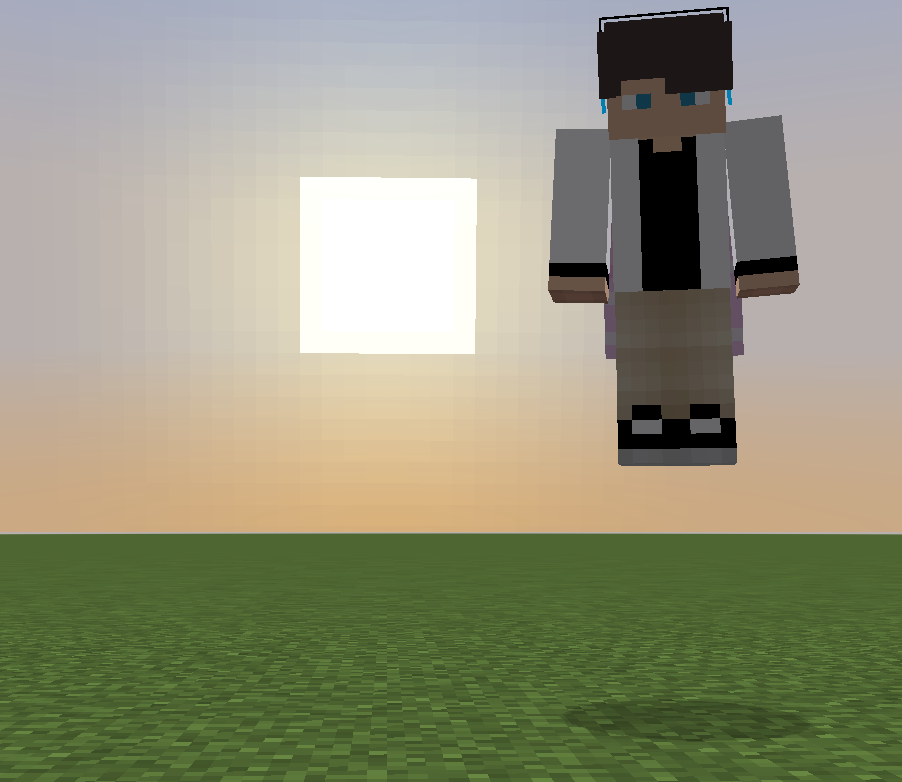
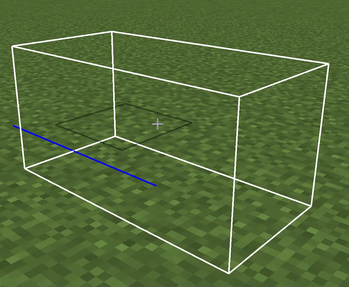
This mod adds a completely invisible collision box with customizable size! The hitbox doesn't have to align with the block grid! You can use this in maps or in singleplayer creative worlds!
This mod is made for creative mode and commands.
Why not use shulkers or boats?
There is no way to make them fully invisible, and if you make shulkers invulnerable, they still make an attack sound.
Example usage:
/summon collision-entity:collision ~ ~ ~ {size:[1,2,3]}
This will create a collision entity at your position with size X: 1 Y: 2 Z: 3
Note: If you want to have a fraction in the size, you need to add .0 to every number.
X: 1 Y: 2 Z: 3.4 -> size:[1.0,2.0,3.4]
To see the entity hitbox, use F3+B.
You can still break and place blocks through and in the collision entity.
If you want to prevent interacting through the entity, you can summon an interaction entity (minecraft:interaction) in the same exact location with the same size.
If you want to prevent placing blocks in the entity, you can replace the blocks you want to stay empty with minecraft:piston_head (aka block 36).
- Edition: Minecraft Java
- File type: .jar
- Minecraft version listed: 1.21.4
- How to install: Install the matching mod loader (Forge, Fabric or NeoForge) for your Minecraft version. → Download the .jar. → Put it in the .minecraft/mods folder and launch that loader profile.
- Where to get it: Opens on Modrinth — not every file is mirrored on our own servers.
Install steps are the general flow for this file type — How to install Minecraft Java mods & modpacks walks through it step by step.
- Ships as collision-entity-1.1-1.21.4.jar — drop this file into the mods folder
- Download size: 84 KB
- Download link checked 20 Sept 2026 — working
These come from our own check of the pack file, not from the source page.