
MC+ Extra Advancements
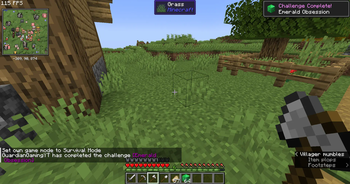
This is a mod that adds several extra advancements to fill in the gaps Mojang left and add some more challenges to the game.
⬇ Download on Modrinth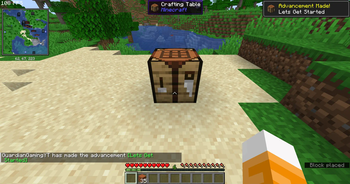
Hey fellow Minecraft enthusiasts,
I'm excited to share with you a new mod that my team and I have been working on called MC+ Extra Advancements. This mod is designed to add some exciting new features to your Minecraft gameplay.
With MC+ Extra Advancements, you'll have access to new challenges and adventures that will keep you engaged and entertained. We've put in a lot of effort to fill the gaps in the game and provide you with new possibilities.
If you're looking to spice up your Minecraft experience, we highly recommend giving MC+ Extra Advancements a try. It's a great addition to the game that we're proud of, and we think you'll love it as much as we do.
For those interested in installing the mod, here are the instructions:
- Download and install the Fabric Loader for Minecraft 1.20.1, which is required for the mod to work.
- Download the MC+ Extra Advancements mod file.
- Locate your Minecraft game folder and open the "mods" folder.
- Drag and drop the mod file into the "mods" folder.
- Launch Minecraft and enjoy the new content!
If you're using an app such as Modrinth or CurseForge for mods, you can find plenty of tutorials on YouTube for installing mods.
Thank you for your support, and happy Minecrafting!
- Edition: Minecraft Java
- File type: .jar
- Minecraft version listed: 1.20.1
- How to install: Install the matching mod loader (Forge, Fabric or NeoForge) for your Minecraft version. → Download the .jar. → Put it in the .minecraft/mods folder and launch that loader profile.
- Where to get it: Opens on Modrinth — not every file is mirrored on our own servers.
Install steps are the general flow for this file type — How to install Minecraft Java mods & modpacks walks through it step by step.
- Ships as extra-advancements-forge-1.2.1+1.20.1.jar — drop this file into the mods folder
- Download size: 40 KB
- Download link checked 30 Aug 2026 — working
These come from our own check of the pack file, not from the source page.