
Crosshair Customizer
A Fabric mod for Minecraft that lets you customize your crosshair with ease. Create, import, and manage custom crosshairs.
I don't know my version or loader
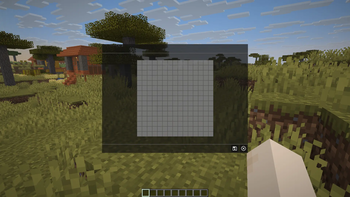
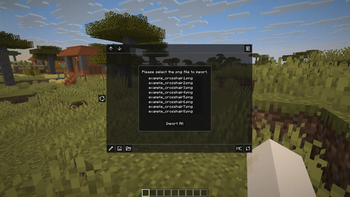
⚠️This mod is currently under development. The UI and features may change as work continues.
This project is currently undergoing a major UI/UX overhaul! It is scheduled to be completed by 2026/09/15 (YYYY/MM/DD)! Even if you are not satisfied with the current version, please be sure to try it out once it is released!
Last description updated: 2026/08/01 (YYYY/MM/DD)
CrosshairCustomizer
A Fabric mod that allows you to freely customize in-game crosshairs.
You can replace the default crosshair or create and import your own custom designs.
Features
- Create custom crosshairs (draw pixel-by-pixel on a canvas)
- Import crosshairs from PNG files
- Separate settings for main and target crosshairs
- Reorder or delete saved crosshairs
- Crosshair images are stored in:
config/crosshaircustomizer/crosshairs/
Notes
- This mod may conflict with other crosshair-related mods. Please check compatibility.
- The author assumes no responsibility for any issues arising from the use of this mod.
- Use at your own risk.
License
MIT License. See LICENSE for details.
Third-party resources follow their respective licenses (see NOTICE).
Support
Bug reports and feature requests can be submitted via GitHub Issues.
Development is done personally, so responses may take time.
Responses in languages other than Japanese may also take longer.
Disclaimer
Some English text related to this project including parts of the Modrinth description and in-game messages was created with the help of machine translation tools.
Translation accuracy is not guaranteed.
- Edition: Minecraft Java
- File type: .jar
- Minecraft versions listed: 1.21, 1.21.1
- How to install: Install the matching mod loader (Forge, Fabric or NeoForge) for your Minecraft version. → Download the .jar. → Put it in the .minecraft/mods folder and launch that loader profile.
- Where to get it: Opens on Modrinth — not every file is mirrored on our own servers.
Install steps are the general flow for this file type — How to install Minecraft Java mods & modpacks walks through it step by step.
- Ships as crosshaircustomizer-0.1.0+1.21.jar — drop this file into the mods folder
- Download size: 98 KB
- Download link checked 20 Sept 2026 — working
These come from our own check of the pack file, not from the source page.