Random World Names
Java mod listed for Minecraft 26.x. Downloads from the MC Java Mods app on Android.
I don't know my version or loader

Random world names
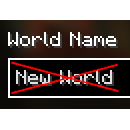
Generates random world names for the world creation screen. Just New World gets boring after a while, doesn't it?
The default list of names allows for over 10 billion different combinations. There are only two cases the default name is used:
- Either your computer is too slow to generate a new name within the configured time limit (default 2 seconds)
- Or you have so many worlds that no unique combinations could be found
Configuration (from version 1.1.0)
Config file
The config file (as of version 1.1.0) offers the following options:
| Name | Description | Default value |
|---|---|---|
name_length |
The number of words (name entries) to generate a name from | 3 |
delimiter |
The delimiter to use for joining the entries | (Space) |
timeout |
The generation timeout (seconds) | 2 |
In-Game configuration is possible if ModMenu is installed.
Resource pack configuration
Additional names can be added using resource packs, and unwanted packs may be blacklisted.
Adding names
Location: assets/random-world-names/names.json
Structure: Json Array
Example:
[
    "name1",
    "name2",
    "name3",
    ...
]
Blacklisting Packs
Location: assets/random-world-names/blacklist.json
Structure: Json Array
Example:
[
    "pack-id",
    "other-pack-id",
    "third-pack-id",
    ...
]
Note: The default names can be disabled by adding random-world-names to the blacklist.
Versions below 1.1.0 only contain the functionality to add names using the names.json file.
That's it!
License
This mod is licensed under the LGPL-3.0 (or any later version) license. For details, please see the included License file.
- Edition: Minecraft Java
- File type: .jar
- Minecraft versions listed: 26.1, 26.1.1, 26.1.2
- How to install: Install the matching mod loader (Forge, Fabric or NeoForge) for your Minecraft version. → Download the .jar. → Put it in the .minecraft/mods folder and launch that loader profile.
- Where to get it: Opens on Modrinth — not every file is mirrored on our own servers.
Install steps are the general flow for this file type — How to install Minecraft Java mods & modpacks walks through it step by step.
- Ships as random-world-names-1.2.0+26.1.jar — drop this file into the mods folder
- Download size: 253 KB
- Download link checked 11 Oct 2026 — working
These come from our own check of the pack file, not from the source page.