
ModsJava
Chai's Better HUD
I don't know my version or loader
Open the Minecraft launcher and look at the profile you play on — it names both, like fabric-loader-1.21.4. The version also shows in the bottom-right corner of the game's main menu.
No loader in the profile name? Then it's plain Minecraft, and these mods won't run — you need Fabric or NeoForge installed first.
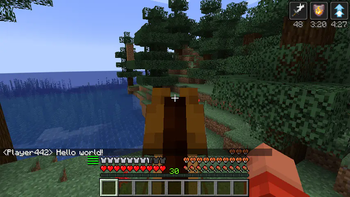
Chai's Better HUD
Chai's Better HUD makes the HUD better with quality tweaks and conveniences.
Features
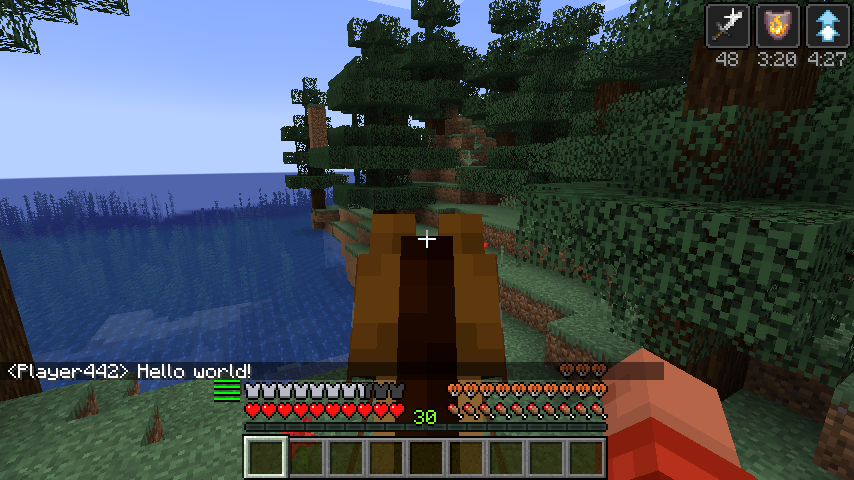
- A durability meter will show up to the left of the armor bar for each piece of armor you wear.
- Status effect icons show their remaining time.
- Your XP bar and hunger bar is no longer hidden when mounted.
- The jump bar reappears when actually jumping.
- Fire overlay is lowered.
- It is removed completely if you have fire resistance, or you're in creative mode.
- Chat is raised when wearing armor to not cover the armor bar.
- Lava is easier to see through in creative mode.
- Night vision effect is no longer an epilepsy hazard.
Quick facts
- Edition: Minecraft Java
- File type: .jar
- Minecraft versions listed: 1.21, 1.21.1
- How to install: Install the matching mod loader (Forge, Fabric or NeoForge) for your Minecraft version. → Download the .jar. → Put it in the .minecraft/mods folder and launch that loader profile.
- Where to get it: Opens on Modrinth — not every file is mirrored on our own servers.
Install steps are the general flow for this file type — How to install Minecraft Java mods & modpacks walks through it step by step.
Verified by MCModsHub
- Ships as better_hud-1.0.2+1.21.jar — drop this file into the mods folder
- Download size: 36 KB
- Download link checked 30 Aug 2026 — working
These come from our own check of the pack file, not from the source page.