Armor Stand's Custom Poses
Java mod listed for Minecraft 1.20. Downloads from the MC Java Mods app on Android.
⬇ Download on Modrinth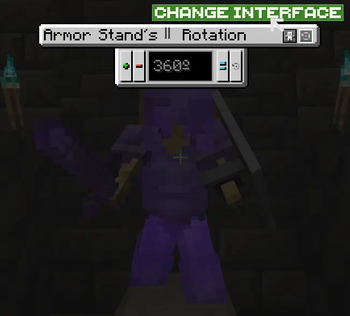
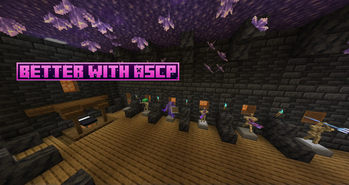

Tired of vanilla java armor stands?
Jealous of bedrock edition armor stands?
Me too, so I fixed them.
THIS MOD WORKS IN SURVIVAL AND CREATIVE MODE.
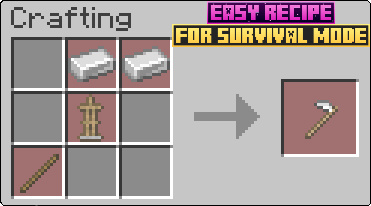
To get started with this mod, you will first need to craft the Armor Stand Modifier.

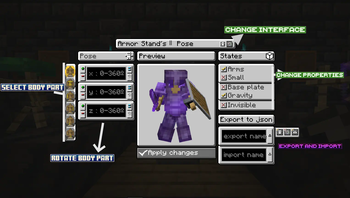
Once you have it, just right click an armor stand. This will open an interface to modify its properties and pose.

Body part Rotation Buttons:
-Plus (+) = Adds the rotation to the
-Minus (-) = Rests the rotation to the
-Set (=) = Sets the rotation to the . If is negative it will be mirror that number (-90 will result in (360 - 90 = 270))
-Get default (↩️) = Sets in the textfield the current rotation value of the armor stand (IMPORTANT: NOT THE PREVIEW ARMOR STAND, THE REAL ARMOR STAND IN WORLD)
IMPORT AND EXPORT BUTTONS
Exporting: 1º Put a name to file (can´t contain ".", "/", "" or strange characters). 2º Press export button.
Importing: 1º Put the name of the file you want to import. 2º Press import button. 3º Press confirm button.
The files are .json stored in ".minecraft/ASCP_Saved". They are only saved in client, so you can export/import in different servers/worlds without problems.
Extra info:
-The buttons at right of the export button are for chosing if exporting Pose and/or Armor Stand Rotation and/or States
-When importing, you will have to confirm operation with a confirm buttons that appears at right of the import button. It will also apply changes.
SECOND INTERFACE
To enter in this interface, you have to press the Change Interface Button (indicated in First Interface image).

Plus (+) button = Add rotation to the entire armor stand.
Minus (-) button = Rests rotation to the entire armor stand.
Set (=) button = Sets rotation to the entire armor stand.
Get (↩️) button = Sets in the textfield the old rotation of the real armor stand, for obtain new rotation, you have to apply changes in the First Interface.
IMPORTANT: In this Interface the changes are directly applied to the real armor stand.
VERSIONS:
This mod is currently for:
Forge: 1.14.4, 1.16.5, 1.18.2, 1.19.2, 1.19.4, 1.20.1
NeoForge: 1.20.4
Im intended to update to next´s Forge and NeoForge versions when they release. And future updates with new features like player heads and animations (Im going to take a break so it will take long).
- Edition: Minecraft Java
- File type: .jar
- Minecraft version listed: 1.20.1
- How to install: Install the matching mod loader (Forge, Fabric or NeoForge) for your Minecraft version. → Download the .jar. → Put it in the .minecraft/mods folder and launch that loader profile.
- Where to get it: Opens on Modrinth — not every file is mirrored on our own servers.
Install steps are the general flow for this file type — How to install Minecraft Java mods & modpacks walks through it step by step.
- Ships as ASCP(R1.1.1)[1.20.1].jar — drop this file into the mods folder
- Download size: 272 KB
- Download link checked 11 Oct 2026 — working
These come from our own check of the pack file, not from the source page.