
ModsJava
BackInv
I don't know my version or loader
Open the Minecraft launcher and look at the profile you play on — it names both, like fabric-loader-1.21.4. The version also shows in the bottom-right corner of the game's main menu.
No loader in the profile name? Then it's plain Minecraft, and these mods won't run — you need Fabric or NeoForge installed first.
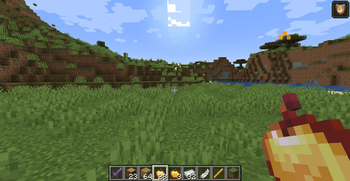
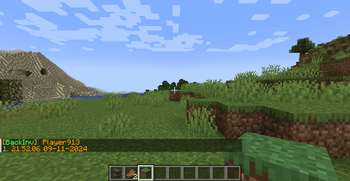
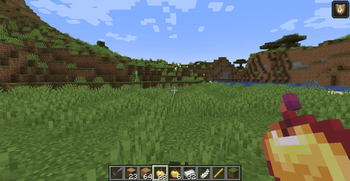
BackInv 1.1



A simple player backup mod for your server.
Work in single player.
I am a technical administrator of the server and encountered the problem that on Fabric 1.21, there is only Death Backup, which is not very server-friendly.
Commands:
/backinv <target>- Opens a graphical interface listing the player's backups (Recommended)./backinv reload- Reloads the configuration file (config/backinv/config.json) without restarting the server./backinv list <target>- Displays a text-based list of the player's backups (No GUI)./backinv load <target> <index>- Loads a specific backup into the player's inventory./backinv inv <target> <index>- Opens a GUI preview of a specific backup for the player.
Configuration
The configuration is located in <game or server directory>/config/backinv/config.json.
| Name | Description | Type |
|---|---|---|
| enabled | Enables (true) or disables (false) the BackInv mod. | boolean |
| prefix | The prefix text displayed in messages. | String |
| suffix | The suffix text displayed in messages. | String |
| re_join_message | The message displayed when a player reconnects. | String |
| load_player_message | The message displayed when a player’s inventory is loaded from a file. Supports placeholders: {player}, {file}. |
String |
| error_load_player_message | The message displayed when loading a player’s inventory fails. Supports placeholders: {player}, {file}, {e}. |
String |
| item_prefix | Prefix applied to items displayed in backups. | String |
| item_suffix | Suffix applied to items displayed in backups. | String |
| no_saves_found | The message displayed when no backups are found for a player. Supports placeholder: {player}. |
String |
| invalid_index | The message displayed when an invalid backup index is provided. Supports placeholder: {index}. |
String |
| save_not_found | The message displayed when a specified backup cannot be found. Supports placeholder: {save}. |
String |
| error_occurred | The generic error message displayed when an action fails. Supports placeholder: {action}. |
String |
{
  "enabled":true,
  "prefix":"§6[§aBackInv§6] ",
  "suffix":"§7",
  "re_join_message":"Sorry come back again",
  "load_player_message":"Player {player} inventory is loaded from file {file}.",
  "error_load_player_message":"Failed to save inventory for player {player} file {file} - Error- {e}",
  "item_prefix":"§7",
  "item_suffix":"§6",
  "no_saves_found":"§cNo saved inventories found for player {player}",
  "invalid_index":"§cInvalid save index- {index}",
  "save_not_found":"§cSave not found- {save}",
  "error_occurred":"§cAn error occurred while {action}"
}
This is my first mod, and I was learning as I went along, so I made many mistakes and not everything is tested (but I will fix all the bugs!).
Quick facts
- Edition: Minecraft Java
- File type: .jar
- Minecraft versions listed: 1.20, 1.20.1, 1.20.2
- How to install: Install the matching mod loader (Forge, Fabric or NeoForge) for your Minecraft version. → Download the .jar. → Put it in the .minecraft/mods folder and launch that loader profile.
- Where to get it: Opens on Modrinth — not every file is mirrored on our own servers.
Install steps are the general flow for this file type — How to install Minecraft Java mods & modpacks walks through it step by step.
Verified by MCModsHub
- Ships as backinv1.20.1-1.1.6.jar — drop this file into the mods folder
- Download size: 42 KB
- Download link checked 20 Sept 2026 — working
These come from our own check of the pack file, not from the source page.