
ModsJava
Chinese IME
I don't know my version or loader
Open the Minecraft launcher and look at the profile you play on — it names both, like fabric-loader-1.21.4. The version also shows in the bottom-right corner of the game's main menu.
No loader in the profile name? Then it's plain Minecraft, and these mods won't run — you need Fabric or NeoForge installed first.
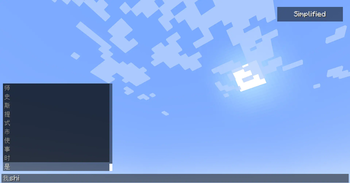
Chinese IME 是一個幫助你使用拼音輸入中文的 Minecraft 模組,並同時支援粵拼 (Jyutping) 輸入,適合粵語用家。 它支援簡體及繁體中文。
在Fabric上需安裝 Fabric API,同時可經 Sinytra Connector + Forgified Fabric API 在 Forge 及 NeoForge 上使用。
功能
- 拼音和粵拼支援:輸入 拼音或粵拼,模組會根據你輸入的拼音從而建議相關的中文字。
- 音調支援:拼音/粵拼 後可輸入數字,模組會顯示對應聲調的建議。
- 支護簡體/繁體及粵語模式:可透過聊天介面右上角按鈕,在簡體、繁體及粵語模式間切換。
如何使用
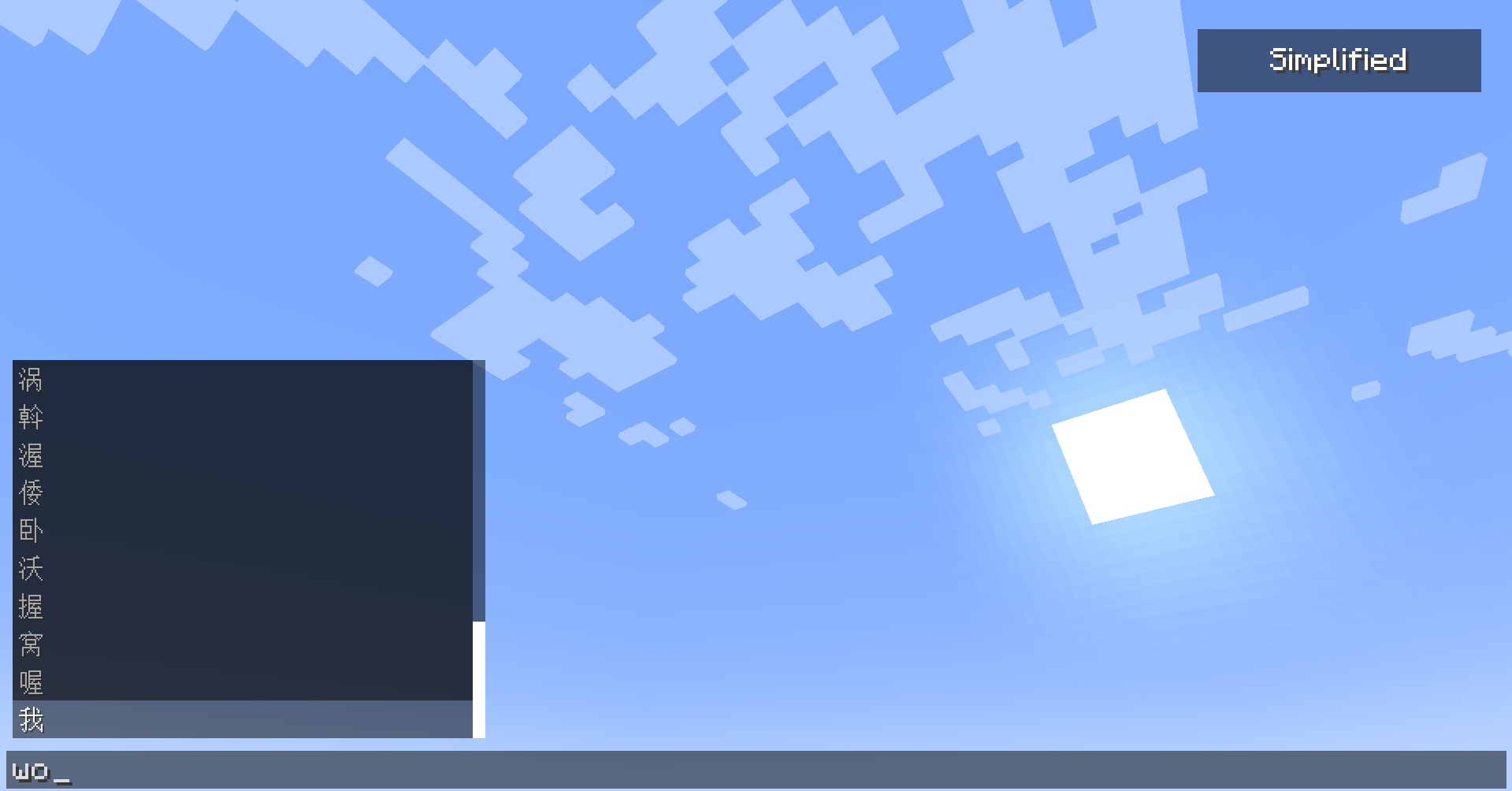
- 在聊天框中開始輸入拼音或粵拼,模組會顯示中文建議。如需選擇聲調,只需在末尾添加音調數字(如輸入 wo3 可獲得“我”)。
- 使用 ↑ / ↓ 鍵,鍵瀏覽字詞建議,按 Enter 選擇有關字詞。
- 同時可使用滑鼠選擇有關字詞。
- 按下聊天介面右上角按鈕則可切換簡體、繁體及粵語模式。
Chinese IME is a Minecraft mod that helps you input Chinese characters using Pinyin, with additional support for Jyutping input for Cantonese speakers. It supports both Simplified and Traditional Chinese characters.
Requires Fabric API. Also compatible with Forge and NeoForge, using Sinytra Connector, requires Forgified Fabric API.
Features
- Pinyin and Jyutping Support: You can type in Pinyin or Jyutping for Cantonese, and the mod will suggest Chinese characters based on the letters you've entered.
- Tone Support: You can use tones by typing a digit at the end, and the mod will display tone-specific suggestions.
- Simplified, Traditional, and Cantonese Support: You can toggle between Simplified, Traditional, and Cantonese modes using a button on the chat screen.
Usage
- Start typing Pinyin or Jyutping in the chat, and the mod will show you suggestions of Chinese characters. If you want tone-specific results, just add the tone digit at the end (for example,
wo3for "我"). - Use the up and down arrow keys to navigate suggestions, and enter to select a character.
- You can also scroll through the list or click on the desired character to choose it.
- Toggle between Simplified, Traditional, and Cantonese modes using the button on the top-right corner of the chat screen.
Quick facts
- Edition: Minecraft Java
- File type: .jar
- Minecraft versions listed: 1.21, 1.21.1, 1.21.2
- How to install: Install the matching mod loader (Forge, Fabric or NeoForge) for your Minecraft version. → Download the .jar. → Put it in the .minecraft/mods folder and launch that loader profile.
- Where to get it: Opens on Modrinth — not every file is mirrored on our own servers.
Install steps are the general flow for this file type — How to install Minecraft Java mods & modpacks walks through it step by step.
Verified by MCModsHub
- Ships as chineseime-1.21-v1.1.8.jar — drop this file into the mods folder
- Download size: 647 KB
- Download link checked 20 Sept 2026 — working
These come from our own check of the pack file, not from the source page.