
DynamX Physics Mod
Java mod listed for Minecraft 1.12. File opened and checked on 27 Sep 2026; downloads from the MC Java Mods app on Android.
⬇ Download on Modrinth
DynamX is a Pack-Based mod that aims to add realistic physics to Minecraft. The mod uses the Bullet Physics Engine that can be found in many video games like GTA V and also in Blender.
DynamX allows you to create vehicles, cars and props with a large set of properties to fully customize your objects. You can also create items, blocks and armors, or spawn ragdolls.
Everything can be easily created with content packs. Thanks to DynamX's OBJ Model Loader, every object you create can be provided with very detailled OBJ models.
DynamX is also highly customizable with the possibility to create addons for the mod.
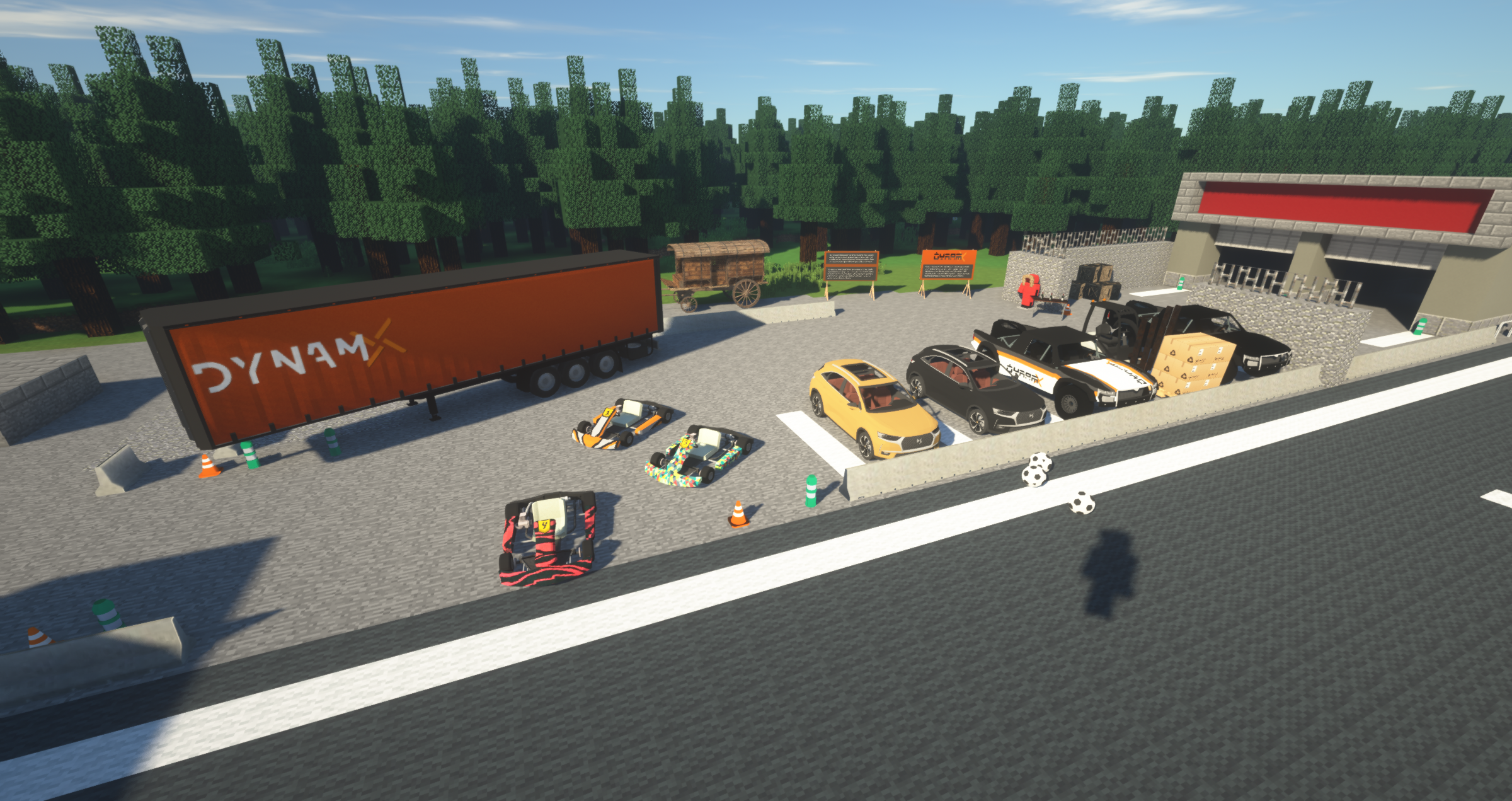
You can follow the progress of the mod by watching the devlogs we post on our YouTube channels :
Yanis : https://www.youtube.com/channel/UCtjiO2FR75JPJKg6YxKnPUA
Aym : https://www.youtube.com/channel/UCRK3UY9BhNRn-sL6JGGhqXA
Note that ACsGuis is required and automatically downloaded by DynamX when installing the mod.
The future is here with DynamX.
More information on our website https://dynamx.fr/
Discord : https://discord.gg/y53KGzD
Donate on Donate - Paypal.me (or Donate - without paypal account if you don't have a paypal account).
How to play
Install Forge 1.12.2 and simply put the DynamX mod in your 'mods' directory.
Since DynamX doesn't provide any base vehicle or block, you should also download at least one pack, like the BasicPack available on https://dynamx.fr/packs
The base pack will allow you to have some vehicles, outfits and props to discover DynamX and play with !
To use it, simply place the file in the 'DynamX' folder, inside of your .minecraft directory.
Models made by Dartcher, under copyright.
- Edition: Minecraft Java
- File type: .jar
- Minecraft version listed: 1.12.2
- How to install: Install the matching mod loader (Forge, Fabric or NeoForge) for your Minecraft version. → Download the .jar. → Put it in the .minecraft/mods folder and launch that loader profile.
- Where to get it: Opens on Modrinth — not every file is mirrored on our own servers.
Install steps are the general flow for this file type — How to install Minecraft Java mods & modpacks walks through it step by step.
- Ships as DynamX-4.2.0-beta-all.jar — drop this file into the mods folder
- Download size: 4.3 MB
- Download link checked 11 Oct 2026 — working
These come from our own check of the pack file, not from the source page.