
NeoVelocity
Java mod listed for Minecraft 1.21. Downloads from the MC Java Mods app on Android.
I don't know my version or loader

NeoVelocity
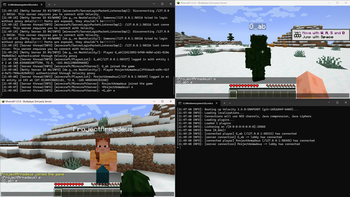
NeoVelocity enables Modern Forwarding support for NeoForge servers running behind a Velocity proxy.
Without this mod, NeoForge servers behind a proxy often see all players connecting from 127.0.0.1 or fail to validate UUIDs/Skins correctly. This mod implements Velocity's native forwarding protocol to ensure IP addresses, UUIDs, and game profiles are passed correctly to the server.
Features
- Modern Forwarding: Full support for Velocity's secure forwarding protocol.
- Auto-Reload: Configuration changes (like updating the secret) apply immediately without restarting the server.
- Sinytra/Fabric Compatibility: Automatically detects
fabric_networking_api_v1. If you are running Forgified Fabric API and experience login disconnects, the mod includes a workaround (seelogin-custom-packet-catchallin the config).
Installation
Install the Mod Drop the jar file into your server's
modsfolder.Server Properties You do not need to set
online-mode=falseinserver.properties, as this mod hooks into the login process directly. However, if you run into authentication loops, setting it tofalseis safe since the proxy handles auth.First Run Start the server once to generate the configuration file at
config/neovelocity-common.toml.Configure the Secret Locate the
forwarding.secretfile in your Velocity proxy's root directory. Copy the content and paste it intoconfig/neovelocity-common.tomlon your NeoForge server.- Option A: Paste the string directly into the config.
- Option B: Point the config to a file path containing the secret.
Configuration & Compatibility
Large Modpacks (Velocity Config)
Velocity limits the number of known packs to 64 by default. If your modpack exceeds this limit, players will be disconnected, and your Velocity console will show QuietDecoderException: too many known packs.
To fix this, add the following flag to your Velocity Proxy's startup arguments and set the number higher than 64:
-Dvelocity.max-known-packs=64 # Increase this value (try 128 or higher)
Mod Compatibility (The "Catch-All" Setting)
By default, NeoVelocity assumes all custom login packets are Velocity authentication attempts.
However, the Fabric Networking API allows mods to send their own custom login packets. To allow these mods to work, you must set login-custom-packet-catchall = false in the configuration.
How it works:
When set to false, NeoVelocity checks the packet's signature first.
- If the secret matches: NeoVelocity claims the packet and handles the login.
- If the secret does NOT match: The packet is ignored and passed to other mods.
Warning: If your forwarding secret is incorrect while this setting is false, NeoVelocity will ignore the Velocity packet. The server will treat it as unknown garbage data and disconnect you with an "Incompatible mod detected" error in the logs.
Security Warning
Do not expose your NeoForge server port directly to the internet. You must configure your firewall (iptables/UFW) to only accept connections from your Velocity Proxy's IP address. If the backend port is open, a malicious user could bypass authentication by knowing the forwarding secret.
Troubleshooting
If players are kicked during login, check the disconnect message and compare it below.
"NeoVelocity configuration error. Check server logs." The mod is installed, but you haven't configured the secret yet.
- Fix: Open
config/neovelocity-common.tomland paste yourforwarding.secret.
- Fix: Open
"Unable to verify proxy data integrity." The secret in your Velocity proxy does not match the secret in your NeoForge server config.
- Fix: Copy the content of
forwarding.secretfrom your proxy again and ensure there are no extra spaces when pasting it into the NeoVelocity config.
- Fix: Copy the content of
"This server requires you to connect via a Velocity Proxy using Modern Forwarding." The server did not receive any forwarding data.
- Cause A: You are trying to connect to the backend server port directly. You must connect through the Proxy IP/Port.
- Cause B: Your Velocity
velocity.tomlis set toplayer-info-forwarding-mode = "none"or"legacy". You must set it to"modern".
"Incompatible mod detected during login handshake." Another mod (usually Fabric Networking API) has modified the login packet, causing the signature check to fail.
- Fix: Open
config/neovelocity-common.tomland setlogin-custom-packet-catchall = false.
- Fix: Open
Further Documentation
For detailed guidance on setting up your proxy, configuring firewalls, and tuning network settings, please refer to the official Velocity Documentation.
Contributing
Source code is available on GitHub. If you find a bug or want to suggest support for other proxy protocols, feel free to open an issue or submit a Pull Request.
- Edition: Minecraft Java
- File type: .jar
- Minecraft versions listed: 1.21, 1.21.1, 1.21.2
- How to install: Install the matching mod loader (Forge, Fabric or NeoForge) for your Minecraft version. → Download the .jar. → Put it in the .minecraft/mods folder and launch that loader profile.
- Where to get it: Opens on Modrinth — not every file is mirrored on our own servers.
Install steps are the general flow for this file type — How to install Minecraft Java mods & modpacks walks through it step by step.
- Ships as neovelocity-1.2.6+1.21.1-1.21.5.jar — drop this file into the mods folder
- Download size: 35 KB
- Download link checked 11 Oct 2026 — working
These come from our own check of the pack file, not from the source page.