
ModsJava
Enchant Menu
I don't know my version or loader
Open the Minecraft launcher and look at the profile you play on — it names both, like fabric-loader-1.21.4. The version also shows in the bottom-right corner of the game's main menu.
No loader in the profile name? Then it's plain Minecraft, and these mods won't run — you need Fabric or NeoForge installed first.
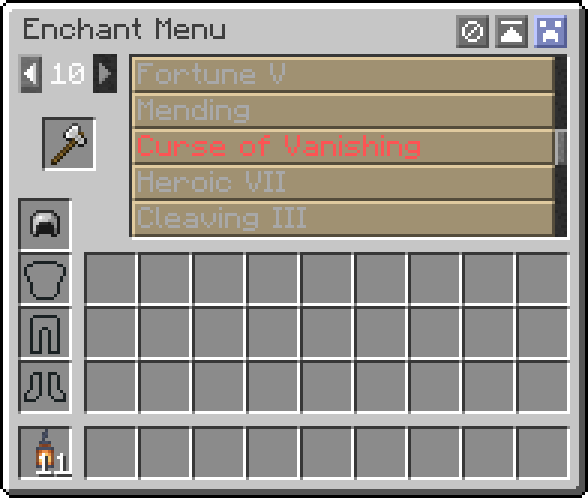
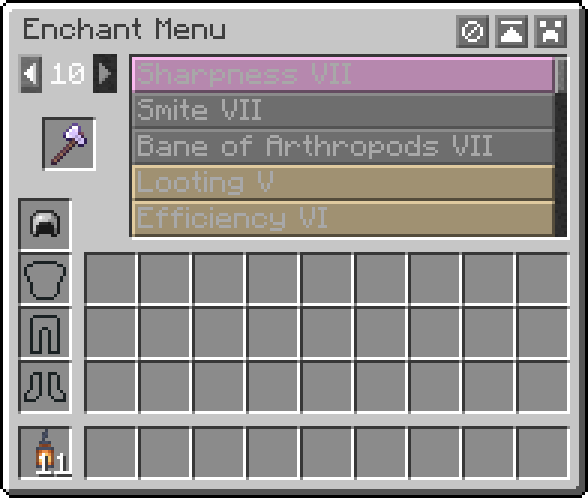
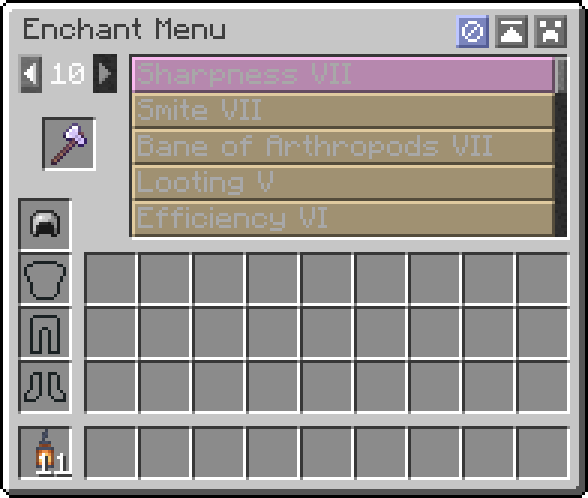
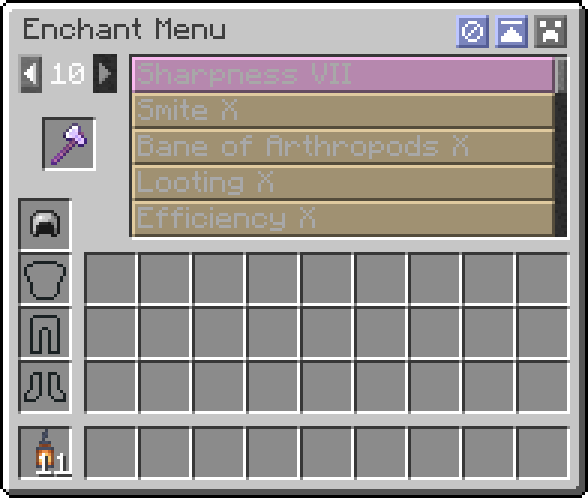
Enchant Menu adds a simple menu for modifying item enchantments.
Getting Started
- Press X while ingame to open the interface
- Place an enchantable item in and select your enchantments
- Keys can be changed in Minecraft controls settings
Features
- Select enchantments from the list of possible enchantments
- Select the level of enchantment from 1 to 10
- Supports custom enchantments
- Searchable enchantments list
- Toggle to surpass vanilla level limits
- Toggle to allow incompatible enchantments
- Toggle to allow treasure-only enchantments
- Requires cheats / op permissions
- Optional configuration with CompleteConfig
Credit
This mod is based on the enchanting tool included in NEI from the days of Tekkit Classic - Thanks to the original creator for the inspiration!
Quick facts
- Edition: Minecraft Java
- File type: .jar
- Minecraft versions listed: 1.19, 1.19.1, 1.19.2
- How to install: Install the matching mod loader (Forge, Fabric or NeoForge) for your Minecraft version. → Download the .jar. → Put it in the .minecraft/mods folder and launch that loader profile.
- Where to get it: Opens on Modrinth — not every file is mirrored on our own servers.
Install steps are the general flow for this file type — How to install Minecraft Java mods & modpacks walks through it step by step.
Verified by MCModsHub
- Ships as enchant-menu-1.4.0+fabric-1.19.jar — drop this file into the mods folder
- Download size: 3.7 MB
- Download link checked 20 Sept 2026 — working
These come from our own check of the pack file, not from the source page.