
Dynamic In-Game NBT Editor
I don't know my version or loader

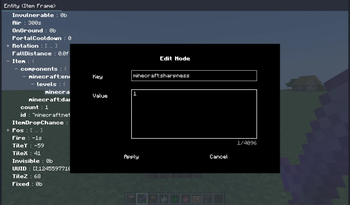
Dynamic In-Game NBT Editor (DINE) allows you to modify entities and block entities' NBT dynamically.
This mod is client-only. Installing it in dedicated server may cause problems.
This mod modifies NBT through sending data command to server. Make sure you have enough permision.
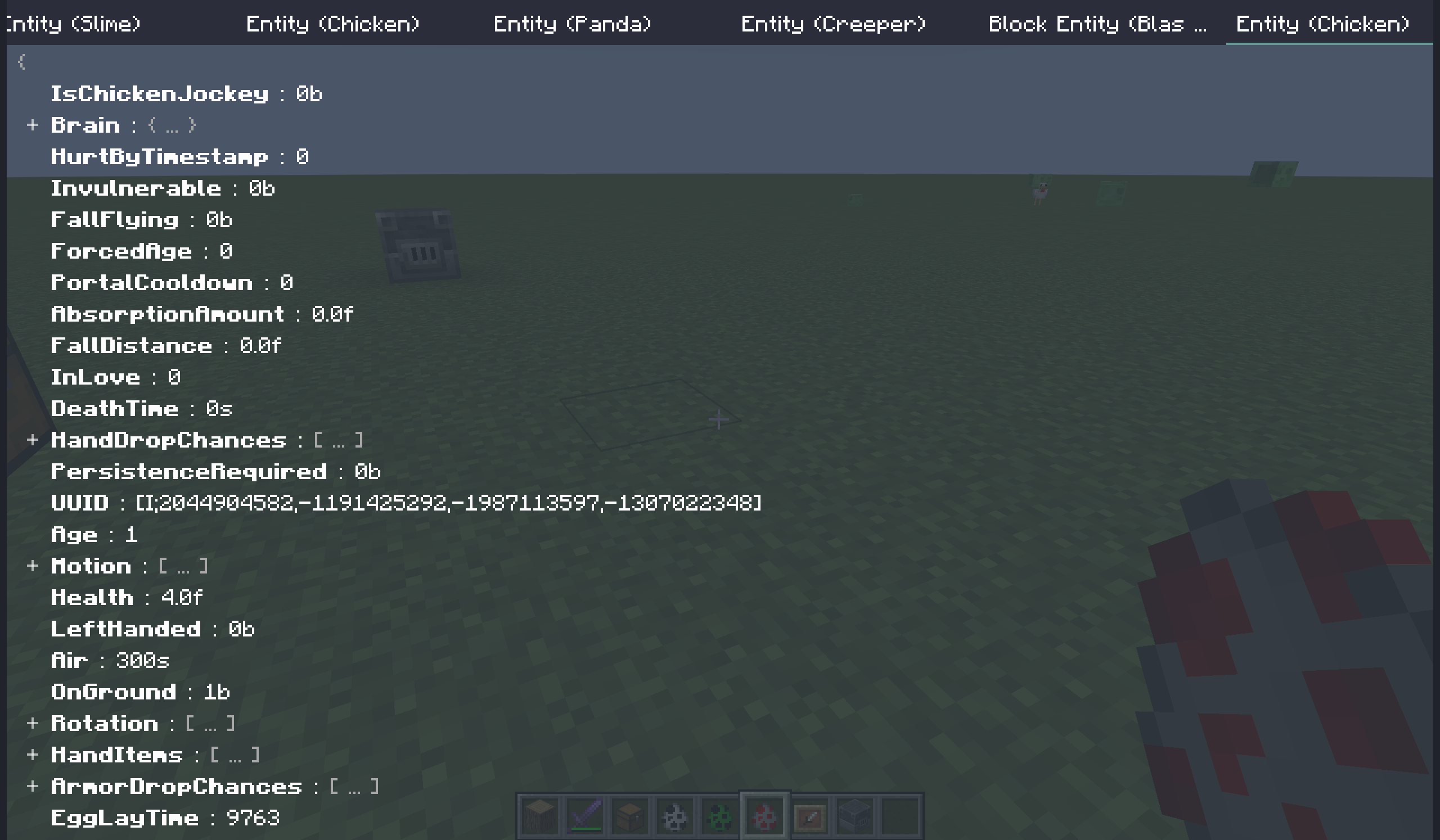
Features
Dynamic: The editor fetches NBT and update every tick,. You can observe the dynamic changes of the entity.
Multi-screen: You can have 1 or more screens (tabs) opened.
Simple and user-friendly: Minimize the number of icons displayed on the screen at any given time, while maintaining full functionality.
Opetarion Guide
Multi Screen Tab Bar
All open screens are listed in the tab bar at the top.
The tab bar can scroll horizontally.
| Key | Function |
|---|---|
| Mouse click (left) | switch to the selected tab |
| Mouse click (middle) | close the hovered tab screen |
| Mouse click (right) | call up the context menu |
NBT Tree
NBT is displayed in a tree structure. You can unfold/fold some nodes for better visualization.
The NBT Tree can scoll vertically.
| Key | Function |
|---|---|
| Mouse click | switch to the selected tab |
| Double mouse click | close the hovered tab screen |
| Mouse click (right) | call up the context menu |
| Enter | edit the selected node |
| Delete | delete the selected node |
| Ctrl + C | copy a node to the clipboard (not system clipboard, same below) |
| Ctrl + X | cut a node to the clipboard |
| Ctrl + V | paste a node from the clipboard |
Query Server
You can turn Query server on in the right-click context menu.
When this is on, this screen will not use the NBT data stored locally on the client, but will instead attempt to query the server to fetch the NBT. This behavior functions identically to F3+I.
In this state, the displayed NBT data is guaranteed to remain synchronized with the server at all times, though it will be a delay of 1 tick.
In defualt, the server side will check your permission. If you do not have sufficient permission level, the query will fail.
Key Binds
| Name | Default | Function |
|---|---|---|
| Open DINE Editor | not bound | open the editor |
| Edit Target | not bound | open a new screen of the targeted entity or block entity |
Commands
All these commands are client-side commands that will not be processed by the server.
- dine open the editor
- target open a new screen of the targeted entity or block entity
- entity [uuid] find out an entity with the specified UUID and open a a new screen of it
- block [pos] find the block entity at the specified position and open a a new screen of it
Config
The config file is located in [gameroot]/config/dine.prop.
The config file is in Java Properties language.
All config are loaded/reloaded when the client reload resources (You can trigger it by F3+T.).
| Config Item | Type | Default | Function |
|---|---|---|---|
defaultTryPauseGame |
boolean | false |
whether a new screen try pause game |
entityDefaultFromServer |
boolean | false |
whether a new entity screen query server |
blockEntityDefaultFromServer |
boolean | false |
whether a new block entity screen query server |
checkPermissionWhenFromServer |
boolean | true |
whether should check permission before query server |
logSentCommand |
boolean | false |
whether to put sent command's content in the client log |
dataCommand |
string | data |
the command's name with function of vanilla command data |
FAQ
- Why no items' nbt/data components?
Items' nbt/data components have different processing logic in the code. While in vanilla, there are no commands that can easily modified them.
If you really need it, you can try use some entity/block entity, such as Item Frame.
- The NBT tree doesn't update / match the actual effect.
This frequently occurs on some block entities. The reason is that the server has not synchronized their NBT.
You can turn on the Query server in right-click context menu to solve this problem.
- Can I use this mod on other people's servers?
Since this is a client-only mod, you can generally join any server with this mod installed without encountering issues.
However, this does not imply that doing so is right. I will make no guarantees about it.
- Edition: Minecraft Java
- File type: .jar
- Minecraft versions listed: 1.21.9, 1.21.10
- How to install: Install the matching mod loader (Forge, Fabric or NeoForge) for your Minecraft version. → Download the .jar. → Put it in the .minecraft/mods folder and launch that loader profile.
- Where to get it: Opens on Modrinth — not every file is mirrored on our own servers.
Install steps are the general flow for this file type — How to install Minecraft Java mods & modpacks walks through it step by step.
- Ships as DINE-fabric-1.21.10-1.0.4.jar — drop this file into the mods folder
- Download size: 88 KB
- Download link checked 21 Sept 2026 — working
These come from our own check of the pack file, not from the source page.