Amethyst Gravity
Java mod listed for Minecraft 1.19. Downloads from the MC Java Mods app on Android.
⬇ Download on Modrinth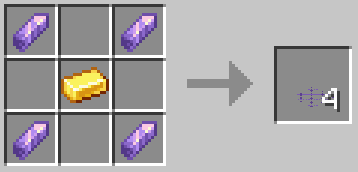
Amethyst Gravity
Introduces new blocks which allow you to control gravity with the hidden power of amethyst!
⭐⭐⭐1.1 UPDATE⭐⭐⭐
- Adds new Creative Gravity Generators which don't require a power source.
- Adds gravity anchors which change your gravity direction when held, crafted by combining a compass and gravity generator.
Gravity Plating
The most basic form of gravity control. There is also "Dense Gravity Plating", which has a taller area of effect, so that you can jump around and not fall off.
Gravity Glasses
To see the generated gravity fields (as shown below), you need to put on a pair of gravity glasses.
Gravity Generator
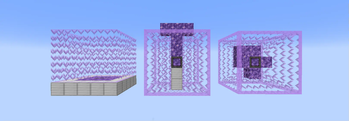
For larger areas of gravity control, you can use a gravity generator. There are three types available:
 From left to right: Gravity Generator, Cylinder Gravity Generator, Planet Gravity Generator
Power
The larger you make the area of effect, the more amethyst blocks you need to place next to the generator to power it. Just hit "Apply Changes" in the generator's menu and it will tell you how many blocks you need.
Recipes
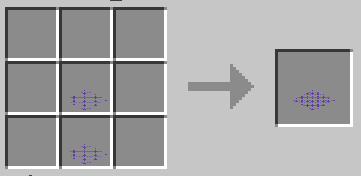
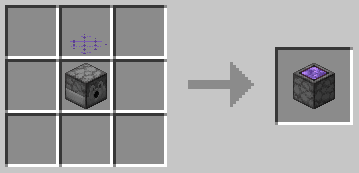
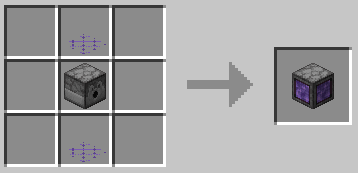
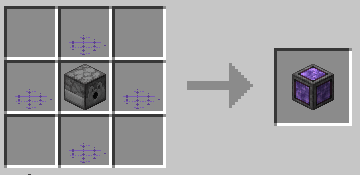
You can view all of the recipes in the gallery.
- Edition: Minecraft Java
- File type: .jar
- Minecraft version listed: 1.19.2
- How to install: Install the matching mod loader (Forge, Fabric or NeoForge) for your Minecraft version. → Download the .jar. → Put it in the .minecraft/mods folder and launch that loader profile.
- Where to get it: Opens on Modrinth — not every file is mirrored on our own servers.
Install steps are the general flow for this file type — How to install Minecraft Java mods & modpacks walks through it step by step.
- Ships as amethyst-gravity-1.1.1+1.19.2.jar — drop this file into the mods folder
- Download size: 148 KB
- Download link checked 11 Oct 2026 — working
These come from our own check of the pack file, not from the source page.