scarpet-graphics
Java mod listed for Minecraft 26.x. Downloads from the MC Java Mods app on Android.
I don't know my version or loader
scarpet-graphics

A wrapper of Processing for scarpet
This can also be used with Discarpet to send the created images via Discord.
Values
This extension adds these new scarpet values:
image: Wrapper for PImagegraphics: Wrapper for PGraphics, extendsimagevalue (meaning it can be used in the same wayimagecan)font: Wrapper for PFont
Colors are handled using numbers (0xRRGGBBAA in hex), but can be constructed from RGB and HSB using the color function.
Functions
For a more detailed documentation for these functions, see the Processing reference
Most functions are just a wrapper function for the internal processing function.
Sometimes they may have slightly different names than the original Processing functions, due to the name being already used by scarpet (e.g. copy()) or to group them (all draw_?() functions).
Graphics and Image functions
load_image(location, shared?)
Loads an image from the specified location (string).
Can be a URL, or file name (path that works just like read_file).
If shared is true, uses shared app storage.
Returns an image value.
save_image(image, location, shared?)
Saves the image in the specified location (works like load_image)
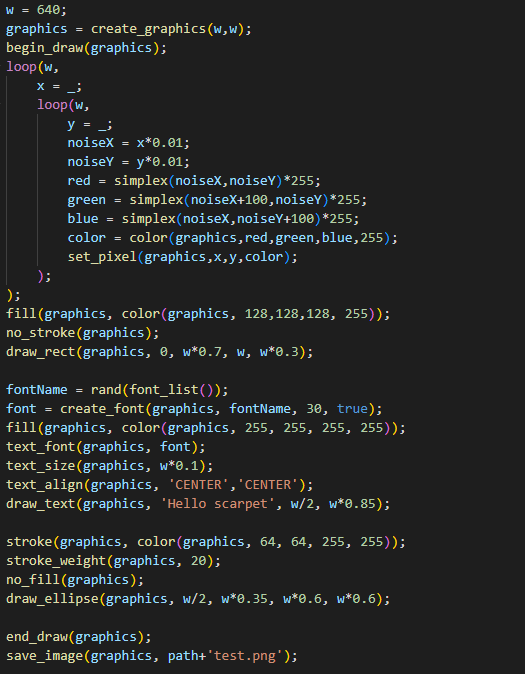
create_graphics(width, height)
Creates a new graphics object with the specified dimensions.
copy_image(source, desination, sourceX, sourceY, sourceW, sourceH, destinationX, destinationY, destinationW, destinationH)
Copies pixels from one image/graphics to another.
get_pixel(image, x, y)
Returns the color of a certain pixel.
set_pixel(image, x, y, color)
Sets the pixel on the image to the color.
begin_draw(graphics)
Prepares the graphics object for doing drawing operations on it.
end_draw(graphics)
To be called when done drawing.
Drawing functions
See the 2D Primitives section in the processing reference. (The scarpet functions have draw_ prefixed with the processing function names)
draw_background(graphics, color)
draw_rect(graphics, a, b, c, d)
draw_ellipse(graphics, a, b, c, d)
draw_line(graphics, x1, y1, x2, y2)
draw_image(graphics, image, a, b, c, d)
draw_text(graphics, text, x, y)
Mode functions
color_mode(graphics, mode)
modes: 'RGB', 'HSB'
image_mode(graphics, mode)
modes: 'CORNER', 'CORNERS', 'CENTER'
ellipse_mode(graphics, mode)
modes: 'CORNER', 'CORNERS', 'CENTER', 'RADIUS'
rect_mode(graphics, mode)
modes: 'CORNER', 'CORNERS', 'CENTER', 'RADIUS'
Utility functions
color(graphics, v1, v2, v3, alpha)
Depending on the color_mode() set, v1,v2,v3 are either r,g,b or h,s,b values
fill(graphics, color)
no_fill(graphics)
stroken(graphics, color)
no_stroke(graphics)
stroke_weight(graphics, weight)
smooth(graphics)
no_smooth(graphics)
font_list() (Equivalent to PFont.list() in processing)
text_font(graphics, font)
text_size(graphics, size)
create_font(graphics, name, size, smooth?)
text_align(graphics, alignX, alignY)
- Edition: Minecraft Java
- File type: .jar
- Minecraft versions listed: 26.1, 26.1.1, 26.1.2
- How to install: Install the matching mod loader (Forge, Fabric or NeoForge) for your Minecraft version. → Download the .jar. → Put it in the .minecraft/mods folder and launch that loader profile.
- Where to get it: Opens on Modrinth — not every file is mirrored on our own servers.
Install steps are the general flow for this file type — How to install Minecraft Java mods & modpacks walks through it step by step.
- Ships as scarpet-graphics-0.1.7.jar — drop this file into the mods folder
- Download size: 1003 KB
- Download link checked 11 Oct 2026 — working
These come from our own check of the pack file, not from the source page.