Cape Changer
This mod allows you to put on or change your cape. This mod is completely client sided and has taken me hours to make. Hope you enjoy.
Features
- Free cape.
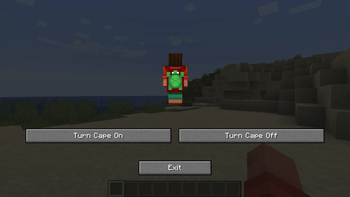
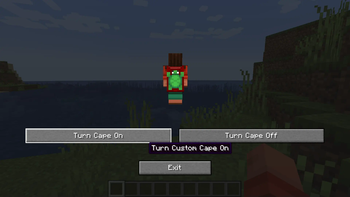
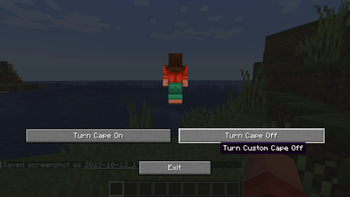
- Gui which allows you to toggle your custom cape on and off.
- Custom cape textures through resource pack.
How to use
The default key to open the CapeChanger gui is 'R'. You can customise this in Key Binds.
To customise the cape texture you have to go through a few steps.
Note, this is not an official resource pack tutorial.
First, create a folder in %appdata%/.minecraft/resourcepacks.
Now create a pack.mcmeta file inside the new folder.
{
  "pack": {
    "pack_format": PACK_FORMAT_FOR_MINECRAFT_VERSION,
    "description": "Gives you custom cape (requires https://modrinth.com/mod/capechanger)"
  }
}
You can get the pack_format version from the Minecraft wiki page
Create a folder named assets.
Now, create a folder inside assets named capechanger.
Put your cape texture inside this folder and rename it to cape.png.
You can download capes from laby and multiple different places.
You can also make your own cape at Skin MC's Cape editor
Your resource pack should look like this:
Folder assets capechangercape.png
pack.mcmeta
Click here to download resource pack for turtle cape. (CapeChanger Required)
- Edition: Minecraft Java
- File type: .jar
- Minecraft version listed: 1.20.4
- How to install: Install the matching mod loader (Forge, Fabric or NeoForge) for your Minecraft version. → Download the .jar. → Put it in the .minecraft/mods folder and launch that loader profile.
- Where to get it: Opens on Modrinth — not every file is mirrored on our own servers.
Install steps are the general flow for this file type — How to install Minecraft Java mods & modpacks walks through it step by step.
- Ships as capechanger-2.0.0-1.20.4.jar — drop this file into the mods folder
- Download size: 159 KB
- Download link checked 30 Aug 2026 — working
These come from our own check of the pack file, not from the source page.