


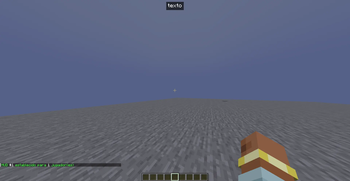
TextCreator is a mod designed to make it easier to create and display custom text inside Minecraft. It is intended for map makers, servers, and projects that need to show information, dialogue, or messages above the player in a clear and visual way inside the game.
Messages are fully customizable.
TextCreator has three main functions:
Simple
/textcreator simple 1 @a "text" topcenter false true 1.5 4
In this example, a text appears at the top center of the screen without shadow, with a background size of 1.5 and a background opacity of 4 (in fabric use %, like 60%).
/textcreator simple <id> <entities> <screen position> <text shadow> <black background> <size> <background opacity>

/textcreator simple 1 @a clear
Removes the text with ID 1.
/textcreator simple clear all @a
Removes all simple texts for all players.
Real
/textcreator real Notch Hello!
In this example, the text "Hello!" is displayed above the head of the player Notch.

/textcreator real <player> <text>
Title
/textcreator title @a "Hello" "World" 5
In this example, a title and subtitle are displayed on the screen for 5 seconds.

/textcreator title @a "Title" "Subtitle" 5
⚙️ Features
✨ Create custom text inside the game 🎨 Ability to display visual messages on screen 🧩 Tool designed for mapmakers and event creators ⚡ Simple system that is easy to integrate into projects
💡 Common Uses
In-game tutorial systems Custom informational interfaces On-screen subtitles Custom interfaces
- Edition: Minecraft Java
- File type: .jar
- Minecraft version listed: 1.20.4
- How to install: Install the matching mod loader (Forge, Fabric or NeoForge) for your Minecraft version. → Download the .jar. → Put it in the .minecraft/mods folder and launch that loader profile.
- Where to get it: Opens on Modrinth — not every file is mirrored on our own servers.
Install steps are the general flow for this file type — How to install Minecraft Java mods & modpacks walks through it step by step.
- Ships as textcreator-1.0.0-fabric-1.20.4.jar — drop this file into the mods folder
- Download size: 34 KB
- Download link checked 21 Sept 2026 — working
These come from our own check of the pack file, not from the source page.