


Adds a menu where you can activate pre-programmed actions. Configure command execution or key press emulation the way you want



Update 4.0 — Lights! Camera! Action!
New
- Added 4 new actions:
- Key Down – allows holding any key. Unlike the existing Press Key action, it keeps the key held until a Key Up action is executed or the key is pressed manually.
- Key Up – releases a held key.
- Simulate Keybind Event – allows triggering any event that can be assigned to a key in the game settings. Works even if no key is assigned to that event.
- Repeat Following – allows repeating the following actions multiple times. Has two parameters: how many actions to repeat and how many times to repeat them. Limited to 10 actions and 10 repetitions.
- Added a confirmation prompt before deleting a page or bind.
- Updated the key press bind activation system. Now you can choose between
PressandHoldmodes, and set an activation threshold forHoldmode. This also applies to the Simulate Keybind Event action.
Fixes & tech updates
- Updated button design.
- Updated the Press Key action design.
- Fixed visual issues in the Ukrainian translation.
- Fixed animation issues in editor windows.
- Other bug fixes.
If you have any ideas for a new type of action, I’ll be happy to hear them! You can share your ideas here
Supported Languages
| Language | Code | Author |
|---|---|---|
| English | en_us | Nitsha_M |
| Russian | ru_ru | Nitsha_M |
| Ukrainian | uk_ua | AI translation |
| Japanese | ja_jp | PExPE3/elinka47 |
| Simplified Chinese | zh_cn | GaoXinYang |
| Turkish | tr_tr | AI translation |
How to use
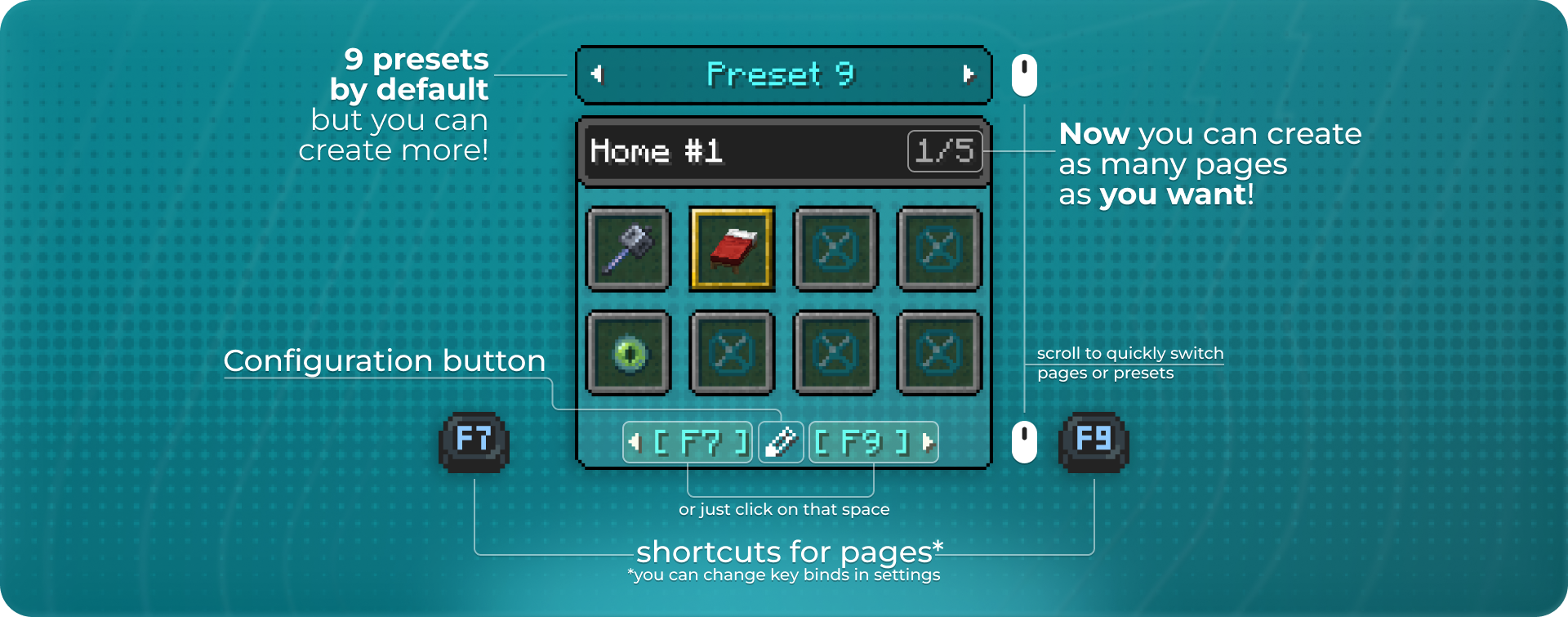
By default, the FastBind menu opens while you are pressing the F8 key. You can switch pages using the F7 and F9 keys. (each key bind can be changed in the options)
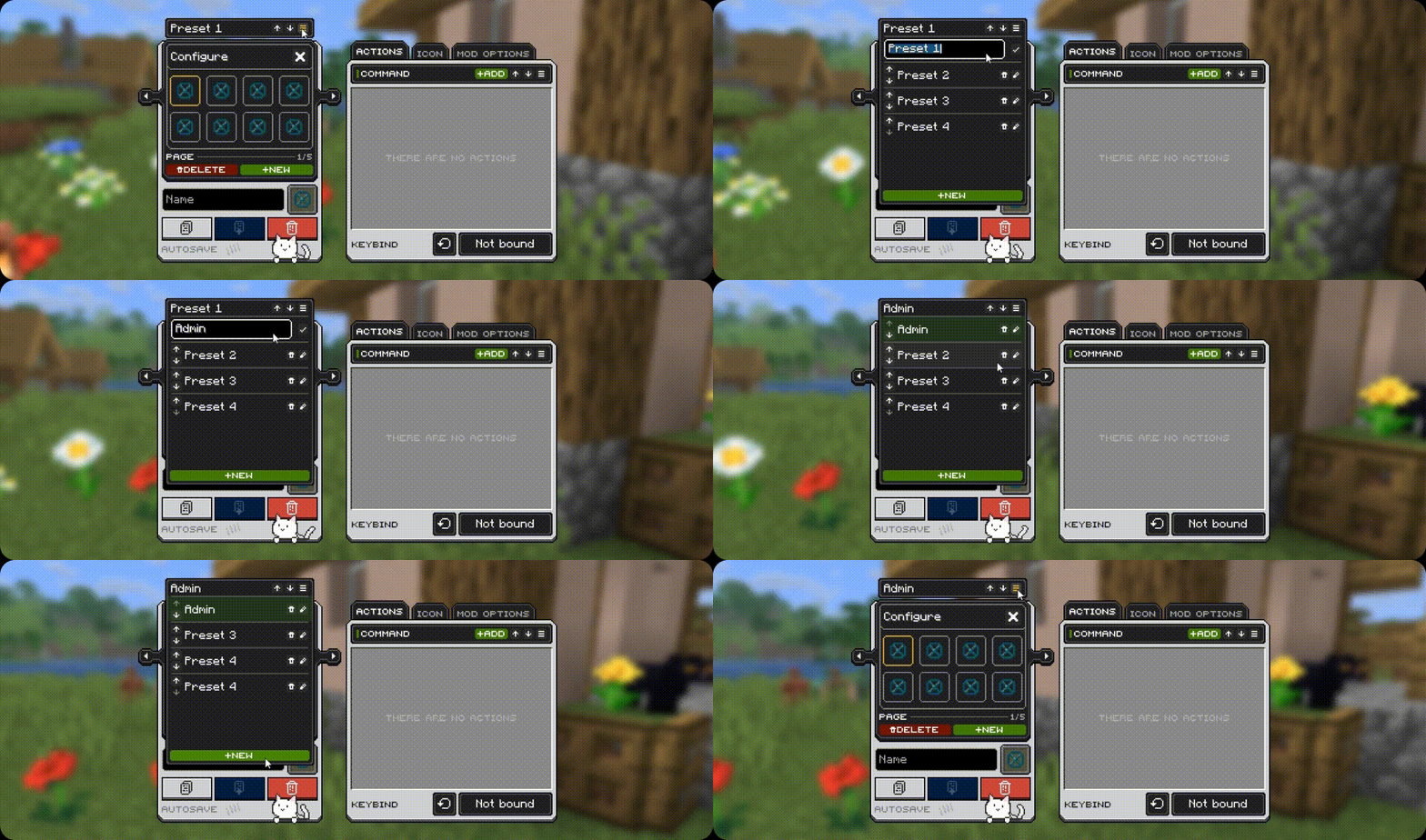
The mod features an advanced preset system for convenient grouping. You can create unlimited presets, each with an unlimited number of bind pages.
Presets
Group your binds into presets for easier organization. You can create as many presets as you need. By default, the mod generates 9 presets, each containing 40 bind slots.
Configuration
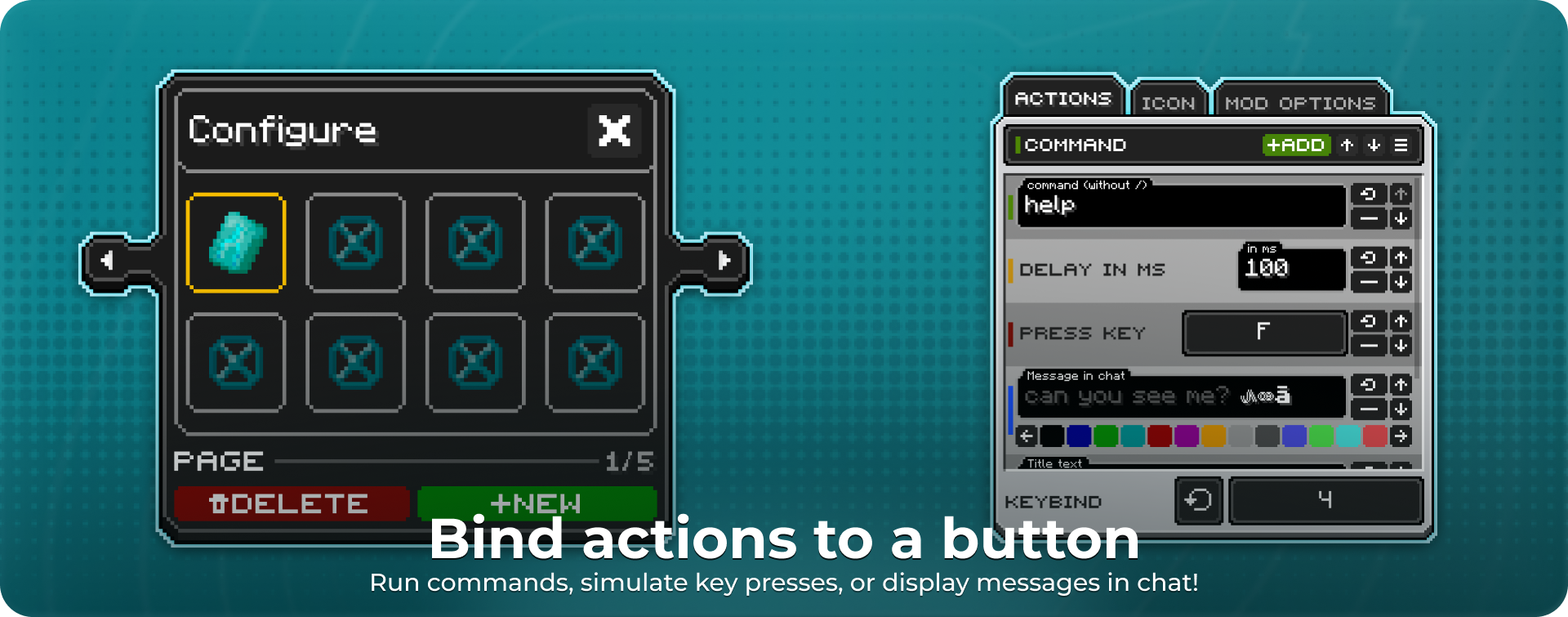
Each button can run various actions:
- In-game command
- Key press emulation
- Delay (in milliseconds)
- Local chat message
- Show a title on screen
You can also choose the key that triggers the action.
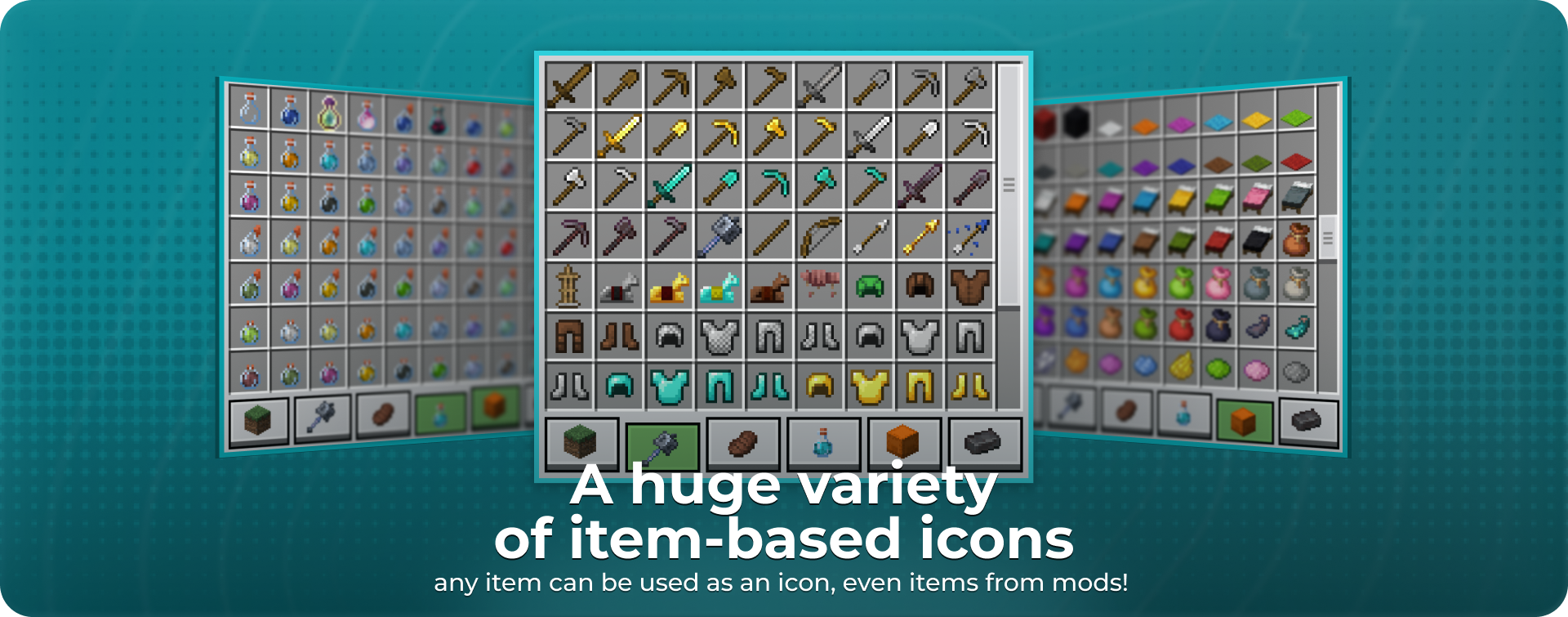
A large variety of icons based on in-game items. Choose whatever you like — all items are grouped into categories for your convenience. Starting with update 3.1, icons can even be items from your installed mods!
- Edition: Minecraft Java
- File type: .jar
- Minecraft version listed: 26.1
- How to install: Install the matching mod loader (Forge, Fabric or NeoForge) for your Minecraft version. → Download the .jar. → Put it in the .minecraft/mods folder and launch that loader profile.
- Where to get it: Opens on Modrinth — not every file is mirrored on our own servers.
Install steps are the general flow for this file type — How to install Minecraft Java mods & modpacks walks through it step by step.
- Ships as nitsha_fastbind-4.0.2+26.1-neoforge.jar — drop this file into the mods folder
- Download size: 354 KB
- Download link checked 30 Aug 2026 — working
These come from our own check of the pack file, not from the source page.