
ModsJava
Boat with Everything
Java mod listed for Minecraft 1.18. Downloads from the MC Java Mods app on Android.
⬇ Download on Modrinth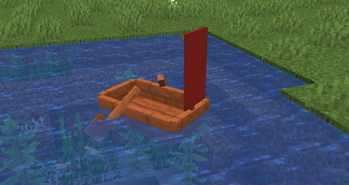
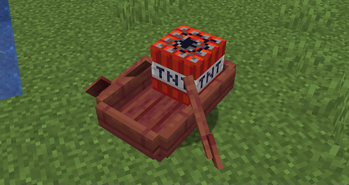
1.19 added chest boats, but I wanted more. So "Boat with Everything" allows you to put pretty much any block in the game into a boat.
- Shift right click on the boat to add the block.
- Punch the boat to remove it.
- Many blocks (including barrels, chests, ender chests, droppers, dispensers, lecterns, looms, cartography tables, stonecutters, crafting tables, grindstones, smithing tables, flower pots, concrete powder blocks, banners, carpets, sponges, TNT, redstone lamps, note blocks, campfires, doors, trapdoors, fence gates, anvils, and metal storage blocks) have special appearances or behaviors.
- Try opening your inventory while riding the boat.
- Try shift-right clicking to interact with the block.
- Try driving next to a redstone power source.
Quick facts
- Edition: Minecraft Java
- File type: .jar
- Minecraft version listed: 1.18.2
- How to install: Install the matching mod loader (Forge, Fabric or NeoForge) for your Minecraft version. → Download the .jar. → Put it in the .minecraft/mods folder and launch that loader profile.
- Where to get it: Opens on Modrinth — not every file is mirrored on our own servers.
Install steps are the general flow for this file type — How to install Minecraft Java mods & modpacks walks through it step by step.
File checked by MCModsHub
- Ships as boat-with-everything-1.1.0+backport.jar — drop this file into the mods folder
- Download size: 162 KB
- Download link checked 11 Oct 2026 — working
These come from our own check of the pack file, not from the source page.