
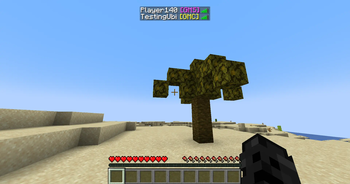
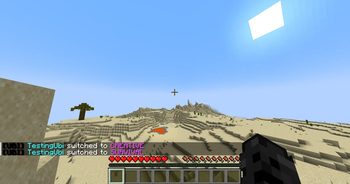


Catch Op/Admin Abusers!
(1.21.11 version released!)
works on most servers
Utilities
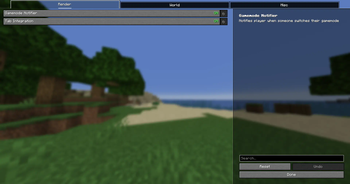
- GamemodeNotifier (Notifies the player when someone changes their gamemode)
- TabIntegration (Integrates each players gamemode in TabGUI)
- Notification History (saves history of gamemode notifications)
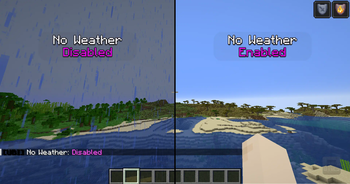
- No Weather (sets weather to clear client-side)
- Chat Plus (increases chat history)
- Auto Reconnect (auto reconnects after disconnection)
Commands
- /ubi-help (lists all modules)
- /ubi-help 2 (lists all cmds)
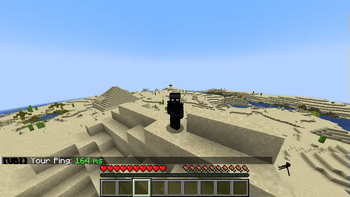
- /ubi-ping (shows ping/latency)
- /ubi-toggle (toggles modules)
- /ubi-keybind (enable/disable a key to open GUI)
- /ubi-info (info about the mod)
Usage
- Keybind to open the gui can be changed in the default minecraft keybind settings or /ubi-keybind <key/disable>
To open the Utility GUI, go into a world or server and press the key "insert" (by default) on your keyboard.
This will open up a menu which you can toggle on/off the modules.
Installation
Download the jar from modrinth with the dependencies.
Put the jar inside your mod folder along with the dependencies.
Dependencies (MOD WILL NOT WORK WITHOUT THESE)
yacl may be needed on lower versions
If you run into any issues DM @ubiqqe on discord.
Quick facts
- Edition: Minecraft Java
- File type: .jar
- Minecraft version listed: 1.21.9
- How to install: Install the matching mod loader (Forge, Fabric or NeoForge) for your Minecraft version. → Download the .jar. → Put it in the .minecraft/mods folder and launch that loader profile.
- Where to get it: Opens on Modrinth — not every file is mirrored on our own servers.
Install steps are the general flow for this file type — How to install Minecraft Java mods & modpacks walks through it step by step.
Verified by MCModsHub
- Ships as ubiutils-2.1+1.21.9.jar — drop this file into the mods folder
- Download size: 1.9 MB
- Download link checked 30 Aug 2026 — working
These come from our own check of the pack file, not from the source page.