

Thanks for 1000+ downloads - you guys are awesome!
⚠️IMPORTANT⚠️
This mod requires Fabric API.
Due to vanilla limitations, you must install Bobby, in order to set render distances past 12 chunks with the command.
Mod Description
Ever just wanted to set your render distance instantly from chat? Then you came to the right place!
Render Distance Command (also published on Curseforge) is a client-sided Minecraft mod for the Fabric Loader, that adds the /renderdistance command, which sets your current render distance to what ever you want (2 chunks min, 128 chunks max). Here's an example command for setting your render distance to 20 chunks:
/renderdistance 20
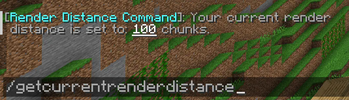
Also, as of v1.0.1 of the mod, there is a new command that allows you to see the currently set render distance. Here's how you would type it in in chat to get your current render distance:
/getcurrentrenderdistance
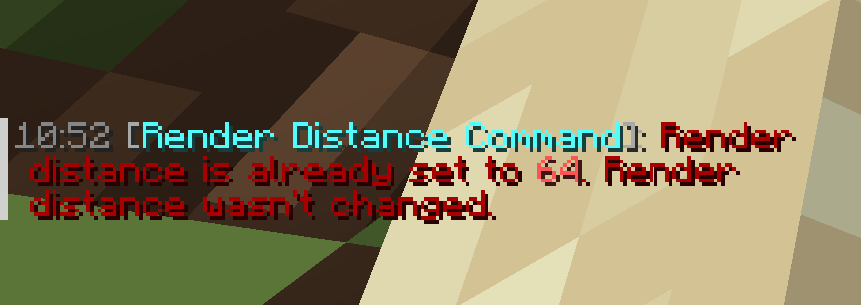
For a visual of this mod, please play the Mod Demonstration Video below, or check out this mod's Gallery Tab. In the Gallery Tab, there are screenshots with a feature from another mod, which is called Timestamp Chat, by Abbie.
Mod Demonstration Video
Donation
If you want, you can support me by donating with the link on this page.
- Edition: Minecraft Java
- File type: .jar
- Minecraft version listed: 1.21.3
- How to install: Install the matching mod loader (Forge, Fabric or NeoForge) for your Minecraft version. → Download the .jar. → Put it in the .minecraft/mods folder and launch that loader profile.
- Where to get it: Opens on Modrinth — not every file is mirrored on our own servers.
Install steps are the general flow for this file type — How to install Minecraft Java mods & modpacks walks through it step by step.
- Ships as Render Distance Command [CLIENT, v1.0.1, MC 1.21.3].jar — drop this file into the mods folder
- Download size: 18 KB
- Download link checked 30 Aug 2026 — working
These come from our own check of the pack file, not from the source page.