
MacroFactory
Java mod listed for Minecraft 26.x. Downloads from the MC Java Mods app on Android.
I don't know my version or loader
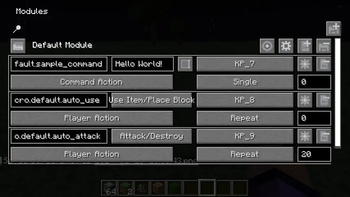
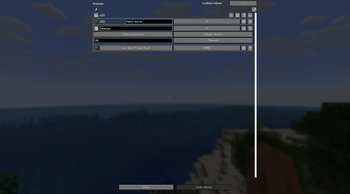
This mod allows you to automate frequently performed actions.
When you press the Y button, the main menu of Modules for managing macros opens.
- Each module is separately turned on/off and configured.
- Each module can contain an unlimited number of macros.
For a macro you can configure: keybind, looping, activation delay, and action type. Currently there are the following types of actions:
- Command - a message or command on behalf of the character in the chat.
- Player action - performing an action by the character as if the player were pressing a button. (walking, placing blocks, breaking blocks, etc.)
By default, 3 simple macros are created: calling the "Hello world" command, auto breaking and auto placing.
Macros are not cheats, but may be prohibited on some servers. Before using in multiplayer, please read the server rules.
- Edition: Minecraft Java
- File type: .jar
- Minecraft versions listed: 26.1, 26.1.1, 26.1.2
- How to install: Install the matching mod loader (Forge, Fabric or NeoForge) for your Minecraft version. → Download the .jar. → Put it in the .minecraft/mods folder and launch that loader profile.
- Where to get it: Opens on Modrinth — not every file is mirrored on our own servers.
Install steps are the general flow for this file type — How to install Minecraft Java mods & modpacks walks through it step by step.
- Ships as macrofactory-1.3.0-26.1.jar — drop this file into the mods folder
- Download size: 101 KB
- Download link checked 11 Oct 2026 — working
These come from our own check of the pack file, not from the source page.