
ModsJava
VanillaBlockEnhancements
Minecraft Java mod. Downloads from the MC Java Mods app on Android.
⬇ Download on Modrinth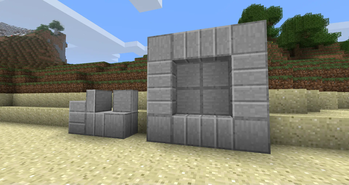
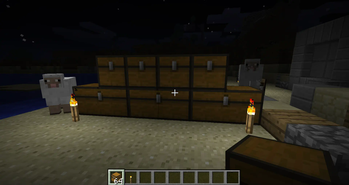
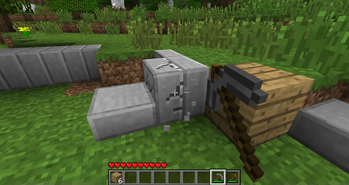
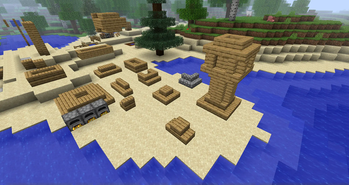
This mod changes behaviour for many vanilla blocks (like stairs and slabs) and fixes several bugs related to them.
Versions before 0.2.10 of the mod are potentially not compatible with old saves (that have chests, doors and other blocks changed by that mod)! Please make a backup or start a new world
Mod is not safe to remove from midgame!
Block Behaviour Changes:
- Intractable blocks: placing blocks with shift click will not open GUI or trigger them, digging will not activate them
- Workbenches: don't drop items when you close them and put them into your inventory instead
- Chests: use player direction instead of wall check, can be placed near each other
- Doors: no open/close issues, double doors will open at once, tag for doors that require redstone (
requires_power) - Trapdoors: no open/close issues, not require handle block, can be place on top and bottom, tag for trapdoors that require redstone (
requires_power) - Slabs: can be placed vertically, full slabs have directions, full slabs will break by parts, will be crafted 6 instead of 3
- Pumpkins and Jack o' Lanterns: don't require block below them
- Fences: can connect to solid blocks and blocks with
fence_connecttag, have better collisions and selections - Water: fixed bug when water was not created between two blocks if block below was water
- Lava: in the Nether 4 blocks of lava can produce one new between them, similar to 2 blocks of water
- Stairs: can be placed vertically and upside-down, will be crafted 6 instead of 4
- Logs: can be placed directionally
- Leaves: player placed leaves don't decay, natural leaves decay faster, all leaves have
leavestag, all logs withlogstag can support leaves, less transparent leaves - Beds: monsters will not spawn near you randomly during night
- Farmland: not breaking on entity walking
- Block Items: no upscaling for not full blocks
Tools are now effective on some vanilla blocks (that was breaking slowly) and on all new blocks
Quick facts
- Edition: Minecraft Java
- File type: .jar
- Minecraft version listed: b1.7.3
- How to install: Install the matching mod loader (Forge, Fabric or NeoForge) for your Minecraft version. → Download the .jar. → Put it in the .minecraft/mods folder and launch that loader profile.
- Where to get it: Opens on Modrinth — not every file is mirrored on our own servers.
Install steps are the general flow for this file type — How to install Minecraft Java mods & modpacks walks through it step by step.
File checked by MCModsHub
- Ships as vbe-0.2.19.jar — drop this file into the mods folder
- Download size: 254 KB
- Download link checked 11 Oct 2026 — working
These come from our own check of the pack file, not from the source page.