


📝About:
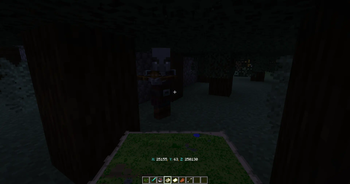
Do you want to see your Coordinates? Now you can! And it's fully customizable.
⚙️Features:
- In-game overlay UI text (V1.0 < [Hud Texts mod])
- Actionbar
- Fully customizable
- Show if you have a specific item
- You can use color codes
- You can set the text position: Top Left, Top Center, Top Right, Bottom Left, Bottom Center, Bottom right. (V1.0 < [Hud Texts mod])
❗️Required mods:
- Hud Texts | From V1.1
✅Compatible mods:
💬Languages:
- English
📜Our partner:

💡Ideas:
- If you have an idea which makes the mod better then,
- please write it on our discord server in the #💡idea-suggestions forum.
👾Bugs:
- If you have found a bug then,
- please write it on our discord server in the #🧰bug-reports forum.
👫Social:


❤️Support Us:

Quick facts
- Edition: Minecraft Java
- File type: .jar
- Minecraft version listed: 1.20.1
- How to install: Install the matching mod loader (Forge, Fabric or NeoForge) for your Minecraft version. → Download the .jar. → Put it in the .minecraft/mods folder and launch that loader profile.
- Where to get it: Opens on Modrinth — not every file is mirrored on our own servers.
Install steps are the general flow for this file type — How to install Minecraft Java mods & modpacks walks through it step by step.
Verified by MCModsHub
- Ships as show_my_coordinates_v1.1_1.20.1_[FORGE].jar — drop this file into the mods folder
- Download size: 445 KB
- Download link checked 30 Aug 2026 — working
These come from our own check of the pack file, not from the source page.