
Wynncraft Spell Hider




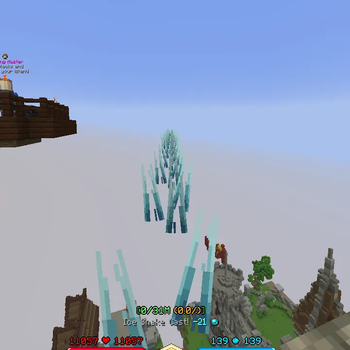
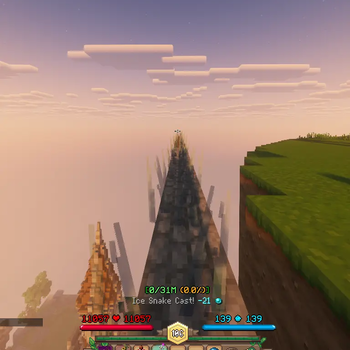
A mod that gives you full control over how Wynncraft spell effects are rendered.
Features
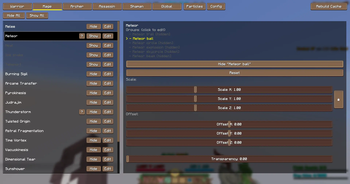
Spell Customization
Each spell effect is broken down into groups that can be individually configured:
- Hide / Show — remove specific spell effects entirely from your screen
- Scale — make effects larger or smaller
- Offset — shift effects along the X, Y, and Z axes relative to the models orientation
- Transparency — set a per-group alpha value from fully visible to fully invisible. This works with shaders
Particle Hider
Hide individual particle effects
Config Manager
Save and load multiple named profiles so you can switch between different configurations instantly. Set a default profile that is applied automatically when you launch the game.
Commands
| Command | Description |
|---|---|
/wynncraftspellhider menu |
Opens the mod GUI |
/wynncraftspellhider globalTransparency <0.0 - 1.0> |
Sets the transparency of all spell groups at once |
/wynncraftspellhider version |
Displays the current installed version |
/wynncraftspellhider update |
Checks if a newer version is available and provides a download link if so |
Usage
Open the mod menu with /wynncraftspellhider menu or press N on your keyboard.
Contributors
Quick facts
- Edition: Minecraft Java
- File type: .jar
- Minecraft versions listed: 1.21.10, 1.21.11
- How to install: Install the matching mod loader (Forge, Fabric or NeoForge) for your Minecraft version. → Download the .jar. → Put it in the .minecraft/mods folder and launch that loader profile.
- Where to get it: Opens on Modrinth — not every file is mirrored on our own servers.
Install steps are the general flow for this file type — How to install Minecraft Java mods & modpacks walks through it step by step.
Verified by MCModsHub
- Ships as wynncraftspellhider-1.1.6.jar — drop this file into the mods folder
- Download size: 423 KB
- Download link checked 30 Aug 2026 — working
These come from our own check of the pack file, not from the source page.