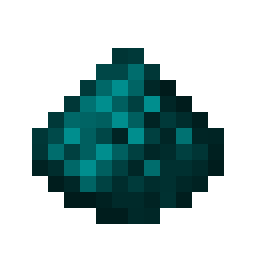
Cyanstone
Java mod listed for Minecraft 26.x. Downloads from the MC Java Mods app on Android.
⬇ Download on Modrinth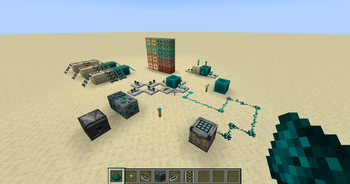
Cyanstone
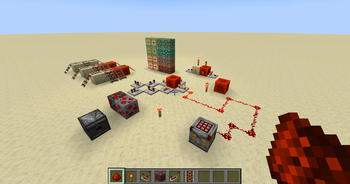
Cyanstone is a mod that adds the ability to change the color of redstone and certain redstone blocks using a colormap in resource packs.
Originally, I was just planning on changing the hardcoded colormap to cyan, which gave the name Cyanstone. Now it is possible to edit the redstone color (including particles) using a single texture file!
In 1.21.5+ the vanilla dye color resource packs are not built in. These are held in separate projects to save space on the resource pack screen.
Resource Packs
- Aqua (Light Blue)
- Black
- Blue
- Brown
- Cloud (Light Gray)
- Cyan
- Gray
- Green
- Lime
- Magenta
- Orange
- Pink
- Purple
- White
- Yellow
There is also a collection for all the resource packs, with the main 15 colors (not including red) being listed above and 15 Pride-themed packs. The collection: Cyanstone Resource Packs
If you have made a resource pack that uses Cyanstone and would like it to be added to the collection, please use the issues link on the right of the screen and let me know!
Mods Supported
- Chipped (1.20-1.20.1, 1.21-1.21.1)
- Edition: Minecraft Java
- File type: .jar
- Minecraft version listed: 26.2
- How to install: Install the matching mod loader (Forge, Fabric or NeoForge) for your Minecraft version. → Download the .jar. → Put it in the .minecraft/mods folder and launch that loader profile.
- Where to get it: Opens on Modrinth — not every file is mirrored on our own servers.
Install steps are the general flow for this file type — How to install Minecraft Java mods & modpacks walks through it step by step.
- Ships as cyanstone-1.6.0.jar — drop this file into the mods folder
- Download size: 296 KB
- Download link checked 11 Oct 2026 — working
These come from our own check of the pack file, not from the source page.