No Kebab
Java mod listed for Minecraft 1.21. Downloads from the MC Java Mods app on Android.
⬇ Download on Modrinth
⚠ As of MC 1.21.5, painting items can no longer hold invalid variants. When using the mod Invariable Paintings, invalid paintings will no longer drop themselves when broken.
No Kebab
Overview
In vanilla Minecraft, when a painting is loaded with an ID that doesn't match any existing variant, it will be automatically replaced with another one. No questions asked. If you mess around with data-driven paintings, any error in your datapacks may cause already-placed paintings to be lost upon loading a world.
No-Kebab serves as a safeguard against that. Invalid paintings will still fall back to a different variant, but they will remember the variant ID that was originally present in their NBT data, and keep that ID when saving the game. The next time you load that world with the correct set of variants installed, those painting will be restored to their original appearance.
Trivia: Prior to MC 1.21, invalid paintings would invariably be reverted to the minecraft:kebab variant, hence the mod's name.
Environment
Core functionalities are fully server-side.
Client-side is required only if the Missingno Display feature is enabled, in which case it will be required an all clients.
Missingno Display
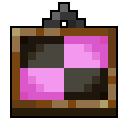
This changes the appearence of invalid paintings, making them stand out, and revealing their ID.
By default, it will be disabled on dedicated server, and enabled on integrated servers (singleplayer and LAN).
This can be toggled in the config file nokebab.properties, with the option called customTracker. This requires a full restart to take effect.
Migration
The command /nokebab migrate can be used to change the variant of existing paintings in bulk. It requires a permisssion level of 3 (Admin).
This will only change the variant of placed paintings in currently loaded chunks Paintings in item form or in unloaded chunks will not be affected.
If a migration would result in a painting no longer being able to fit its wall, this painting will be skipped with an error message.
Synopsis
/nokebab migrate <mode> <source> <destination>
<source> is the variant of paintings that should be migrated. <destination> is the variant they will be replaced with. Their specifics vary depending on the mode.
<mode> can be either:
literal, will seek paintings that exactly match the source, and change them all to the same variant.regex, allows the use of Regular Expressions, so<source>can match multiple variants, and<destination>can use substitution variables.
For example, the command to change the namespace of multiple paintings would be:
/nokebab migrate regex "oldspace:(.*)" "newspace:$1"
- Edition: Minecraft Java
- File type: .jar
- Minecraft version listed: 1.21.5
- How to install: Install the matching mod loader (Forge, Fabric or NeoForge) for your Minecraft version. → Download the .jar. → Put it in the .minecraft/mods folder and launch that loader profile.
- Where to get it: Opens on Modrinth — not every file is mirrored on our own servers.
Install steps are the general flow for this file type — How to install Minecraft Java mods & modpacks walks through it step by step.
- Ships as no-kebab-1.3.3+1.21.5.jar — drop this file into the mods folder
- Download size: 53 KB
- Download link checked 11 Oct 2026 — working
These come from our own check of the pack file, not from the source page.