
BakaDanmaku
I don't know my version or loader
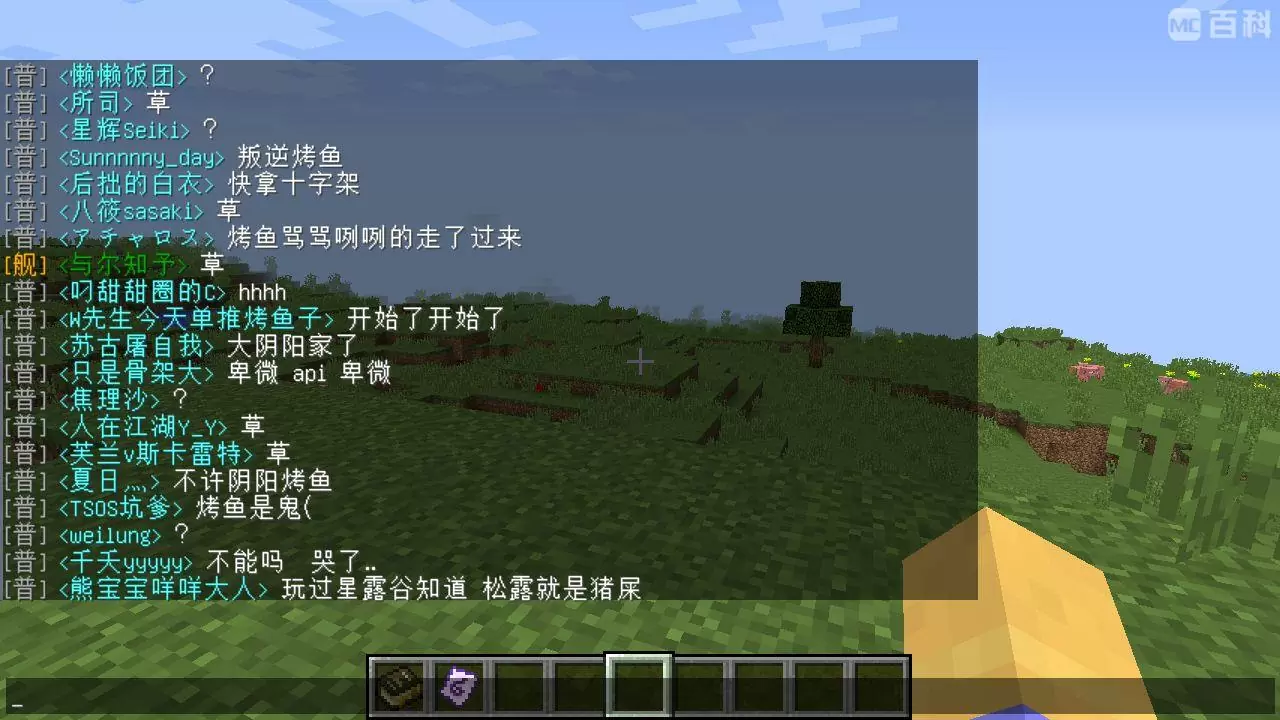
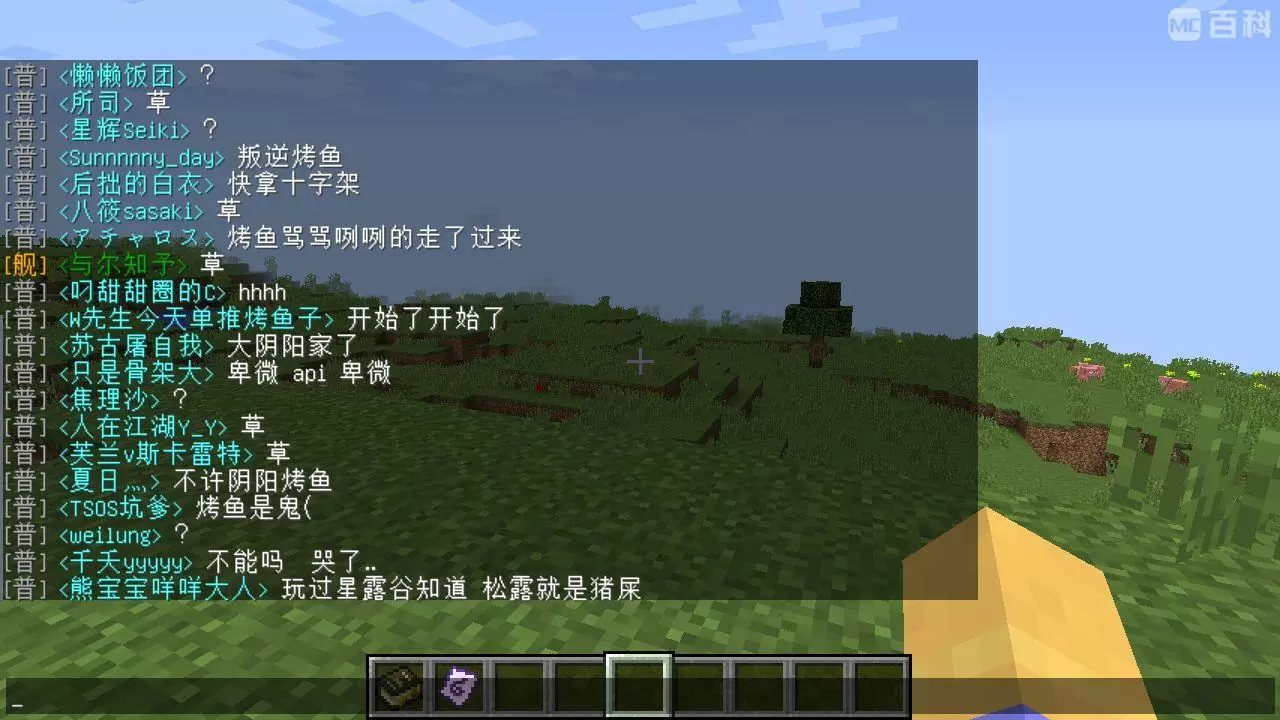
A mod for displaying the message of Bilibili live in the chat bar in the game. Just drop it into the mod folder, start the game, and set the room number to connect to the server and realize the function of outputting live message screen in the game.
The specific effect is shown in the figure below:
Forge version:
- 1.12.2 and below use the /BakaDanmaku command to reload the configuration.
- 1.13.2 and above use the shortcut key Alt+B to reload the configuration.
Fabric version: shortcut key B to reload the configuration.
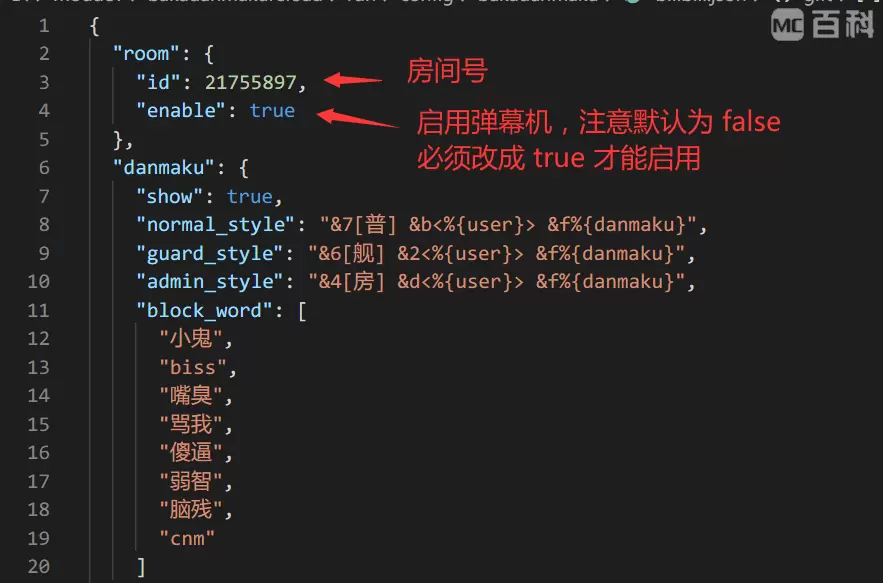
The configuration file is in config/bakadanmaku/bilibili.json in the main directory of the game. It is recommended to use software such as Sublime Text and Visual Studio Code to open this file.
Generally speaking, you only need to modify the room number and enable it, which means you only need to modify the following two places:
- Edition: Minecraft Java
- File type: .jar
- Minecraft versions listed: 1.21, 1.21.1
- How to install: Install the matching mod loader (Forge, Fabric or NeoForge) for your Minecraft version. → Download the .jar. → Put it in the .minecraft/mods folder and launch that loader profile.
- Where to get it: Opens on Modrinth — not every file is mirrored on our own servers.
Install steps are the general flow for this file type — How to install Minecraft Java mods & modpacks walks through it step by step.
- Ships as bakadanmaku-fabric-1.21-2.1.1.jar — drop this file into the mods folder
- Download size: 766 KB
- Download link checked 30 Aug 2026 — working
These come from our own check of the pack file, not from the source page.