Offhand Hotbar
Java mod listed for Minecraft 1.21. File opened and checked on 30 Sep 2026; downloads from the MC Java Mods app on Android.
I don't know my version or loader
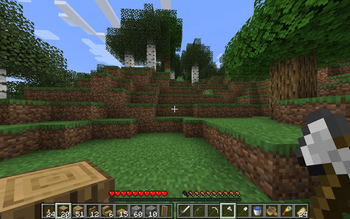
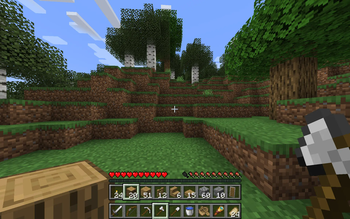
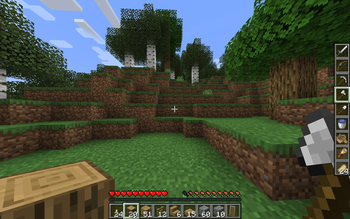
Offhand Hotbar turns the third row of your inventory into a hotbar for your offhand, making your inventory management more flexible. For example, you can hold tools and weapons in mainhand and building blocks in offhand, or you could have weapons in mainhand and various consumables in offhand.
By default, the scroll wheel controls your mainhand selection and number keys control your offhand selection, but this is configurable.
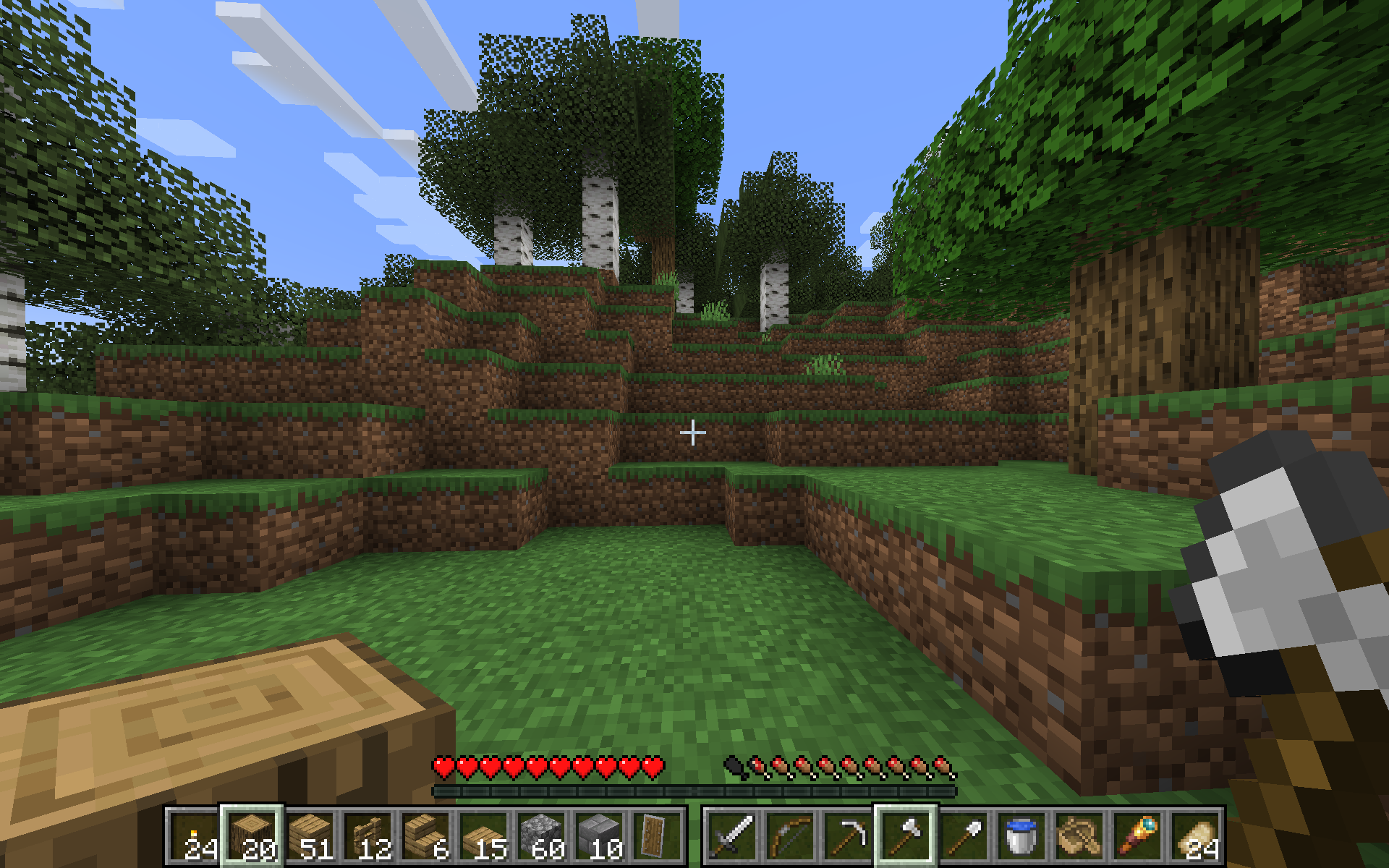
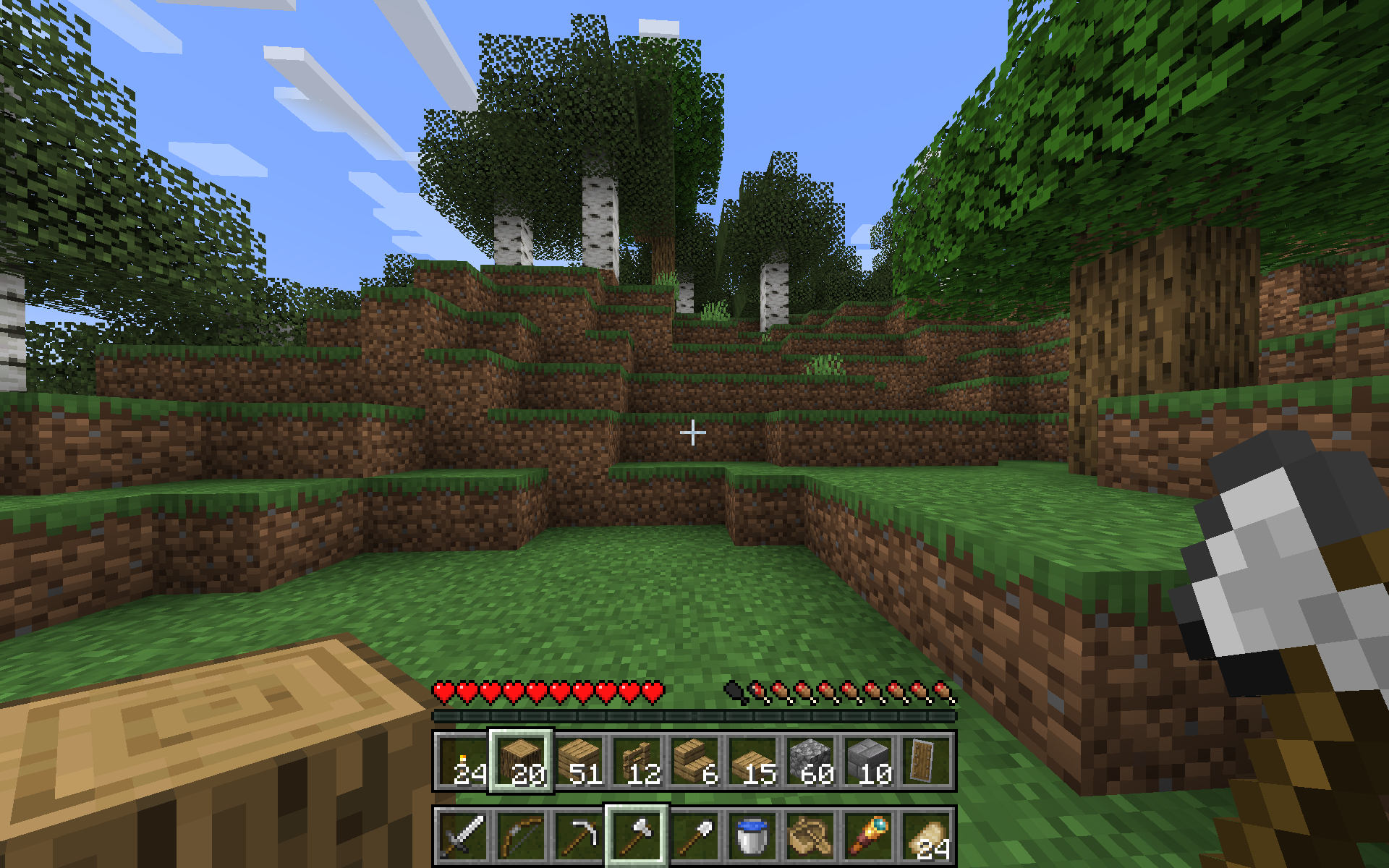
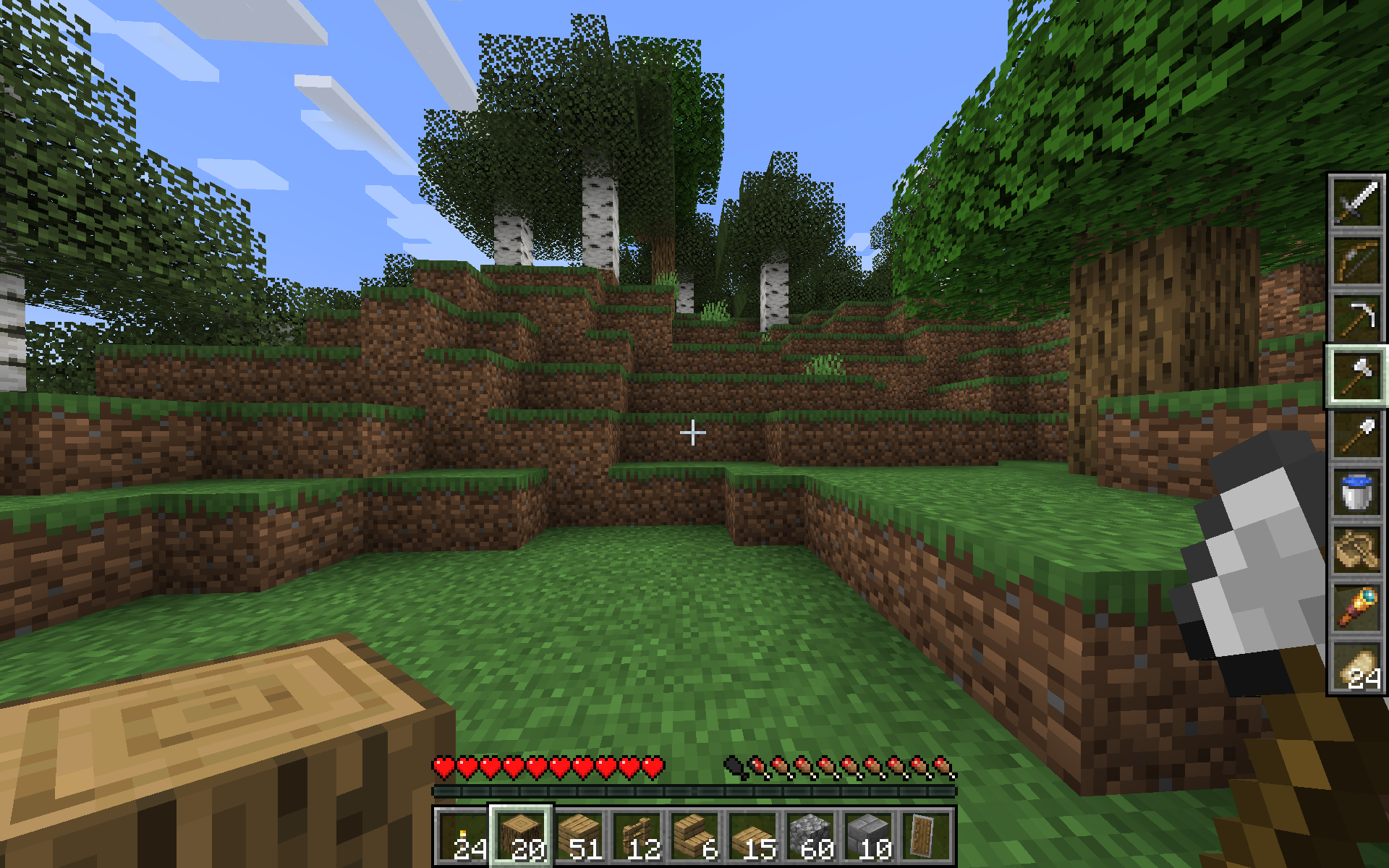
The mod contains several visual layouts to choose from:
| Side-By-Side | Stacked | Vertical |
|---|---|---|
 |
 |
 |
(see Gallery if images are too small on mobile)
Warning: It is possible the rapid item movement may get flagged by anticheat, use on public servers at your own risk.
The mod is still in beta, so please send any feedback or suggestions you think would improve usability to the issues page!
MechanicsUnder the hood, this works by shuffling around items whenever you change selection.
Because gui slots are controlled by the server, it is not easy to replace the inventory slot with the offhand slot in containers, so opening any sort of container or other inventory screen will swap items so that the third row of your inventory is consistent. The original offhand slot becomes the "default" offhand item that is equipped when a container is opened.
The swap hands keybind (default F) still works to swap your currently selected main and offhand items.
Known bugs
Your offhand item and selected item may get swapped around if you disconnect ungracefully (e.g. the server kicks you)
Configuration
Display Mode
The visual layout to use. The options are:
- Side by Side (default)
- Stacked
- Stacked Swapped
- Vertical
- Vertical Swapped
If you have a suggestion for another layout, feel free to open a github issue.
Scroll Controls
If the scroll wheel should control the mainhand or offhand (default: mainhand)
Keyboard Controls
If the number keys should control the mainhand or offhand (default: offhand)
Keybinds
In 1.21.1 you must go to the Controls > Keybinds section to set these, but in 1.21.5+ it is also available in the config screen (thanks Motschen!).
Control Opposite Hotbar
Holding this key will make scrolling and keyboard control the opposite hotbar. For example, if Scroll Controls is set to mainhand, then holding this key and scrolling will instead scroll the offhand. (default: Left Alt)
Scroll Inventory
Holding this key will cycle the three rows of your inventory when you scroll, which changes what is available in your offhand hotbar. (default: R)
Credits
This idea was inspired by an episode of The Spawn Chunks podcast
- Edition: Minecraft Java
- File type: .jar
- Minecraft versions listed: 1.21.9, 1.21.10
- How to install: Install the matching mod loader (Forge, Fabric or NeoForge) for your Minecraft version. → Download the .jar. → Put it in the .minecraft/mods folder and launch that loader profile.
- Where to get it: Opens on Modrinth — not every file is mirrored on our own servers.
Install steps are the general flow for this file type — How to install Minecraft Java mods & modpacks walks through it step by step.
- Ships as offhandhotbar-1.1.0+mc1.21.9.jar — drop this file into the mods folder
- Download size: 83 KB
- Download link checked 11 Oct 2026 — working
These come from our own check of the pack file, not from the source page.