
Building Gizmos
Java mod listed for Minecraft 1.20. Downloads from the MC Java Mods app on Android.
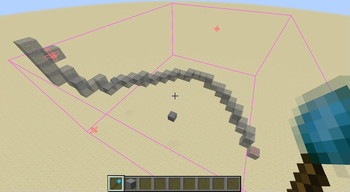
Building Tools for Shapes and Curves. Supports drawing arbitrary Bezier Curves. Retexture shapes randomly using a user-defined blockpalette, or using a…
⬇ Download on Modrinth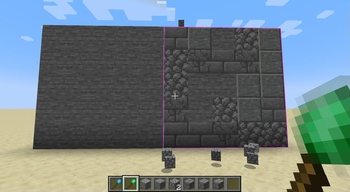
Building Gizmos
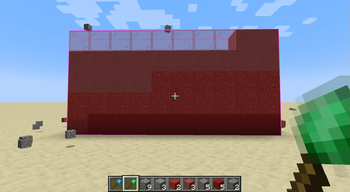
Adds Building Tools that allow you to build shapes and curves. Choose a block palette to retexture an area using random blocks, or using a colour gradient.
Shift-Right Click to set control points for the selected shape. Click and drag the control points to your desired location, and press the build key (default: x) to build your shape. The parameters of your current shape, with hotkey instructions, can be seen in the tooltip of the gizmo.
- Edition: Minecraft Java
- File type: .jar
- Minecraft version listed: 1.20.1
- How to install: Install the matching mod loader (Forge, Fabric or NeoForge) for your Minecraft version. → Download the .jar. → Put it in the .minecraft/mods folder and launch that loader profile.
- Where to get it: Opens on Modrinth — not every file is mirrored on our own servers.
Install steps are the general flow for this file type — How to install Minecraft Java mods & modpacks walks through it step by step.
- Ships as building_gizmos-fabric-1.0.2.jar — drop this file into the mods folder
- Download size: 151 KB
- Download link checked 11 Oct 2026 — working
These come from our own check of the pack file, not from the source page.