
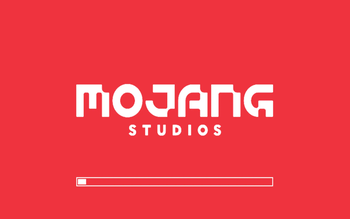
No loading screen (aka NoMojang)
NoMojang removes the bright red Mojang startup splash screen in Minecraft and replaces it with a clean black loading screen.
What it does
Hides the red Mojang splash visuals Keeps normal game loading behavior intact Shows a small status line in the center: Your game is starting Shows credit text in the lower-left corner: Nomojang by grizzly dev Why The default startup splash can be too bright and distracting. This mod keeps startup visually calm while preserving vanilla loading flow.
Compatibility
Minecraft: 1.21.11 Loader: Fabric Environment: Client-side
Notes
Safe to use in modpacks No config required
- Edition: Minecraft Java
- File type: .jar
- Minecraft version listed: 1.21.11
- How to install: Install the matching mod loader (Forge, Fabric or NeoForge) for your Minecraft version. → Download the .jar. → Put it in the .minecraft/mods folder and launch that loader profile.
- Where to get it: Opens on Modrinth — not every file is mirrored on our own servers.
Install steps are the general flow for this file type — How to install Minecraft Java mods & modpacks walks through it step by step.
- Ships as nomojang-1.3.0.jar — drop this file into the mods folder
- Download size: 288 KB
- Download link checked 30 Aug 2026 — working
These come from our own check of the pack file, not from the source page.