
ModsJava
Biome Replacer (Neoforge)
A quick way to get rid of a biome. Useful for tweaking datapack-based generators (like Terralith) that don't have a convenient configuration
I don't know my version or loader
Open the Minecraft launcher and look at the profile you play on — it names both, like fabric-loader-1.21.4. The version also shows in the bottom-right corner of the game's main menu.
No loader in the profile name? Then it's plain Minecraft, and these mods won't run — you need Fabric or NeoForge installed first.
This mod has been offically merged with Biome Replacer Please go there to download.


Server-side mod for precise biome control
Overview
Biome Replacer lets you control biome distribution without changing terrain generation. Replace any biome with another while preserving the landscape's shape and only changing biome-specific features like colors, mob spawns, and vegetation.
Use Cases:
- Remove unwanted biomes
- Fix mod compatibility issues
- Enhance almost-perfect world seeds
- Create custom world experiences
- Complement worldgen mods like Terralith
Features
- Simple Biome Swapping: Replace biomes with an easy rule system
- Tag Support: Replace entire biome categories at once
- Server-Side: No client installation needed
- Easy Config: Simple properties file with intuitive syntax
Experimental Features
- Chance based replacement: Replace any percentage of a biome
Compatibility
- Works With: Vanilla biomes and most datapack biomes (including Terralith)
- Limited Support: TerraBlender, Biolith or Lithosphere biomes (use their native options instead)
- Generally Compatible: Works with most worldgen mods (report issues here)
Setup
- Install the mod on your server (or client if your playing singleplayer)
- Run the server once to generate config
- Find
biome_replacer.propertiesin theconfigfolder - Add your replacement rules
Configuration
Basic Replacement
minecraft:dark_forest > minecraft:cherry_grove
Tag-Based Replacement
#minecraft:is_forest > minecraft:desert
Options
# Disable chat notifications
muteChatInfo = true
Examples
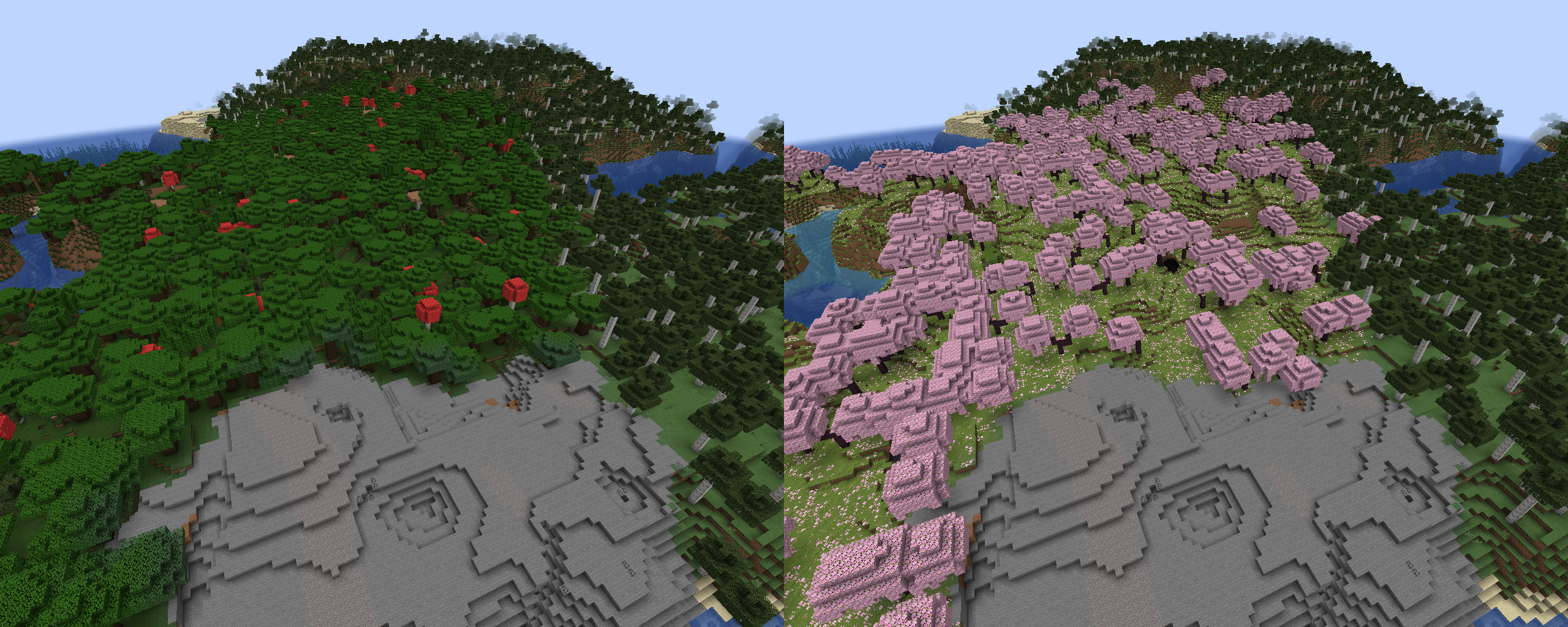
Forest to Cherry Grove
Config:
minecraft:dark_forest > minecraft:cherry_grove
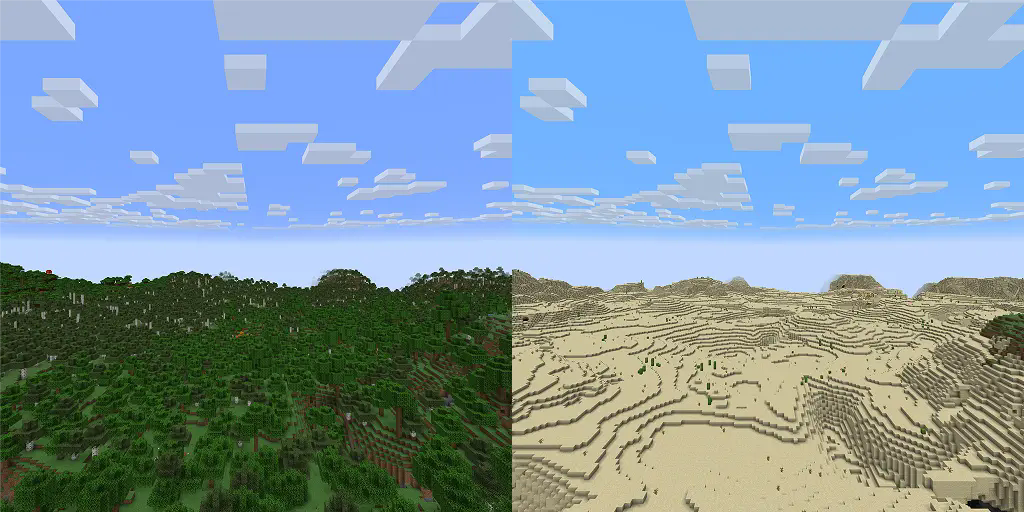
All Forests to Desert
Config:
#minecraft:is_forest > minecraft:desert
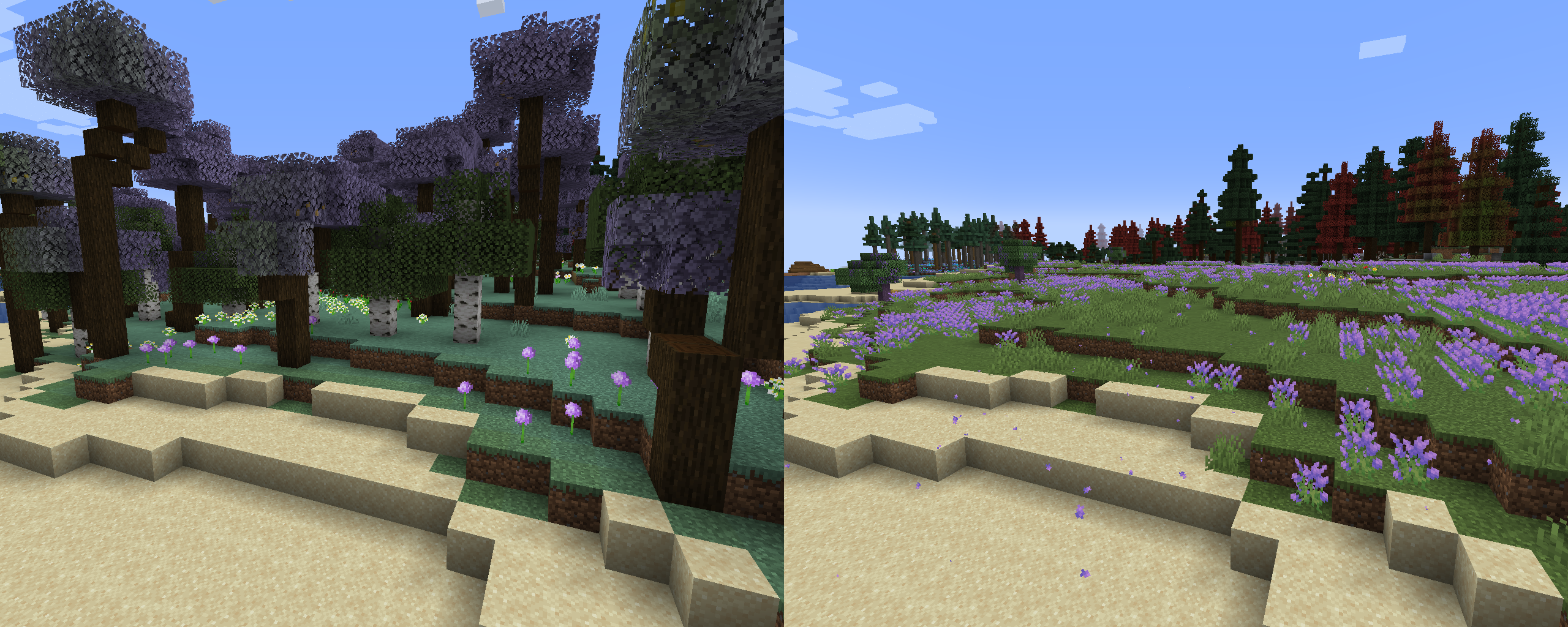
Mod Integration
Config:
terralith:lavender_forest > aurorasdeco:lavender_plains
terralith:lavender_valley > aurorasdeco:lavender_plains
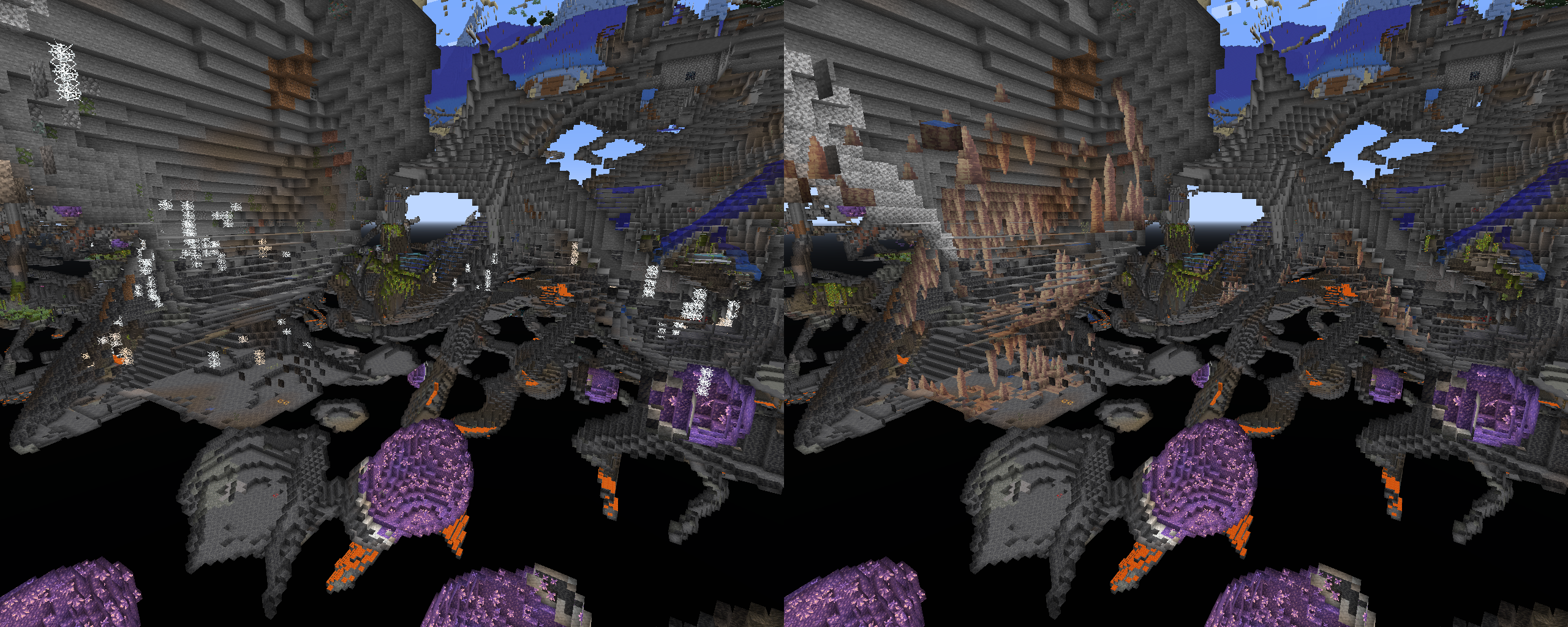
Fixing Problem Biomes
Config:
terralith:cave/infested_caves > minecraft:dripstone_caves
Resources
Quick facts
- Edition: Minecraft Java
- File type: .jar
- Minecraft versions listed: 1.21, 1.21.1, 1.21.2
- How to install: Install the matching mod loader (Forge, Fabric or NeoForge) for your Minecraft version. → Download the .jar. → Put it in the .minecraft/mods folder and launch that loader profile.
- Where to get it: Opens on Modrinth — not every file is mirrored on our own servers.
Install steps are the general flow for this file type — How to install Minecraft Java mods & modpacks walks through it step by step.
Verified by MCModsHub
- Ships as biome_replacer_neoforge-1.21.1.jar — drop this file into the mods folder
- Download size: 132 KB
- Download link checked 30 Aug 2026 — working
These come from our own check of the pack file, not from the source page.