
Phone : MC Device
MC-Device Functional Appliances & Gadgets for your Minecraft world! Tired of decorative blocks that just sit there? MC-Device brings your home and base to…
⬇ Download on Modrinth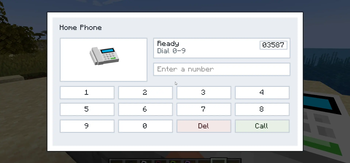
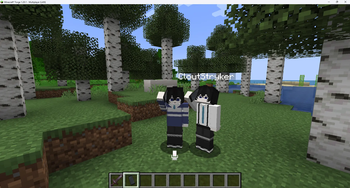
MC-Device
Functional Appliances & Gadgets for your Minecraft world!
Tired of decorative blocks that just sit there? MC-Device brings your home and base to life with fully functional electronics and appliances. Turn your base into a modern, working Smart Home!
✨ Current Features
We are starting strong with an advanced in-game communication system:
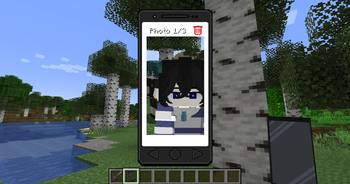
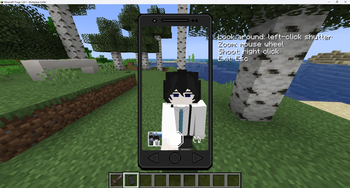
- Smartphone: Stay connected with players anywhere, anytime—whether you're deep in the mines or exploring far away.
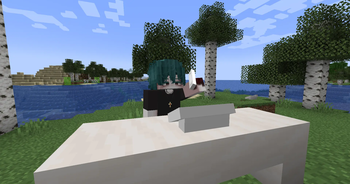
- Landline Phone: A classic desk phone, perfect for your base, home, or office setup.
- Voice Chat Integration: Fully compatible with Plasmo Voice and Simple Voice Chat. Talk to your friends in real-time through your in-game devices!
- Walkie-Talkie: A quick communication tool for exploration teams.
- Megaphone: A device for communicated with many player in one place.
📖 How to Use: Landline Phone
- Make a Call: Simply interact with the phone to dial a number.
- Speaker Mode: Press the Spk (Speaker) button during a call to talk and listen out loud.
- Private Mode: Sneak + Right-Click on the phone to pick up the handset. Now, nearby players won't be able to hear your conversation!
🚀 Upcoming Features (Roadmap)
We are actively developing new appliances. Here is what's coming next:
- Create-Style Phone: A special landline design for engineers (Will appear only if the Create mod is installed).
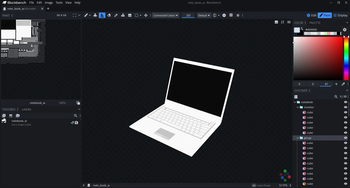
- Laptop: A portable computer for managing systems.
- Vacuum Cleaner: A cutting-edge cleaning device.
- Air Conditioner & Compressor: Functional cooling systems to adjust your room's temperature.
⚙️ Compatibility & Requirements
- Minecraft Version:
1.20.1 - Modloader: [Forge / Fabric / NeoForge]
Dependencies:
- Architectury API (Required - The mod will not work without it)
- Plasmo Voice OR Simple Voice Chat (Highly Recommended - For voice calls)
- Create (Optional - To unlock special designs in the future)
📥 Installation
- Install your preferred Modloader for Minecraft
1.20.1. - Download the
.jarfiles for MC-Device and Architectury API. - (Recommended) Download a Voice Chat mod.
- Drop all downloaded
.jarfiles into your game'smodsfolder. - Launch the game and enjoy a new way to communicate!
💬 Issues & Feedback
Found a bug, have a question, or want to suggest a cool new appliance? Let the development team know!
- GitHub Issues: SamsVT/MC-Device
- Discord: Join our Community
- Edition: Minecraft Java
- File type: .jar
- Minecraft version listed: 1.21.1
- How to install: Install the matching mod loader (Forge, Fabric or NeoForge) for your Minecraft version. → Download the .jar. → Put it in the .minecraft/mods folder and launch that loader profile.
- Where to get it: Opens on Modrinth — not every file is mirrored on our own servers.
Install steps are the general flow for this file type — How to install Minecraft Java mods & modpacks walks through it step by step.
- Ships as minedevice-neoforge-1.1.1.jar — drop this file into the mods folder
- Download size: 13.4 MB
- Download link checked 30 Aug 2026 — working
These come from our own check of the pack file, not from the source page.