HomeJavaModsReBuilder
ReBuilder
ModsJava

ReBuilder

by Evarika · on Modrinth

Which Minecraft do you have?

Every version of the game needs its own build. Pick yours, then download — the wrong build installs fine and then does nothing in the game. This mod is built for Fabric only.

⬇ Download for 26.1–26.1.2⬇ Download for 1.21.11⬇ Download for 1.21.9–1.21.10⬇ Download for 1.21.6–1.21.8⬇ Download for 1.21.5⬇ Download for 1.21.2–1.21.4⬇ Download for 1.21.1⬇ Download for 1.20.1–1.20.4
I don't know my version or loader
Open the Minecraft launcher and look at the profile you play on — it names both, like fabric-loader-1.21.4. The version also shows in the bottom-right corner of the game's main menu.
No loader in the profile name? Then it's plain Minecraft, and these mods won't run — you need Fabric or NeoForge installed first.

In order to quicken the building of repetitive features, this mod will allow you to record block placement patterns, then build them instantly later.

Builds require a name, and can be cycled through with a selectable key; cycling while sneaking cycles backwards.

ALSO BE CAREFUL ABOUT USING THIS ON SERVERS!

It should work, but if they have ANY anticheat, it might get you banned!

Build Tutorial

Saving a build requires both Mod Menu and Cloth Config, unfortunately.

Hold your ReBuilder modifier key (alt by default; does not work with the toggle key) and press your cycler key (Z by default). This will start recording without opening the menu screen.

Any blocks placed between starting to record and ending the recording will be recorded.

Open ReBuilder's config menu OR Press the same button combination as what you used to start recording.

If you exit without saving, build progress will resume with no changes.

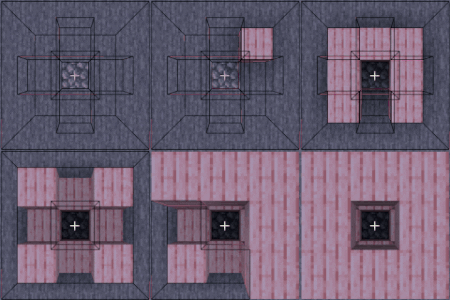
What it looks like to use the mod in compat mode

Quick facts

Install steps are the general flow for this file type — How to install Minecraft Java mods & modpacks walks through it step by step.

Verified by MCModsHub

These come from our own check of the pack file, not from the source page.

Explore more