
Questify
Java mod listed for Minecraft 1.20. Downloads from the MC Java Mods app on Android.
Questify is a drop-in quest system that auto-converts FTB Quests packs, keeps theme parity, and works on Fabric & Forge without extra setup.
⬇ Download on Modrinth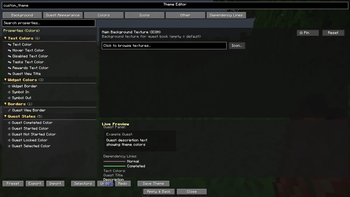
Questify
A cross-platform, production-ready questing mod for Minecraft with a modern GUI, powerful theming, and a clean public API. Built on Architectury to provide identical behavior on Forge and Fabric from a single codebase.
Want to support the project? Donations on Ko-fi help cover server expenses!
Features
Questify brings a complete quest system to Minecraft with dependencies, groups (chapters), hidden quests, tags, positions, icons, and persistent progress tracking. The visual quest GUI features an animated quest tree with dependency lines, fit-to-screen functionality, chapter images, and a detailed quest panel.
The built-in theme system is compatible with FTB Quests theme files and includes a Theme Editor for customization. Players receive notifications and HUD updates for unlocks, quest completion, and celebrations. The mod also supports importing from FTB Quests with full task/reward mapping, dependencies, and chapter metadata.
Additional features include statistics-based requirements supporting all Minecraft statistics, administration commands with data validation, and a public API for registering custom requirement/reward types and listening for quest events.
Requirements
- Minecraft: 1.20.1
- Architectury API: 9.2.14+
- Loaders: Forge 47.x.x or Fabric Loader 0.17.3+
- Dependencies: Fabric API (Fabric only) | EasyScreen (Fabric/Forge)
Installation
Download the mod JAR for your platform (Forge or Fabric) from Modrinth and place it in your mods folder. Start Minecraft and the mod will auto-initialize and create its data directory on first run.
Getting Started
Press J in-game to open the quest GUI, or run /quest gui. Create your first quest by adding a JSON file under <world>/data/Questify/quests/, then run /quest reload. Complete requirements in-game and click the Complete button in the GUI, or use /quest complete <id> to claim your rewards.
Using the GUI
Questify provides a graph-style quest screen (QuestGraphScreen) with:
- Group/chapter filters across the top.
- Animated quest nodes with shapes, sizes, completion checkmarks, lock/hidden icons.
- Dependency lines with state-aware colors, thickness, and optional animated effects.
- Zoom and fit-to-screen for large quest trees.
- Details panel showing title, description (wrapped), requirements with progress, and rewards.
- Chapter images rendered behind quests when provided by imported packs.
- Theme Editor button to open a live-editable theme screen.
- Animation toggle for performance tuning on lower-end systems.
Controls:
- Mouse wheel: zoom in/out (keeps cursor focus).
- Drag: pan the view.
- Buttons: Center, Fit, Complete selected, Theme, Anim on/off.
Quest Data Location
Quest data is stored under the game path configured by the platform. By default the mod uses:
- Quests:
<world>/data/Questify/quests/ - Chapters metadata:
<world>/data/Questify/chapters/ - Player progress is stored per-player and saved automatically.
Quests can be organized in subfolders (commonly by group/chapter). Files are pretty-printed JSON.
JSON Format
Minimal quest example (<world>/data/Questify/quests/first_quest.json):
{
  "id": "my_first_quest",
  "title": "My First Quest",
  "description": "Collect some dirt blocks!",
  "icon": "minecraft:dirt",
  "group": "starter",
  "dependencies": [],
  "requirements": [
    {
      "type": "item_obtain",
      "item": "minecraft:dirt",
      "count": 10,
      "consume": true
    }
  ],
  "rewards": [
    {
      "type": "item",
      "item": "minecraft:diamond",
      "count": 1
    },
    {
      "type": "xp",
      "amount": 100
    }
  ]
}
Common root fields:
id(string) – Unique quest id.title(string) – Display title.description(string) – Multi-line supported with\n.icon(string) – Item ID or resource path.group(string) – Chapter/category.hidden(bool) – Hide until conditions.x,y(int) – Position in graph (pixels or imported grid transformed to pixels).dependencies(string[]) – Prerequisite quest ids.requirements(array) – See below.rewards(array) – See below.
Requirement Types
Item obtainment
{ "type": "item_obtain", "item": "minecraft:diamond", "count": 10, "consume": true }
Item crafting
{ "type": "item_craft", "item": "minecraft:diamond_pickaxe", "count": 1 }
Entity kill
{ "type": "entity_kill", "entity": "minecraft:zombie", "count": 20 }
Advancement
{ "type": "advancement", "advancement": "minecraft:story/mine_diamond" }
Command trigger
{ "type": "command", "id": "custom_trigger", "description": "Custom completion trigger" }
Statistic (all Minecraft stats supported)
{ "type": "statistic", "statistic": "minecraft:walk_one_cm", "value": 100000 }
Notes for statistics:
- Distances are in centimeters (100 cm = 1 block). Walking 1,000 blocks is 100,000.
- Values are cumulative; progress is polled at intervals and synced to the client.
Reward Types
Item
{ "type": "item", "item": "minecraft:diamond_sword", "count": 1 }
XP (points or levels)
{ "type": "xp", "amount": 1000, "levels": false }
Command
{ "type": "command", "command": "give {player} minecraft:diamond 5", "displayName": "5 Diamonds" }
Title
{ "type": "title", "title": "Achievement Unlocked!", "subtitle": "You did it!" }
FTB Quests Import
Import an FTB Quests pack directly and convert it to Questify format, including chapter metadata:
/quest import ftb <path_to_ftbquests_folder>
Imported content:
- Quest structure and dependencies.
- Task mapping to requirements: item, craft, kill, advancement, checkmark.
- Reward mapping: item, xp, xp_levels, command.
- Positions, icons, titles, descriptions.
- Chapter images/links/defaults saved for client sync.
The importer reads SNBT and translations, performs id sanitization, and writes JSON quests under <world>/data/Questify/quests/. Chapter metadata is saved under <world>/data/Questify/chapters/ and is synced to clients.
Themes and Appearance
Questify supports FTB Quests theme files and provides a live Theme Editor.
- Theme file format: INI-like sections with selectors and properties.
- Selectors:
*, quest id,group:<name>,#tag, logical combinations. - Properties include text colors, quest state colors, dependency line colors, spacing, sizes, background, icons, and more.
- Animated backgrounds and line effects are supported. Icon modifiers include color, alpha, tiling, scale.
Open the Theme Editor from the quest GUI via the Theme button. Changes preview live and can be saved for reuse.
Notifications and HUD
- Quest unlocked: shown when dependencies are newly met.
- Quest ready: shown when requirements are fully satisfied, with instructions to claim.
- Quest claimed: title/subtitle, chat summary, and sounds.
- Optional HUD overlay can display up to three tracked quests with live progress.
All notifications are de-duplicated and cached per player to avoid spam. Cache resets on completion or disconnect.
Teams Menu
- Team button in Quest UI: Open the quest GUI and click the
Teambutton.- If you are not in a team,
TeamCreationScreenwill guide you through creating one. - If you are already in a team,
TeamManagementScreenlets you manage invites and membership.
- If you are not in a team,
- Works in single-player and multiplayer. Server-side rules apply when configured.
- Optional integration with team libraries is supported when present.
Built-in Editors
Questify includes first-class editors for pack authors and server admins:
- Quest Editor (
QuestEditorScreen) – Full quest authoring with tabs for requirements, rewards, dependencies, team settings, preview, and advanced options. - Theme Editors (
NewThemeEditorScreen,ThemeEditorScreen) – Live theme editing with property search, categories, selectors, and instant preview. - Chapter Editors (
ChapterArtEditorScreen,ChapterImageEditorScreen) – Manage chapter metadata, default options, links, and layered chapter images.
How to Enable and Open the Editors
Access is permission- and config-gated to prevent accidental edits on public servers.
- Server must allow the Advanced Editor for the player.
- The server syncs a runtime flag to clients; when enabled and permitted, the Advanced button appears in the quest GUI.
- Client may optionally hide the editor locally.
- Set
clientEnableAdvancedEditortotrueinconfig/questory_client.json(default is true).
- Set
- Open the quest GUI (
J), then click Advanced to open the editor menu, and choose Quest/Theme/Chapter.
Notes:
- A small popup recommends using UI scale 1 or 2 for the editors due to text density. You can suppress this by setting
suppressUiScaleEditorWarningtotrueinconfig/questory_client.json.
HUD Improvements
The HUD overlay (QuestHudOverlay) was expanded for clarity and customization:
- Track quests from the quest details or with the keybind; displays up to 5 tracked quests.
- Compact mode and full mode with optional progress bars.
- Position/scale/opacity: configurable via the gear button in the quest UI or via
config/questory_client.json:hudPosition(TOP_LEFT, TOP_RIGHT, BOTTOM_LEFT, BOTTOM_RIGHT)hudScale(0.5–2.0)hudOpacity(0–100)hudCompactMode,hudShowIcons,hudShowProgressBars,hudOffsetX,hudOffsetY
0.4 Highlights
- Advanced Editors: Quest, Theme, and Chapter editors with live preview, validation, and import-friendly flows.
- Teams Menu: Create and manage teams directly from the quest UI.
- HUD Overhaul: More readable, configurable overlay with compact and full modes.
- UI Scale Guidance: Non-intrusive popup suggests using UI scale 1–2 for best editor readability (can be disabled).
Commands
Player-facing:
/quest list– List available quests./quest info <id>– View quest details./quest progress– Show overall progress./quest complete <id>– Complete a quest and claim rewards./quest gui– Open the quest GUI.
Administration (OP):
/quest reset <id>– Reset a player's progress for a quest./quest reload– Reload all quests from disk./quest track <type> <id>– Manually track progress for debugging./quest import ftb <path>– Import FTB Quests data./quest validate– Validate all quests and report issues./quest config reload– Reload configuration.
Server, Persistence, and Sync
- All quests are JSON files readable and writable server-side.
- Player progress is saved and synced to clients automatically.
- On join, the server sends quests and progress to populate the client cache.
- Chapter metadata (images, links, defaults) is also synced to clients when present.
Performance
- Efficient culling and batching on the GUI to handle large quest sets.
- Adaptive zoom and fit mechanics to keep navigation smooth.
- Animated effects can be toggled off per-client.
- Progress tracking is event-driven and statistics polling is interval-based.
Compatibility
- Forge and Fabric support with identical behavior via Architectury.
- Vanilla-friendly item IDs, advancements, and statistics.
- Works alongside common modpacks; FTB packs can be converted.
Mod Compatibility
FTBTeams (optional)
- Auto-detected and used when present. Questify registers an external team provider and listens to team events to keep the in-game Team UI synchronized (
FTBTeamsProvider,FTBTeamsIntegration). - No hard dependency. If absent, Questify's built-in team system works normally.
FTB Quests import
- Built-in importer converts FTB Quests packs including chapters, tasks, rewards, dependencies, and chapter images.
- See the "FTB Quests Import" section for the command and supported mappings.
JourneyMap (optional, client-side)
- File-based waypoint sync for Location and Region requirements. Waypoints are created in the current JM world's
waypoints/folder and cleaned up automatically as progress changes (MapCompatManager). - Only non-completed requirements are marked. If you track quests, only tracked quests are exported.
- Toggle in
config/questory_client.json:mapIntegrationEnabledandjourneyMapEnabled, or via the in-game config screen.
GameStages (optional)
- Enables stage-based gameplay via a new requirement and reward type. Works on Forge and Fabric with a soft dependency (
GameStagesHelper). - Requirement example:
{ "type": "stage", "stage": "bronze" } - Reward example (grant or remove a stage):
{ "type": "stage", "stage": "bronze", "remove": false }
API and Integration
Questify exposes a public API to extend the system:
- Register custom requirement and reward types.
- Subscribe to quest lifecycle events (unlocked, ready, completed, claimed).
- Query player progress for gameplay integration.
See packages under org.texboobcat.Questify.api for examples and events. Custom integrations should add corresponding tracking into server-side event hooks and call QuestManager methods to update progress.
Troubleshooting
The GUI does not open
- Ensure you are on the client and press
J, or run/quest gui. - Check that quests are present or run
/quest reload.
Import failed
- Verify the path points at the
ftbquestsdata folder containing SNBT. - Check server logs for conversion errors and invalid ids.
Requirements not tracking
- For items/crafting/kills/advancements, ensure the IDs and counts match.
- For statistics, remember distances are centimeters and values are cumulative.
Performance issues
- Use the Anim toggle in the GUI.
- Filter by chapter instead of viewing all at once.
Support the Project
Your donations help cover server expenses and keep development going strong!
Links
Building better questing experiences for everyone.
- Edition: Minecraft Java
- File type: .jar
- Minecraft version listed: 1.20.1
- How to install: Install the matching mod loader (Forge, Fabric or NeoForge) for your Minecraft version. → Download the .jar. → Put it in the .minecraft/mods folder and launch that loader profile.
- Where to get it: Opens on Modrinth — not every file is mirrored on our own servers.
Install steps are the general flow for this file type — How to install Minecraft Java mods & modpacks walks through it step by step.
- Ships as questify-forge-0.6.1.5-SNAPSHOT.jar — drop this file into the mods folder
- Download size: 18.4 MB
- Download link checked 11 Oct 2026 — working
These come from our own check of the pack file, not from the source page.