ModsJava
Chromatic
I don't know my version or loader
Open the Minecraft launcher and look at the profile you play on — it names both, like fabric-loader-1.21.4. The version also shows in the bottom-right corner of the game's main menu.
No loader in the profile name? Then it's plain Minecraft, and these mods won't run — you need Fabric or NeoForge installed first.

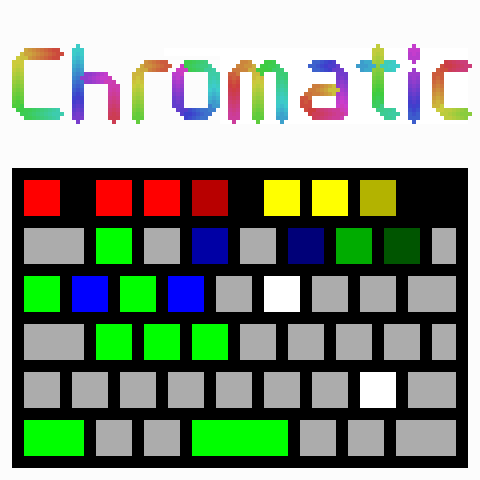
A Minecraft mod for controlling Razer Chroma keyboards.
Requires the Chroma Connect module of Razer Synapse.
Also requires Fabric API
and Cloth Config.
Use /chromaticconfig or Mod Menu to access the config.
Features
- Displays health on the F1-F4 keys
- Changes colour to reflect the heart colour in game
- Animates when healing
- Keyboard flashes red when taking large amounts of damage
- Displays air on the F5-F8 keys
- Displays hunger on the F9-F12 keys
- The 1-9 keys display the quantity or durability of the items in your hotbar and what slot is selected
- Reacts to the current weather
- Fully customizable colours
Quick facts
- Edition: Minecraft Java
- File type: .jar
- Minecraft versions listed: 1.21.2, 1.21.3, 1.21.4
- How to install: Install the matching mod loader (Forge, Fabric or NeoForge) for your Minecraft version. → Download the .jar. → Put it in the .minecraft/mods folder and launch that loader profile.
- Where to get it: Opens on Modrinth — not every file is mirrored on our own servers.
Install steps are the general flow for this file type — How to install Minecraft Java mods & modpacks walks through it step by step.
Verified by MCModsHub
- Ships as Chromatic-1.2.3.jar — drop this file into the mods folder
- Download size: 52 KB
- Download link checked 30 Aug 2026 — working
These come from our own check of the pack file, not from the source page.