
Mouse Sensitivity Multiplier
A lightweight Minecraft mod that applies a customizable multiplier to your existing mouse sensitivity settings.
⬇ Download on ModrinthMouse Sensitivity Multiplier
A lightweight Minecraft mod that applies a customizable multiplier to your existing mouse sensitivity settings.
Overview
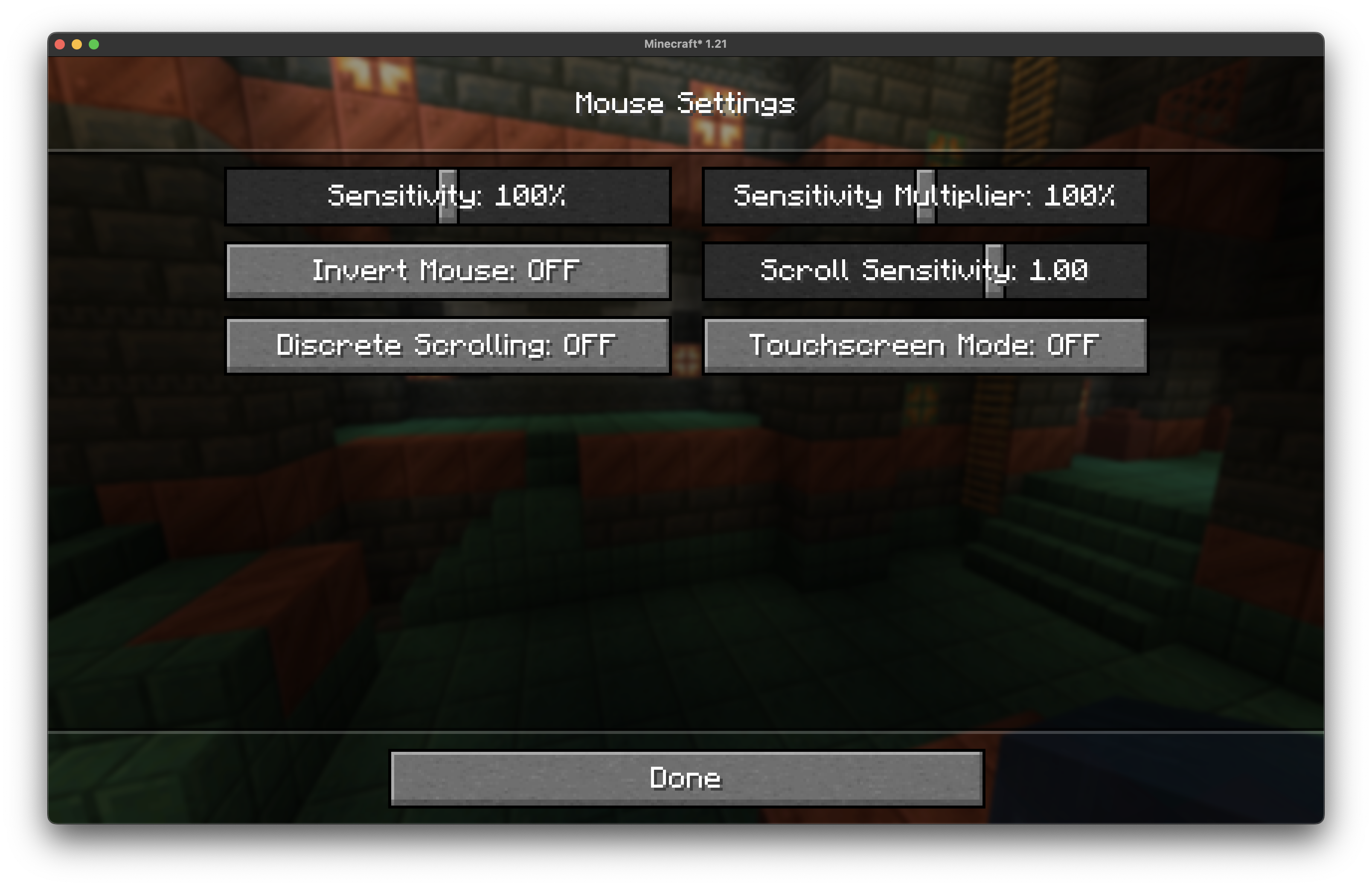
This mod allows you to fine-tune your mouse sensitivity beyond Minecraft's built-in sensitivity slider by applying a multiplier to your current sensitivity setting. Instead of replacing the vanilla sensitivity system, it works alongside it to give you more precise control over your mouse movement.
Why This Mod is Useful
DPI-Related Benefits
High DPI Mouse Users: If you have a gaming mouse with high DPI (1600+ DPI), Minecraft's lowest sensitivity setting might still feel too fast for precise building or PvP. This mod lets you scale down your sensitivity further without having to constantly adjust your mouse's hardware DPI settings.
Low DPI Mouse Users: Conversely, if you're using an older mouse or one with lower DPI (400-800 DPI), you might find that even Minecraft's maximum sensitivity feels sluggish. The multiplier can boost your effective sensitivity beyond the vanilla limit.
Screenshot
Installation
- Install Fabric (depending on mod version)
- Install Fabric API
- Download the mod jar file
- Place it in your
modsfolder - Launch Minecraft
- Edition: Minecraft Java
- File type: .jar
- Minecraft version listed: 1.21.11
- How to install: Install the matching mod loader (Forge, Fabric or NeoForge) for your Minecraft version. → Download the .jar. → Put it in the .minecraft/mods folder and launch that loader profile.
- Where to get it: Opens on Modrinth — not every file is mirrored on our own servers.
Install steps are the general flow for this file type — How to install Minecraft Java mods & modpacks walks through it step by step.
- Ships as mouse-sensitivity-multiplier-1.0.5+1.21.11.jar — drop this file into the mods folder
- Download size: 14 KB
- Download link checked 30 Aug 2026 — working
These come from our own check of the pack file, not from the source page.