Cobblemon - Advanced Move inspector
Cobblemon – Move Inspector is a lightweight addon for Cobblemon that enhances the battle interface by showing detailed information about each move…
⬇ Download on ModrinthCobblemon - Advanced Move inspector
Modloader: Fabric
Overview
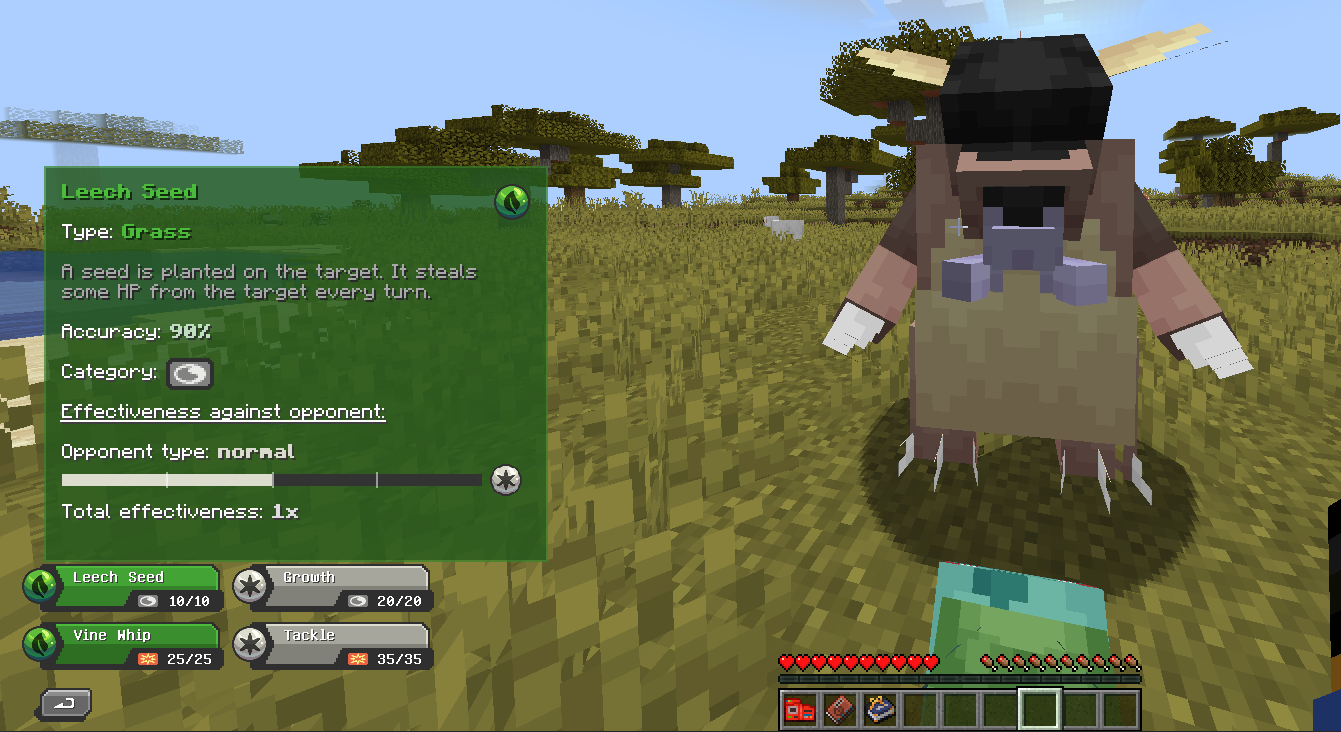
Move Info Overlay is a quality-of-life mod for Cobblemon that adds a detailed tooltip interface when selecting moves during battle. It provides crucial information like type, category, accuracy, and effectiveness in a clean, accessible way.
This mod is perfect for competitive players and casual fans alike who want to make better decisions in battle without leaving the game screen.
Features
🧠 Contextual Move Information
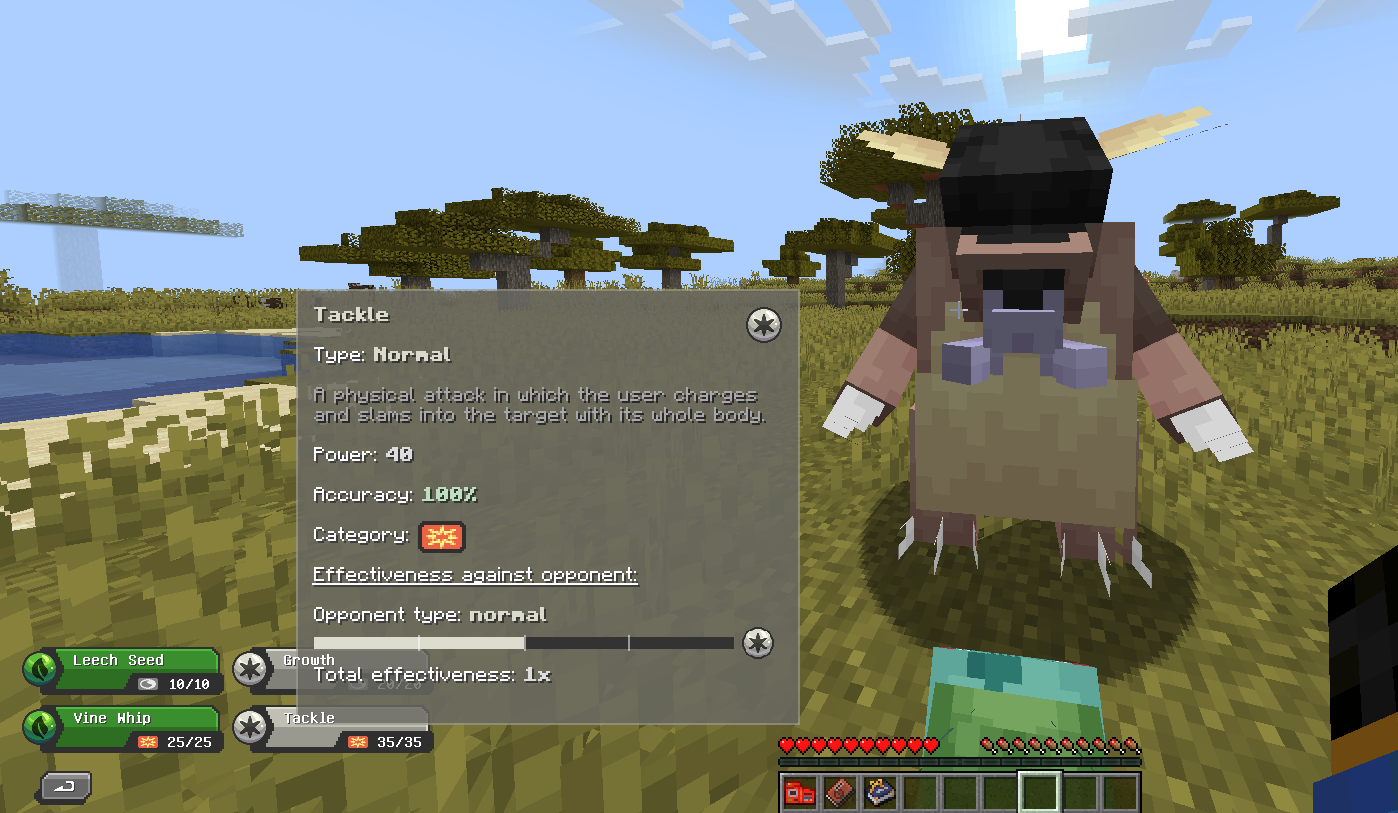
When you're in a battle and hovering over a move, a tooltip appears displaying:
- Move Name
- Type (e.g., Grass, Fire, Psychic)
- Category (Physical, Special, or Status)
- Accuracy
- Effect (e.g., heals user, inflicts status, etc.)
- Effectiveness against the current target
🎯 Effectiveness Insights
The tooltip dynamically calculates type effectiveness based on the opponent's type(s), showing:
- Effectiveness multiplier (e.g., 0.5x, 1x, 2x)
- Opponent's type for reference
This helps players decide whether the move is worth using or if another one would be more effective.
Installation
- Install Fabric Loader for Minecraft 1.20.1.
- Install Fabric API.
- Download and install Cobblemon.
- Drop the
CobblemonMoveInspectormod.jarfile into your/modsfolder.
⚠️ Requires Cobblemon to function. This is an addon, not a standalone mod.
Compatibility
- ✅ Fabric 1.20.1
- ❌ Not compatible with Forge
- ❌ Not compatible with versions of Minecraft below 1.20.1
Roadmap
- Base tooltip with move info
- Effectiveness logic
- Configurable themes or tooltip styles
License
This mod is open-source under the MIT License. Contributions and pull requests are welcome!
- Edition: Minecraft Java
- File type: .jar
- Minecraft version listed: 1.20.1
- How to install: Install the matching mod loader (Forge, Fabric or NeoForge) for your Minecraft version. → Download the .jar. → Put it in the .minecraft/mods folder and launch that loader profile.
- Where to get it: Opens on Modrinth — not every file is mirrored on our own servers.
Install steps are the general flow for this file type — How to install Minecraft Java mods & modpacks walks through it step by step.
- Ships as CobblemonMoveInspector-1.0.0.jar — drop this file into the mods folder
- Download size: 41 KB
- Download link checked 31 Aug 2026 — working
These come from our own check of the pack file, not from the source page.