
Ultimate Backport Mod
Java mod listed for Minecraft 1.12. Downloads from the MC Java Mods app on Android.
⬇ Download on Modrinth
🌟 Ultimate Backport Mod – Bringing the Future to the Past!
Welcome to the official page of the Ultimate Backport Mod (UBM) – a project that breathes new life into old Minecraft versions by bringing modern mechanics, features, and mobs back to where it all began.
🔥 Highlights
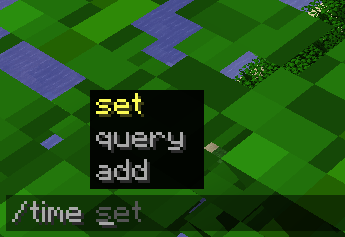
✨ Command Suggestion UI Tired of blindly typing commands in older versions? UBM brings the modern command autocomplete system into legacy Minecraft – making commands easier, faster, and more intuitive.
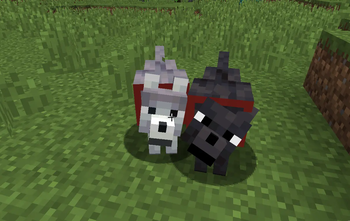
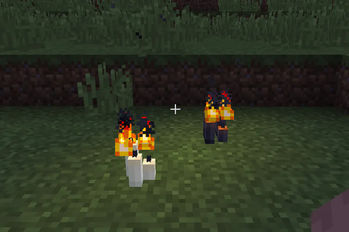
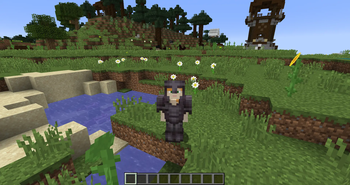
🗳️ Mob Vote Candidates – The Forgotten Return Remember the mobs from the community votes that never made it into the game? They’re finally here – reimagined and added into your worlds! (More will be added step by step!)
⚙️ Full Mob Customization. Every mob is fully configurable (Coming Soon):
- Enable/disable them
- Adjust health, damage, and more
- Tailor the gameplay exactly to your taste
⏳ Modern Mechanics in Old Versions From combat tweaks to quality-of-life improvements – UBM carefully backports features from newer updates into 1.12.2 while keeping the nostalgic charm intact.
🛠️ Supported Versions
Currently, UBM is being developed for Minecraft 1.12.2. Other versions (like 1.7.10, 1.14.4, and 1.16.5) may follow after the core development is complete.
📢 Development Status
This mod was once discontinued – but now it’s being revived, rebuilt, and expanded with fresh ideas and a long-term vision. Stay tuned, join the community, and help shape the future of UBM!
🎯 Download Goals (CurseForge + Modrinth)
- 10.000 Downloads ✅
- 20.000 Downloads ✅
- 30.000 Downloads ✅
- 40.000 Downloads ✅
- 50.000 Downloads ✅
- 100.000 Downloads ❌
- 500.000 Downloads ❌
- 1.000.000 Downloads ❌
✨ Thank you so much for supporting the Ultimate Backport Mod! Every download brings us closer to reviving Minecraft’s history with the magic of its future.
- Edition: Minecraft Java
- File type: .jar
- Minecraft version listed: 1.12.2
- How to install: Install the matching mod loader (Forge, Fabric or NeoForge) for your Minecraft version. → Download the .jar. → Put it in the .minecraft/mods folder and launch that loader profile.
- Where to get it: Opens on Modrinth — not every file is mirrored on our own servers.
Install steps are the general flow for this file type — How to install Minecraft Java mods & modpacks walks through it step by step.
- Ships as ubm-1.2.3.jar — drop this file into the mods folder
- Download size: 35.4 MB
- Download link checked 11 Oct 2026 — working
These come from our own check of the pack file, not from the source page.