
ISB - Inventory Sorter Button
I don't know my version or loader
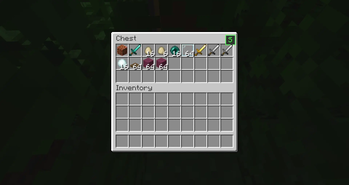
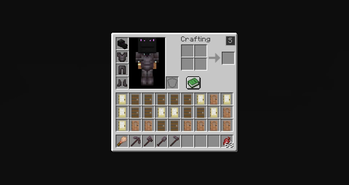
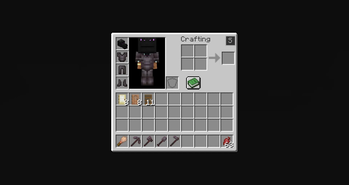
The mod adds a small button inside the inventory screen that allows players to quickly sort items in a simple and predictable way.
The goal of the mod is very straightforward: make it easier to organize inventories without changing how the game works.
🔹 What the Mod Does
When you open your inventory or a chest, a small button appears in the top-right corner of the GUI.
When this button is clicked, the mod:
• Reads the item stacks in the inventory • Sorts them alphabetically based on their item registry name • Reorders the slots according to that order
The items themselves are not modified. The mod only changes where the stacks are placed inside the inventory.
📦 Supported Screens
The sorting button works in:
✔ Player inventory ✔ Chest GUI
The sorting logic only affects the inventory slots visible in the container.
⚙️ Behavior
The sorting system follows a few simple rules:
🔹 Alphabetical order Items are sorted using their registry names.
🔹 Stacks stay intact Item stacks are never split or merged by the mod.
🔹 Slots are only reordered The mod does not modify NBT data, durability, enchantments, or any other item information.
🔹 Client-side only The mod runs entirely on the client and does not add any server-side functionality.
🖥 Interface
The mod adds a small button to the inventory GUI. It is placed in the top-right area of the inventory screen so it is accessible but does not interfere with the rest of the interface.
Clicking the button immediately triggers the sorting process.
- Edition: Minecraft Java
- File type: .jar
- Minecraft versions listed: 1.16.1, 1.16.2, 1.16.3
- How to install: Install the matching mod loader (Forge, Fabric or NeoForge) for your Minecraft version. → Download the .jar. → Put it in the .minecraft/mods folder and launch that loader profile.
- Where to get it: Opens on Modrinth — not every file is mirrored on our own servers.
Install steps are the general flow for this file type — How to install Minecraft Java mods & modpacks walks through it step by step.
- Ships as fabric-1.16.1_1.16.5.jar — drop this file into the mods folder
- Download size: 7 KB
- Download link checked 31 Aug 2026 — working
These come from our own check of the pack file, not from the source page.