

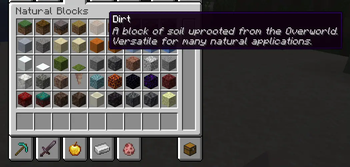
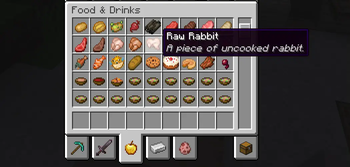
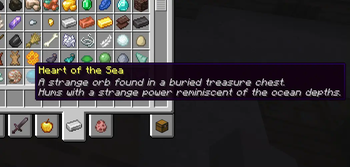
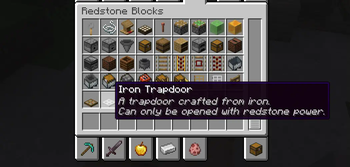
Expanded Tooltips
This mod is available for Fabric/Quilt and Forge.
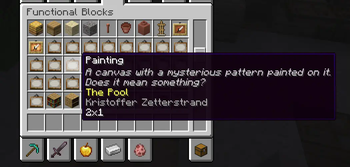
Expanded Tooltips is an open-source, client-sided mod for Minecraft allowing for custom item descriptions on all vanilla and modded blocks and items.
Description
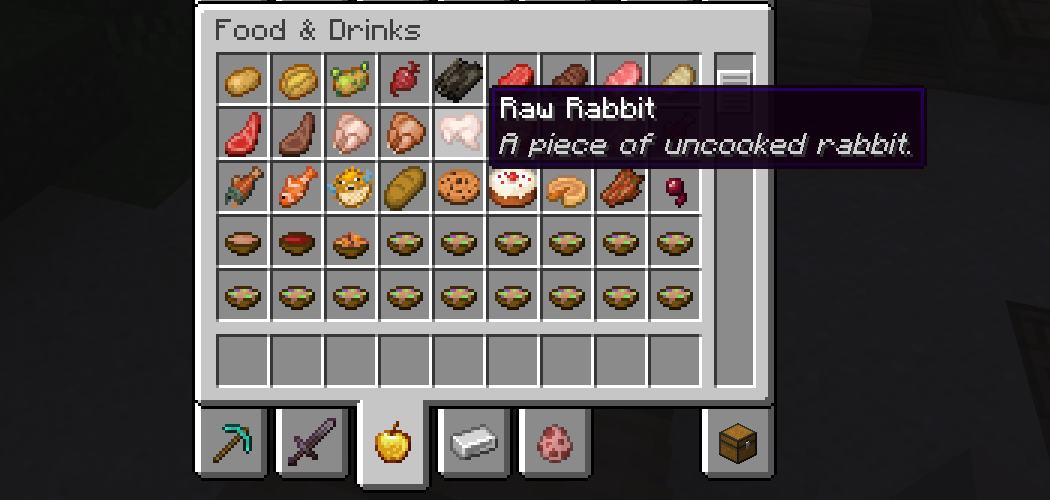
The mod comes with default tooltips for all blocks and items, as shown above and by examples in the Gallery tab. However, language files can be used to configure the mod, from adding support for modded blocks and items to creating tooltips for other languages! The mod is also open-source, and if you would like to request an official translation you can use the issues on the GitHub.
How to Add Tooltips

Right click -> Open image in new tab if the image is too small
All tooltips should be created inside the language file for the language they are being written in, under the directory assets/expanded_tooltips/lang.
To modify an existing tooltip, add an entry similar to the first one in the picture, with sentences separated by a space and \n. It will automatically override the one added by the mod.
Adding a new tooltip works almost identically to modification. The only difference is to change the id to the id of a new modded block or item.
- Edition: Minecraft Java
- File type: .jar
- Minecraft version listed: 1.20.1
- How to install: Install the matching mod loader (Forge, Fabric or NeoForge) for your Minecraft version. → Download the .jar. → Put it in the .minecraft/mods folder and launch that loader profile.
- Where to get it: Opens on Modrinth — not every file is mirrored on our own servers.
Install steps are the general flow for this file type — How to install Minecraft Java mods & modpacks walks through it step by step.
- Ships as expanded_tooltips-1.20.1-1.1.0-forge.jar — drop this file into the mods folder
- Download size: 165 KB
- Download link checked 31 Aug 2026 — working
These come from our own check of the pack file, not from the source page.