HomeJavaModsmcsudo
mcsudo
ModsJava

mcsudo

by CrystalNeko · on Modrinth

Which build do you need?

This mod ships a separate file for every mod loader and every version of the game. Pick both, then download — the wrong build installs fine and then does nothing in the game.

Mod loader

Minecraft version

⬇ Download for 1.21.2–1.21.3 · Fabric⬇ Download for 1.20–1.21.1 · Fabric⬇ Download for 1.21.2–1.21.3 · Quilt⬇ Download for 1.20–1.21.1 · Quilt
I don't know my version or loader
Open the Minecraft launcher and look at the profile you play on — it names both, like fabric-loader-1.21.4. The version also shows in the bottom-right corner of the game's main menu.
No loader in the profile name? Then it's plain Minecraft, and these mods won't run — you need Fabric or NeoForge installed first.
mcsudo — screenshot 1mcsudo — screenshot 2

Sudo

This module adds some commonly used Linux commands to the game, including sudo, echo, cat, and export.

Some Linux mechanisms have also been added, such as the home folder and the .bashrc file.

Instructions

Parameters

Some commands support parameters, you can use _ plus parameters.

Variables

Some commands also support the use of variables. You can use variables in the form of ${variable name}. For how to set variables, please see export.

Dynamic variables

Dynamic variables are recalculated on every execution, here are all dynamic variables:

Order

echo

usage:

/echo <content> # Output content

cat

usage:

/cat <file path> # Output file content

write

usage:

/write <file path> <content> #Write file content, which will overwrite the original content.

export

usage:

/export <variable name> <variable value> #Set variables
/export public_<variable name> <variable value> # Set public variables, sudo permissions are required

apt

Install mods from Modrinth.

usage:

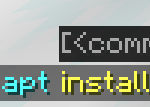
/apt install <slug> <version> # Install module
/apt search <slug> # Search module

image of apt command: 0.jpg

bash

Call the system to execute bash commands (only supports Linux).

usage:

/bash <command>

WARNNING:THIS COMMAND IS DANGEROUS. IT MAYBE DAMAGE YOUR SYSTEM.

neofetch

You know the command.

Special files

.bashrc

This file executes the commands inside when the player logs in. The commands are separated by ; and there is no / before the command.

The file is located in home/<player name>/.bashrc. Players can modify this file without sudo permissions.

Quick facts

Install steps are the general flow for this file type — How to install Minecraft Java mods & modpacks walks through it step by step.

Verified by MCModsHub

These come from our own check of the pack file, not from the source page.

Explore more