
TPS HUD TickPulse
Lightweight client‑side NeoForge overlay for live TPS and MSPT. No server install and no custom packets. Safe on any server.
⬇ Download on Modrinth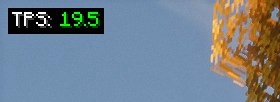
TPS HUD (TickPulse)
See tick health at a glance. A super-lightweight client-side overlay for TPS and MSPT on NeoForge.
No server install. No custom packets. Just local math.

Highlights
- Live TPS and MSPT overlay (top-left by default)
- Client-only: join any server without them installing this mod
- Zero network impact: no handshake channels, no custom payloads
- Stable readout via world-time sampling with a short smoothing window (client-tick fallback)
- Tidy, always-on Detail layout (labels + values)
- Tiny footprint (low CPU and memory)
Config & keybinds
- Open in-game config: Mods → TPS HUD → Config
- Tweak the HUD: anchor, padding, scale, precision, format (TPS / MSPT / BOTH), smoothing, color thresholds
- Buttons: Apply (save without closing), Preview (overlay-only view), Reset (defaults), Done/Cancel
- Keybinds (rebindable): F7 = Toggle HUD, F8 = Reload config
Why use it?
- The vanilla debug screen doesn’t show TPS or MSPT
- Players and server owners can spot lag quickly (entity spikes, heavy bases, farms)
- Works in single-player, LAN, and public servers
Compatibility
- Minecraft: 1.21.1
- Loader: NeoForge 21.1.213
- Plays nicely with performance mods (Sodium, ModernFix, etc.)
Quick Start
- Install NeoForge 1.21.1
- Drop
tpshudneoforge-<version>.jarinto yourmodsfolder - Launch the game, the overlay appears once ticks start
FAQ
Is this server-side?
No. It is client-side only.
Does it send packets or open channels?
No. It passively reads timing and estimates locally.
Why do I see TPS: -- at first?
The sampler has no data yet. Move around or wait a moment.
Why doesn’t TPS ever show above 20?
For clarity the display is capped at 20.00 (internally we still track the true rate for coloring and logic).
Why does the HUD disappear when I press F3?
Enable/disable Auto-hide on F3 in the config.
Where is “Compact” mode?
Removed for simplicity. The default Detail layout is clearer and consistent.
Can I edit the config file directly?
Use the in-game config whenever possible. Editing the JSON is optional if the game isn’t running.
Credits
- Inspired by the Fabric mod
tpshud-fabricby mooziii - NeoForge port and re-implementation by Zivalez
- Edition: Minecraft Java
- File type: .jar
- Minecraft version listed: 1.21.1
- How to install: Install the matching mod loader (Forge, Fabric or NeoForge) for your Minecraft version. → Download the .jar. → Put it in the .minecraft/mods folder and launch that loader profile.
- Where to get it: Opens on Modrinth — not every file is mirrored on our own servers.
Install steps are the general flow for this file type — How to install Minecraft Java mods & modpacks walks through it step by step.
- Ships as tpshudneoforge-1.1.0.jar — drop this file into the mods folder
- Download size: 107 KB
- Download link checked 31 Aug 2026 — working
These come from our own check of the pack file, not from the source page.