ModsJava
Sort Chest (BTA 7.0_02–7.3)
Minecraft Java mod. Downloads from the MC Java Mods app on Android.
⬇ Download on ModrinthSort Chest
Organize your chest instantly with a single click
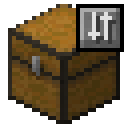
This mod added several buttons in chest GUI.
- Sort: sort items by id, metadata, and quantity.
- Refill: move same items (between chest and inventory) to chest.
- Fill: move items from inventory to chest.
- Dump: move items from chest to inventory.
Important
FAQ
Server?
Yes, you can use the sort chest mod on a server. However, the item might jump for a while after sorting because the mod will emulate mouse clicks rather than directly changing the inventory data.
Rebind keys?
- Open the mod menu (from ModMenu mod)
- Select "Sort Chest" mod from the left
- Click at ⚙️ icon on the right
- Rebind keys that you want
How does the sort chest mod sort items?
Items are sorted by their item ID (ascending), followed by its metadata (like wool color code, ascending), and finally by its quantity (descending).
Contributors
- ressidell and andreiqwer for helping me migrate this mod to BTA v7.1!
- Bigjango13 for making this mod compatible with Astoria's Iron Chests and migrating this mod to BTA v7.2-pre2!
Quick facts
- Edition: Minecraft Java
- File type: .jar
- Minecraft version listed: b1.7.3
- How to install: Install the matching mod loader (Forge, Fabric or NeoForge) for your Minecraft version. → Download the .jar. → Put it in the .minecraft/mods folder and launch that loader profile.
- Where to get it: Opens on Modrinth — not every file is mirrored on our own servers.
Install steps are the general flow for this file type — How to install Minecraft Java mods & modpacks walks through it step by step.
File checked by MCModsHub
- Ships as sortchest-2.1.1.jar — drop this file into the mods folder
- Download size: 544 KB
- Download link checked 11 Oct 2026 — working
These come from our own check of the pack file, not from the source page.