
ModsJava
BetterChunkBorders
Java mod listed for Minecraft 26.x. Downloads from the MC Java Mods app on Android.
I don't know my version or loader
Open the Minecraft launcher and look at the profile you play on — it names both, like fabric-loader-1.21.4. The version also shows in the bottom-right corner of the game's main menu.
No loader in the profile name? Then it's plain Minecraft, and these mods won't run — you need Fabric or NeoForge installed first.


Better Chunk Borders
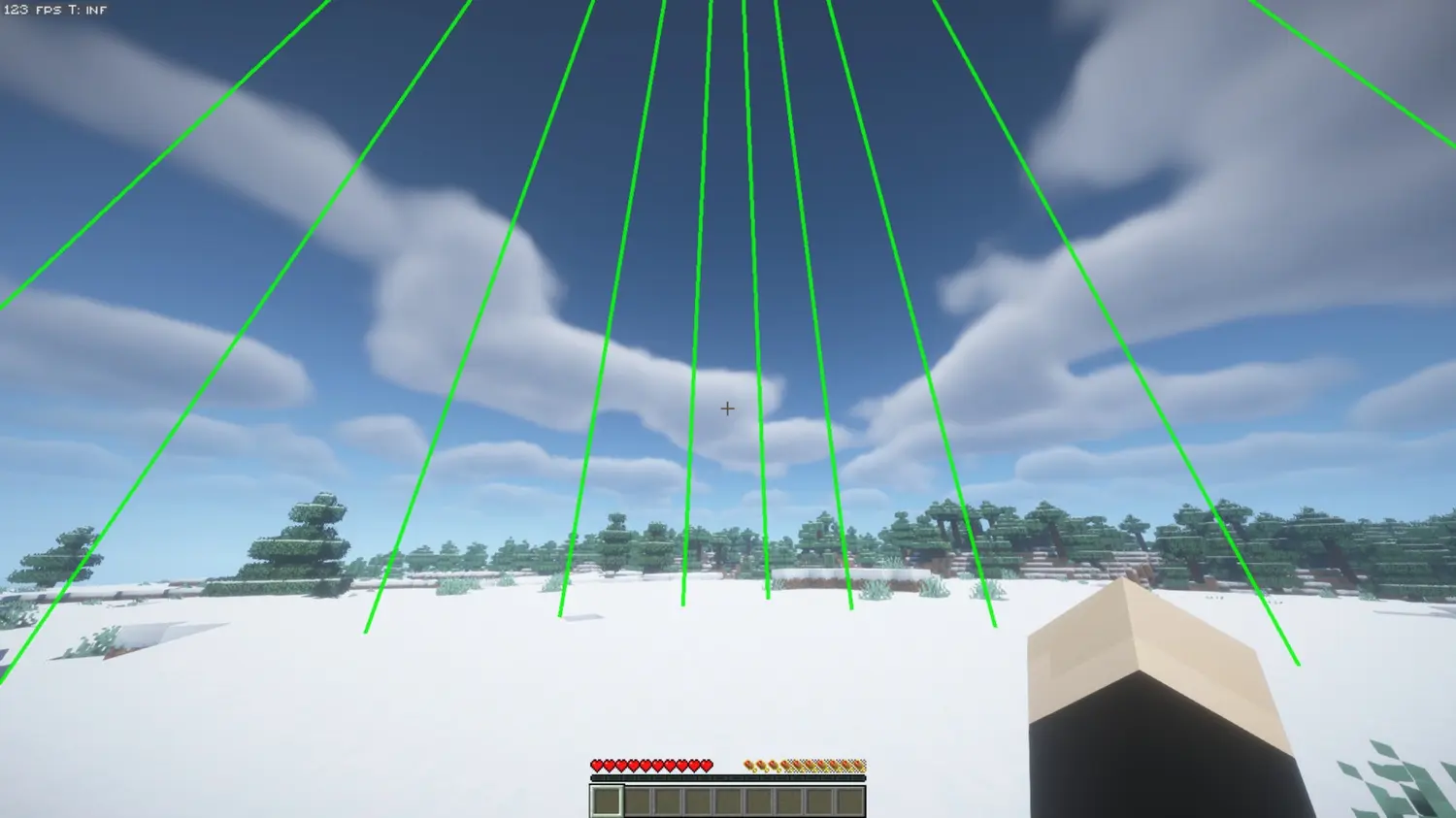
Better Chunk Borders is a lightweight, client sided utility mod that brings chunk boundaries with fully customizable grid lines. Whether you are planning intricate builds, hunting slime chunks, or making redstone stuff and contraptions, this mod gives you precise chunk awareness at a glance without looking ugly.
Features
Sleek Custom GUI & Easy Keybinds
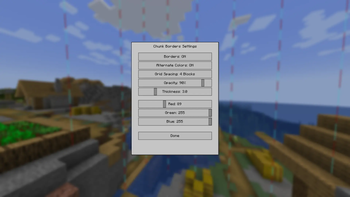
- Press B (default) to instantly open the intuitive, custom-designed settings panel.
- Toggle chunk borders on and off directly from the menu.
- All settings are automatically saved to your configuration file.
Flexible Grid Spacing
- Display chunk borders as vertical grid lines extending 64 blocks above and below your position.
- Adjustable Line Spacing: Cycle the grid density along the chunk walls to show lines every 16, 8, 4, 2, or 1 block.
- Keeps the inside of your chunks clear while perfectly outlining the perimeter.
Extensive Customization
- Infinite Colors: Dial in your exact preference using the custom Red, Green, and Blue (RGB) sliders.
- Line Thickness: Adjust the thickness of the borders from thin and subtle to thick and bold.
- Opacity Control: Fine tune transparency to reduce visual clutter.
- Alternate Y Colors: Toggle a mode that inverts the border colors every alternating block along the Y axis, making it incredibly easy to count blocks and gauge depth.
Performance-Optimized
- Minimal impact on frame rates thanks to efficient rendering.
- Only renders what you see.
Use Cases
- Build Planning: Align structures perfectly with chunk boundaries for optimal organization.
- Slime Chunk Hunting: Quickly identify chunk borders to locate slime gen chunks.
- Farm + Redstone Optimization: Ensure technical builds span chunks correctly for maximum efficiency.
- Navigation: Always know which chunk you are in at a glance.
Getting Started
- Press B to open the settings menu.
- Click Borders: OFF to toggle them ON.
- Customize your RGB color, opacity, line thickness, and grid spacing to your preference.
- Click Done and apply your new settings.
Compatibility
- Minecraft Versions: Fully compatible with 1.21.x and 26.x
- Server Compatibility: Works on any server without the need for special permissions, plugins, or setup.
- Client-Side Only: Install strictly on your client.
Quick facts
- Edition: Minecraft Java
- File type: .jar
- Minecraft versions listed: 26.1, 26.1.1, 26.1.2
- How to install: Install the matching mod loader (Forge, Fabric or NeoForge) for your Minecraft version. → Download the .jar. → Put it in the .minecraft/mods folder and launch that loader profile.
- Where to get it: Opens on Modrinth — not every file is mirrored on our own servers.
Install steps are the general flow for this file type — How to install Minecraft Java mods & modpacks walks through it step by step.
File checked by MCModsHub
- Ships as 26.1.jar — drop this file into the mods folder
- Download size: 51 KB
- Download link checked 11 Oct 2026 — working
These come from our own check of the pack file, not from the source page.