Server Ui Fix
I don't know my version or loader
Replaced with better toggable alternative directly in Polymer library!
Enchantment Table fix was already unnesesary with 1.21.1.
With latest Polymer version for 1.21.4, the fix for Stonecutters is now bundled and can be enabled in config, allowing to use it's vanilla ui while having all the modded recipes correcly (instead of replacing the ui entirely).
Server UI Fix
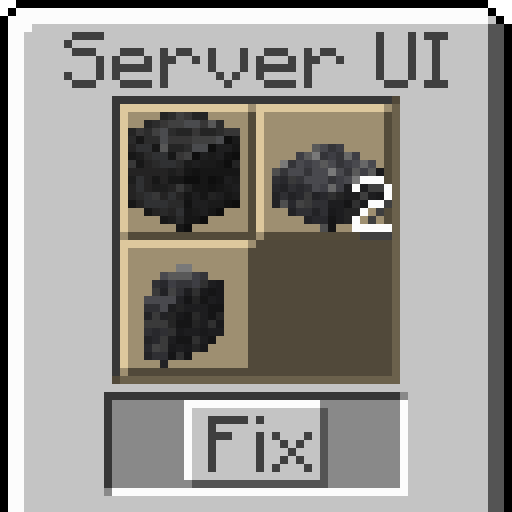
This mod allows you to replace Stonecutter's and Enchanting Table's interface with Chest UI replica.
This solves an issues where:
- Stonecutter shows incorrect recipes, as it checks for them based on client side item type (which can be incorrect for modded items).
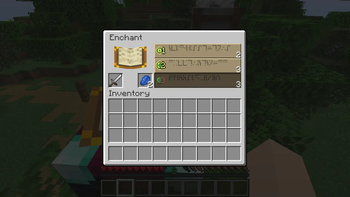
- Enchanting Table doesn't show modded predicted enchantment names.
It is designed to be used on content-modded servers, that allow vanilla clients to join, for example if they use Polymer-based mods or PolyMc.
By default, mod is disabled and requires you to enable specific replacement in config file: config/serveruifix.json.
{
  // Replaces Enchanting Table UI with chest ui
  "replace_enchanting_table": false,
  // Replaces Stonecutter UI with chest ui
  "replace_stonecutter": false
}
- Edition: Minecraft Java
- File type: .jar
- Minecraft versions listed: 1.21, 1.21.1
- How to install: Install the matching mod loader (Forge, Fabric or NeoForge) for your Minecraft version. → Download the .jar. → Put it in the .minecraft/mods folder and launch that loader profile.
- Where to get it: Opens on Modrinth — not every file is mirrored on our own servers.
Install steps are the general flow for this file type — How to install Minecraft Java mods & modpacks walks through it step by step.
- Ships as serveruifix-0.3.0+1.21.jar — drop this file into the mods folder
- Download size: 322 KB
- Download link checked 31 Aug 2026 — working
These come from our own check of the pack file, not from the source page.