
Ultimate Scaler
An advanced tool mod designed for exploring the furthest boundaries of Minecraft's terrain generation. It not only provides a stable path to the legendary…
⬇ Download on Modrinth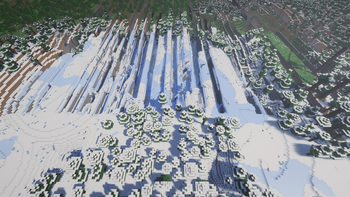

Ultimate Scaler
🧭 开启你的边界探索之旅
你是否曾对“边境之地”的传说心驰神往?是否好奇在数亿亿方块之外,Minecraft 的世界会如何崩溃与扭曲?Ultimate Scaler 正是为此而生。让你不仅能稳定抵达边境之地,更能亲手调整地形生成的规则,看到别人看不到的景观。
🎯 为什么选择 Ultimate Scaler
因为它是目前能让你最全面、最稳定地探索(主要是高版本)边境之地的模组之一。从偏移世界生成到完善的辅助工具,我们提供了从理论到实践的一整套解决方案。
🆕 新手?从这里开始,只需三步
你不需要理解复杂的噪声算法。跟着这个简单的“开箱即用”配置,就能立刻见证奇迹:
- 安装模组后进入游戏世界。
- 按下
Ctrl + U打开配置界面(需要 Cloth Config Mod)。 - 找到 “边境之地位置” 选项,将其切换为
Pre-B-1.7.3——这是许多研究的起点;随后,找到 “全局坐标偏移(X, Y, Z)” 并展开,尝试在第一行输入一个你可能在哪里听到过的的坐标,比如:12550824(经典的边境之地坐标)4218498800(Minecraft 1.18+ 新增的主世界边境之地水平分层之一,很少有人知道)
点击保存,然后前往远处未加载的区块。你将会看到地形在巨大尺度下产生的、令人震撼的扭曲与断层——这就是边境效应的直观体现。
⚙️ 当你想走得更远:高级玩家的工具箱
当你对基础探索感到满足后,Ultimate Scaler 的真正力量才刚刚展现。它为硬核玩家和整合包作者提供了深度定制的可能:
- 🧪 实验性功能:开启“BigInteger 重写”,追求数学上的完美精确偏移,适用于高级研究。
- 🔧 距离现象修复:修复某些距离现象,甚至是修复边境之地本身。
- 🔓 解除软性限制:解除各种人为设定的限制,如世界边界、命令中坐标值和数据包中某些数值的限制等,让你在边境之地的任何地方都能自由行动。
- 🧰 实用工具:如
/locate pos命令可精确计算偏移后的坐标,助你规划路线。 - 🔬 更多魔改功能:如修改坐标变换算法中的数值,或是复现经典的“天空网格”等,为打造独一无二的极限世界提供底层支持。
🖼️ 视觉预览:你所期待的景象
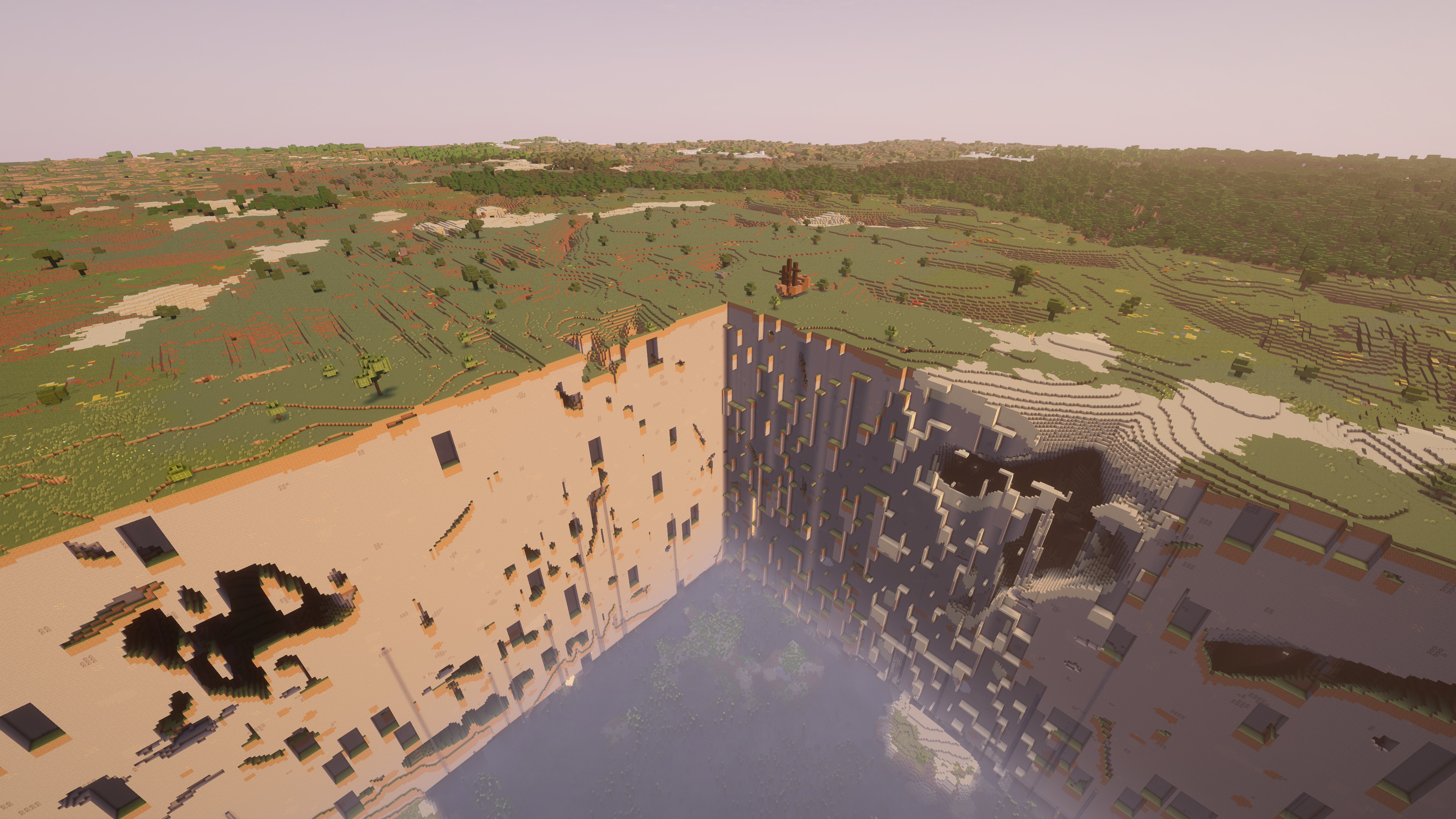 1.18.2+ 主世界边境之地的新模样
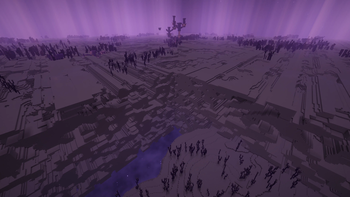
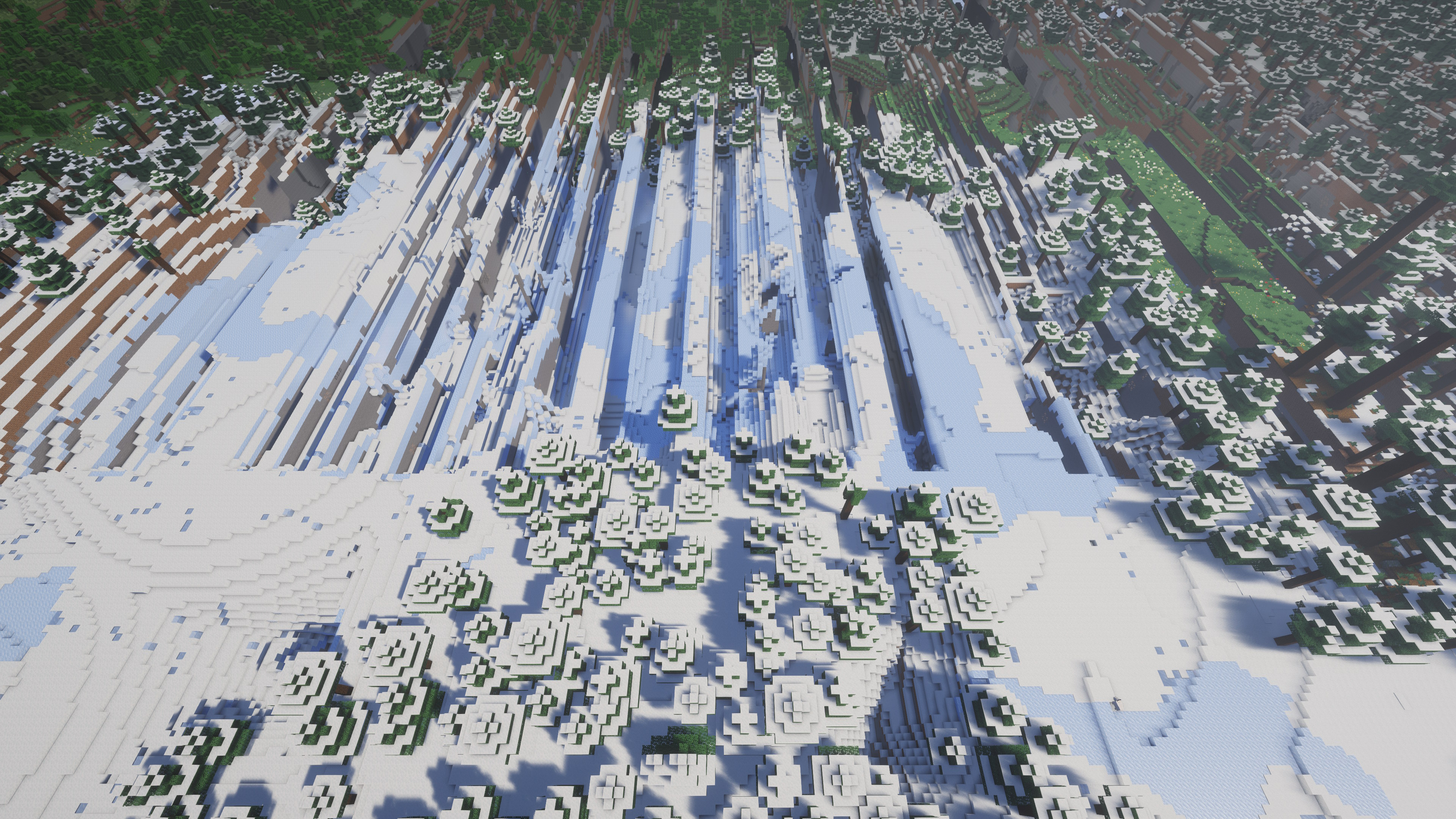 上文提到的 1.18+ 主世界边境之地的新水平分层,生成于 X/Z ≈ 4218498800 处
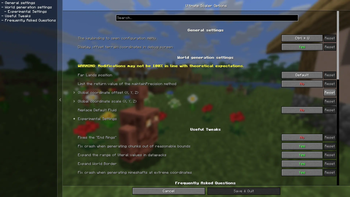
 0.3.3.2 的配置界面一览
查看更多截图与详细效果展示,请访问我们的 画廊。
🚀 实时前沿:每日构建版
对于渴望第一时间体验最新特性、参与测试的探索者,我们提供了 【每日构建版】。
什么是每日构建版?
- 它是自动编译的最新开发版本,包含了刚刚合并的代码修复和新功能。
- 它让你能抢先体验尚未进入稳定版的实验性特性。
- 它是你反馈问题、影响开发方向的最直接渠道。
如何获取?
每日构建版的二进制文件部署在一个统一的 GitHub Release 页面上,点击此处并根据说明下载文件即可。
重要提示:
- ⚠️ 稳定性:每日构建版可能包含未完成的特性或未知的Bug,仅推荐给愿意承担风险、并愿意反馈问题的资深用户。
- 🐛 反馈价值:在此版本中发现并报告的问题,对我们具有极高的价值,将帮助我们更快地完善稳定版。
通过每日构建版,你不仅是使用者,更是项目的共筑者。
📖 寻求帮助与深入探索
- 遇到了问题? 请先查看模组内嵌的配置说明,如果未能解决,欢迎发表评论。
- 想要了解更多? 欢迎关注我的 B站频道,我会不定期分享探索心得、技术解析与未来开发计划。
- 你是开发者或硬核研究者? 我们的 GitHub 仓库 完全开源,欢迎查阅代码、提交建议或贡献力量。
⚠️ 重要安全须知
- 📁 请务必在使用前备份存档! 边境之地及其相关现象可能会不可逆地损坏你的世界,请务必在使用前做好充分的准备。
- 🔄 版本匹配:请确保模组与你的 Minecraft 版本相对应。
- ⚡ 性能提示:探索极远距离时,可能会对电脑性能产生较高要求。
🧭 Begin Your Border Expedition
Have you ever been fascinated by the legends of the "Far Lands"? Curious about how the Minecraft world distorts and breaks down quadrillion of blocks away? Ultimate Scaler was born for this purpose. It allows you not only to safely reach the Far Lands but also to personally adjust the rules of terrain generation, revealing landscapes unseen by others.
🎯 Why Choose Ultimate Scaler?
Because it is one of the mods that currently enables the most comprehensive and stable exploration of the Far Lands (primarily in newer versions). From offsetting world generation to providing a complete suite of utility tools, we offer a full set of solutions bridging theory and practice.
🆕 New to This? Start Here in Just Three Steps
You don't need to understand complex noise algorithms. Follow this simple "out-of-the-box" configuration to witness the miracle immediately:
- Enter your game world after installing the mod.
- Press
Ctrl + Uto open the configuration screen (Requires Cloth Config Mod). - Find the "Far Lands Position" option and switch it to
Pre-B-1.7.3—the starting point for much research. Then, find and expand "Global Coordinate Offset (X, Y, Z)". Try entering a coordinate you might have heard of, such as:12550824(The classic Far Lands coordinate)4218498800(One of the new horizontal layering points for the Overworld Far Lands added in Minecraft 1.18+, known to few)
Click Save, then travel to unloaded chunks in the distance. You will see the terrain producing awe-inspiring distortions and faults at a massive scale—this is the "Border Effect" in action.
⚙️ Want to Go Further? The Advanced User's Toolbox
Once you're satisfied with basic exploration, the true power of Ultimate Scaler is just beginning to unfold. It offers deep customization possibilities for hardcore players and modpack authors:
- 🧪 Experimental Features: Enable "BigInteger Rewrite" to pursue mathematically perfect precision in offsets, suitable for advanced research.
- 🔧 Distance Phenomenon Fixes: Repair certain distance-related artifacts, or even "fix" the Far Lands themselves.
- 🔓 Remove Soft Limits: Lift various artificially imposed restrictions, such as world borders, command coordinate limits, and certain value limits in datapacks, granting you freedom of movement anywhere in the Far Lands.
- 🧰 Utility Tools: Commands like
/locate poscan precisely calculate offset coordinates, aiding in route planning. - 🔬 More Modification Features: Such as altering numerical values in coordinate transformation algorithms or recreating the classic "Sky Grid," providing underlying support for creating unique, extreme worlds.
🖼️ Visual Preview: What You Can Expect
The new appearance of the Overworld Far Lands in 1.18.2+
The new horizontal layering of the 1.18+ Overworld Far Lands mentioned above, generated at X/Z ≈ 4218498800
An overview of the configuration screen in version 0.3.3.2
Visit our Gallery for more images and detailed showcases.
🚀 Live on the Edge: Nightly Builds
For explorers eager to experience the latest features first-hand and participate in testing, we offer 【Nightly Builds】.
What is a Nightly Build?
- It is the automatically compiled latest development version, containing freshly merged code fixes and new features.
- It allows you to preview experimental features not yet available in the stable release.
- It is the most direct channel for you to report issues and influence the development direction.
How to Get It? The binary files for Nightly Builds are deployed on a unified GitHub Releases page. Click here and follow the instructions to download the file.
Important Notes:
- ⚠️ Stability: Nightly Builds may contain unfinished features or unknown bugs. They are recommended only for experienced users willing to take risks and provide feedback.
- 🐛 Feedback Value: Issues discovered and reported in this version hold extremely high value for us, helping us improve the stable version more rapidly.
By using Nightly Builds, you are not just a user, but a co-builder of the project.
📖 Getting Help & Diving Deeper
- Encountered a problem? First, check the in-mod configuration descriptions. If unresolved, feel free to leave a comment.
- Are you a developer or hardcore researcher? Our GitHub Repository is fully open-source. You are welcome to examine the code, submit suggestions, or contribute.
⚠️ Important Safety Notes
- 📁 Always back up your world before use! The Far Lands and related phenomena can potentially and irreversibly corrupt your world. Please ensure you are fully prepared before using the mod.
- 🔄 Version Compatibility: Please ensure the mod version corresponds to your Minecraft version.
- ⚡ Performance Note: Exploring extremely long distances may place higher demands on your computer's performance.
- Edition: Minecraft Java
- File type: .jar
- Minecraft versions listed: 1.21, 1.21.1, 1.21.2
- How to install: Install the matching mod loader (Forge, Fabric or NeoForge) for your Minecraft version. → Download the .jar. → Put it in the .minecraft/mods folder and launch that loader profile.
- Where to get it: Opens on Modrinth — not every file is mirrored on our own servers.
Install steps are the general flow for this file type — How to install Minecraft Java mods & modpacks walks through it step by step.
- Ships as ultimatescaler-0.3.3.2-1.21.jar — drop this file into the mods folder
- Download size: 165 KB
- Download link checked 31 Aug 2026 — working
These come from our own check of the pack file, not from the source page.