





Decorative Boxes
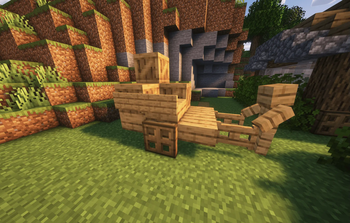
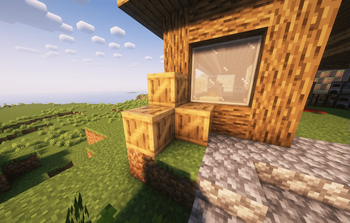
Decorative Boxes is a simple mod that I created to add various wooden boxes purely for decoration to Minecraft. These boxes are designed to enhance the aesthetic of builds and were inspired by my personal survival world.
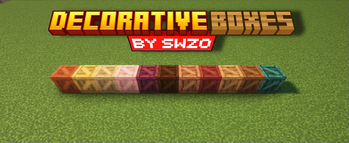
Added Boxes:
- Oak Box
- Spruce Box
- Birch Box
- Jungle Box
- Acacia Box
- Dark Oak Box
- Mangrove Box
- Cherry Box
- Bamboo Box
- Crimson Box
- Warped Box
Features:
- Purely Decorative: These boxes have no gameplay impact beyond enhancing the look of your builds.
- Wide Variety: Each wood type in Minecraft has a corresponding decorative box to match.
- Simple Crafting: All wooden boxes are crafted using the respective wood type.
- Serverside: Use Polymer so no client side mods are required
Dependencies:
Crafting Recipes (Spoiler):
Click to view crafting recipesBoxes:
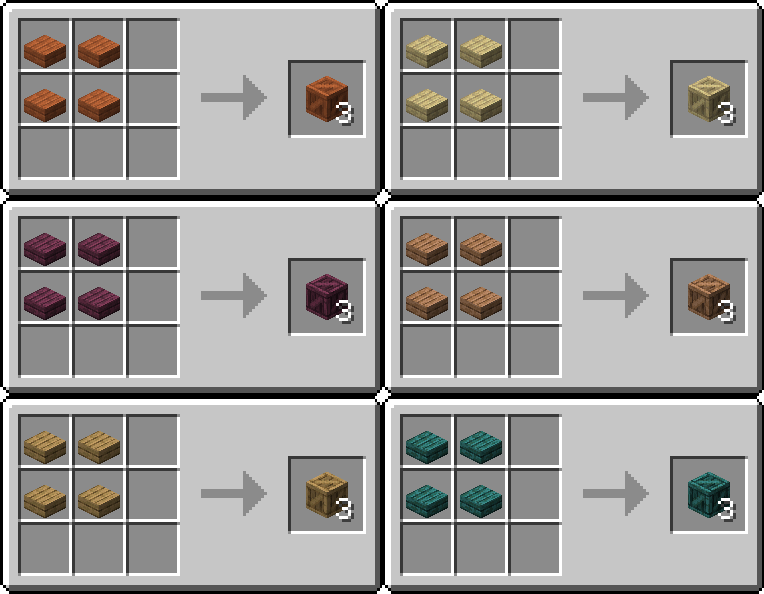
The recipes are the same for all wood types! The only difference is the type of slab you use in each recipe.
How to Use:
- Install Filament and Polymer: Ensure you have Filament and Polymer installed and up to date.
- Install The Mod: Place the Decorative Boxes mod into the
modsfolder of your Minecraft world. - Load the Pack: Use Polymer's Autohost Feature to load the resourcepack into your world.
Credits:
Quick facts
- Edition: Minecraft Java
- File type: .jar
- Minecraft versions listed: 1.21, 1.21.1
- How to install: Install the matching mod loader (Forge, Fabric or NeoForge) for your Minecraft version. → Download the .jar. → Put it in the .minecraft/mods folder and launch that loader profile.
- Where to get it: Opens on Modrinth — not every file is mirrored on our own servers.
Install steps are the general flow for this file type — How to install Minecraft Java mods & modpacks walks through it step by step.
Verified by MCModsHub
- Ships as decorativeboxes-1.0.1+1.21-1.21.1.jar — drop this file into the mods folder
- Download size: 136 KB
- Download link checked 31 Aug 2026 — working
These come from our own check of the pack file, not from the source page.